
Noota: AI Meeting Assistant with EU-Hosted Conversation Intelligence

Updated: Oct 16

Status: Active | Last tested: 2026-09-11 (current web version) | Re-check: trigger-based (max 6 months)
Active: the tool is current and recommended.


In this Tool Review
Tool Snapshot
Category: AI Meeting Assistant and Conversation Intelligence
Provider: Noota (France)
Version tested: Current web version (September 2026)
License: Proprietary (Freemium SaaS)
Platforms: Web, Chrome extension, iOS, Android, Zoom, Google Meet, Microsoft Teams, Webex
Tagline: "The AI NoteTaker That Actually Automates Work"
Primary use cases:
Record, transcribe, and summarize online meetings (Zoom, Google Meet, Teams, Webex)
Capture in-person meetings via mobile app or computer microphone
Automate follow-up email drafts and CRM/ATS synchronization after calls
Conduct AI-powered candidate screening interviews (Noota Talent)
Search across all past meetings, calls, and emails with Ask Noota AI assistant
Pricing summary: Freemium. Free plan: 300 min AI notes/month, 1 month storage. Pro: EUR 29/month/user (1000 min, 10 seats). Business: EUR 49/month/user (unlimited, API, Zapier). Talent: EUR 199/month/user (recruiting agents). Enterprise: custom. Annual billing offers discounts. Prices verified September 2026.
Official links:
CI-First Benefit Score | 7.2/10 - Strong |
Time | 8 / Quantity 7 / Quality 7 / Skill 6 |
CI-First Profile | Level 2: Co-Worker and Assistant (primary), Level 4: Analyst and Tester (secondary) |
Humics Protection | Humics-Neutral (+1) |
AI Imposture Risk | Medium (Time Low, Quantity Low, Skill Medium) |
User Sentiment | 4.7/5 G2 (314 reviews), 4.6/5 Trustpilot (104 reviews) |
Pricing | Freemium (Free to EUR 49/month/user, Talent EUR 199) |
Platforms | Web, Chrome, iOS, Android, Zoom, Meet, Teams, Webex |
Languages | 60+ languages for transcription |
Data Hosting | EU (France, Belgium, Netherlands) - GDPR compliant |
The Problem
Professionals lose hours every week taking manual notes during meetings, then lose more time reconstructing decisions, drafting follow-up emails, and updating CRM records or ATS profiles. The administrative burden after a conversation often exceeds the meeting itself. A 2-hour client call can produce 1 hour of post-meeting documentation: writing summaries, assigning action items, sending recap emails, and logging data into business systems.
Recruiters face an amplified version of this problem. They conduct back-to-back screening calls, phone interviews, and hiring manager debriefs. Each conversation generates notes that must be structured, compared, and fed into an ATS. Manual note-taking during interviews also degrades the quality of the conversation itself: the recruiter splits attention between the candidate and their notebook, missing subtle signals.
Teams operating under GDPR face an additional constraint: most AI meeting tools host data in US data centers, creating compliance friction for European organizations. The choice has been between tools that violate data sovereignty requirements and tools that lack the automation depth needed for real productivity gains.
The Outcome
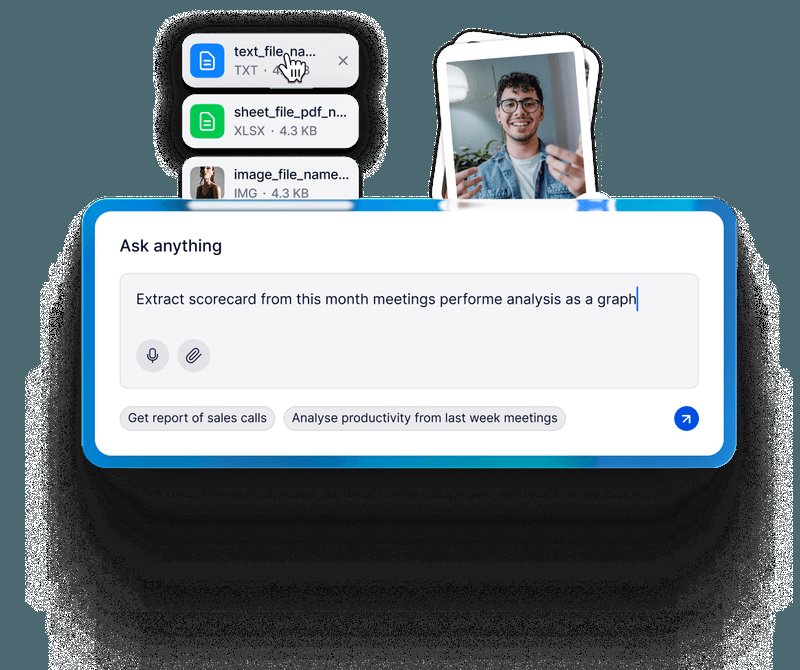
Noota eliminates manual note-taking by automatically recording, transcribing, and summarizing meetings across Zoom, Google Meet, Microsoft Teams, Webex, phone calls, and in-person conversations. After each meeting, you receive a structured report with an overview, action items, speaker identification, and key decisions. Noota claims users save 6.4 hours per week on average and reduce administrative work by 80%.
Beyond transcription, Noota automates the downstream workflow: follow-up emails are drafted automatically, meeting notes sync to CRM systems (Salesforce, HubSpot, Pipedrive) and ATS platforms (Bullhorn, SmartRecruiters, Recruitee), and the Ask Noota AI assistant lets you search across all past conversations to find decisions, action items, and context.
For European teams, Noota hosts all data in EU data centers (France, Belgium, Netherlands) with AES-256 encryption, GDPR compliance, and SOC 2 Type II certification in progress. No customer data is used to train AI models.
Who Should Use Noota
U365 Fellow categories:
Learner type | Difficulty | Typical ROI | Career path |
Students (Bachelor, Master) | Beginner | Record lectures and group projects, generate study notes and action items from academic discussions | All U365 programs: note capture for UNOP study sessions and project meetings |
Professionals (career upskilling) | Beginner to Intermediate | 6+ hours saved weekly on meeting documentation, automated CRM logging, consistent follow-up emails | ULM Career dimension: meeting productivity, client communication, sales pipeline updates |
Everyone (lifelong learners) | Beginner | Capture and search all conversations, build a personal knowledge base from meetings and calls | LIPS system: meeting outputs become searchable knowledge assets in your digital second brain |
Skill level required: Beginner. No technical knowledge needed. Connect your calendar and Noota handles the rest.
Prerequisites: A calendar account (Google Calendar or Outlook) and at least one meeting platform (Zoom, Google Meet, Teams, or Webex). For phone calls, a Noota business number or BYO number (Pro plan or higher).
Typical time to first result: 5 minutes. Connect your calendar, join a meeting, and Noota generates a summary within minutes of the call ending.
Typical time to competence: 1-2 hours to configure custom templates, integrations, and sharing rules. 1 week of regular use to develop a review-and-verify habit.
U365 Institutes Alignment
UIT (Technology, AI, Data Science)
Relevance. Medium
Why. Useful for technical project meetings, standups, and architecture discussions. The Ask Noota knowledge base helps retrieve past technical decisions.
The limit that holds the row. The tool records and retrieves a conversation; it supplies no engineering standard of its own, it publishes no schema, no validator, no baseline and no accuracy figure a Fellow could reproduce, and every fact in the row is read from a vendor page rather than measured on the Fellow's own side, with no published U365 programme assessing the audit of a hosted service's data handling. The competency that remains is reading the service's data position as an engineering fact: where the recording, the transcript and the summary sit, what is encrypted in transit and at rest, whether customer content trains a model, what the retention default is, and which of those settings an administrator controls. The row holds at Medium for that audit reading.
UIB (Business Management, Entrepreneurship)
Relevance. High
Why. Core use case: client meetings, sales calls, CRM sync, follow-up automation. Noota Talent adds recruiting agents for growing teams.
The limit that holds the row. The tool's own acts are what the reason lists: client meetings, sales calls, CRM sync, follow-up automation, and recruiting agents on the Talent tier. It teaches no management, finance, entrepreneurship or leadership content of its own, and neither decision that remains, what may be written into a customer or candidate record and what a colleague or a candidate is owed before a recording, has a published U365 assessment home. The row rests on those two decisions and on the Fellow's verification of what the record says, not on the automation.
UIC (Digital Communication, Marketing)
Relevance. High
Why. Meeting summaries become content inputs. Interview recordings and client briefings feed directly into communication strategy work.
The limit that holds the row. The tool composes nothing: it turns a conversation into a record, and what the record says is the Fellow's. It evaluates no audience, teaches no register and carries no editorial standard of its own, and no published U365 programme assesses the consent protocol, the disclosure step or the editorial judgement over a machine-authored record. The competency that remains is the publication boundary over that record: what a stored record of a meeting may say, who may receive it, and what a follow-up message may claim on the Fellow's own authority rather than on the tool's summary.
UID (Digital Design, UX/UI)
Relevance. Medium
Why. Capture user research sessions, design review meetings, and stakeholder feedback. Clips and highlights can be shared with design teams.
The limit that holds the row. The product produces no design artefact: it specifies no layout, interaction, prototyping or motion work, and it evaluates no design against a brief. The competency that remains is a research-session and interface-reading decision rather than a design act: designing a session so that the recorder does not change it, including when a session may be captured and what the participant is owed, and reading the capture affordances as decisions someone else made. The row holds at Medium for that decision and maps no UID credential chain.
How It Works
Underlying Technology
Noota uses speech-to-text models to transcribe audio in real time with speaker identification. The transcription engine supports 60+ languages and claims less than 1% error rate. After transcription, Noota's AI generates structured summaries using customizable templates (sales calls, interviews, board meetings, team standups). The AI also extracts action items, decisions, and key topics, and can draft follow-up emails based on the conversation content.
Key Technical Features
Recording modes: Bot joins meeting (visible participant) or no-bot recording (Chrome extension captures audio without joining). In-person recording via mobile app or computer microphone.
Business phone calls: Built-in telephony with call recording, transcription, and AI analysis. Get a professional number or bring your own (Pro plan and higher).
AI agents: Email Agent drafts replies and summarizes threads. Ask Noota searches across all meetings, calls, and emails. Noota Talent adds sourcing, screening, and interview agents for recruiting.
Knowledge base: Unifies meetings, calls, emails, and documents into a searchable AI-powered knowledge base with cross-data insights and graph-based visualization.
Security: SOC 2 Type II (ongoing), GDPR compliant, AES-256 encryption at rest, TLS 1.2/1.3 in transit, EU data hosting (France, Belgium, Netherlands), no customer data used for AI training.
Integrations
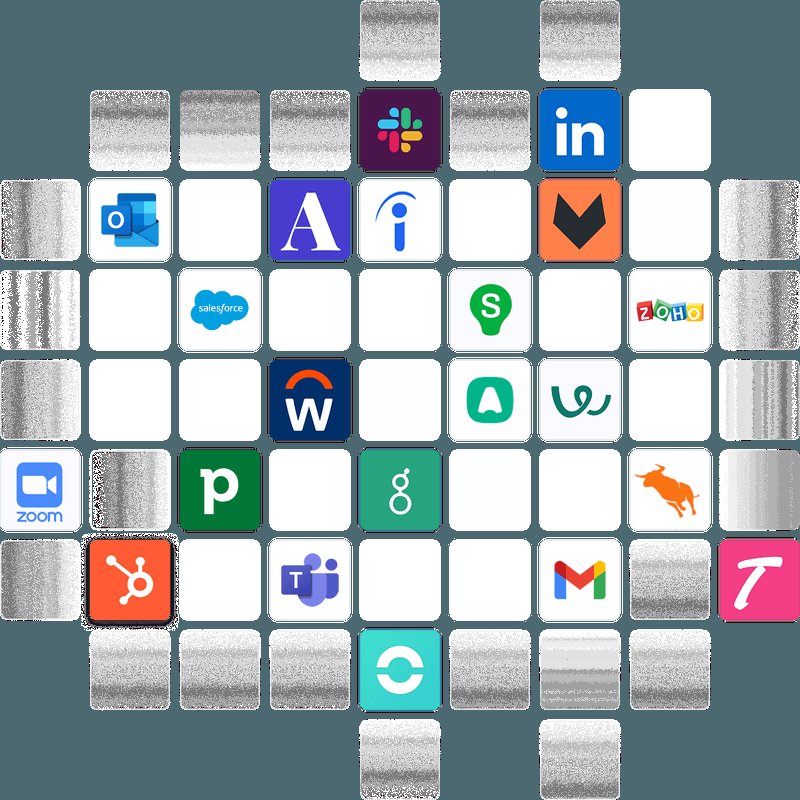
Productivity: Notion, Google Docs, OneNote, Slack, OneDrive, Asana
CRM: Salesforce, HubSpot, Pipedrive
ATS: Bullhorn, SmartRecruiters, Recruitee, Flatchr, T4S, ADMen
Meeting platforms: Zoom, Google Meet, Microsoft Teams, Webex
Setup and Onboarding
Installation
1. Go to app.noota.io/register and create a free account (no credit card required).
2. Connect your calendar (Google Calendar or Outlook). Noota will automatically detect upcoming meetings.
3. Install the Chrome extension for no-bot recording, or let Noota join meetings as a bot participant.
4. Download the iOS or Android app for in-person meeting capture and mobile access.
First-time Configuration
1. Choose your default summary template (general, sales, interview, board meeting). You can customize templates or upload your company's own format.
2. Connect integrations: CRM (Salesforce, HubSpot), ATS (Bullhorn, SmartRecruiters), or productivity tools (Notion, Slack). Configure what data gets synced and whether links are private or public.
3. Set consent management rules: enable one-click participant opt-out, choose audio-only capture, and configure consent prompts before recording starts.
First 15 Minutes Checklist
Create your Noota account at app.noota.io/register
Connect your calendar (Google or Outlook)
Install the Chrome extension for browser-based no-bot recording
Select a default summary template that matches your meeting type
Run a test recording on a short call to verify transcription quality
Review the generated summary and check action item accuracy
Connect one integration (CRM, ATS, or Notion) to test the sync workflow
Real Workflows
Workflow 1: Client Meeting Capture and CRM Sync (UIB, UIC)
Learner type: Professional (sales, consulting, account management)
CI-First benefit tags: Time (8/10), Quantity (7/10), Quality (7/10)
U365 program connection: ULM Career dimension, LIPS CARE process (Collect meeting data, Action Plan from extracted items, Review summary, Execute follow-up)
Step | You do | Noota does |
1 | Join the client call and focus on the conversation | Records audio, transcribes in real time with speaker labels |
2 | Conduct the meeting normally | Generates structured summary with overview, decisions, and action items |
3 | Review the summary for accuracy (2-3 minutes) | Drafts a follow-up email based on the conversation content |
4 | Approve or edit the email, send to client | Syncs meeting notes and summary to HubSpot or Salesforce contact record |
5 | Verify CRM record is updated correctly | Creates a searchable entry in your Noota knowledge base |
Sample prompt: Context: I am running a meeting assistant over a client meeting, and the meeting and the parties are stated. A human reviews the summary and the follow-up before anything is sent. Role: AI as a meeting assistant summarising one meeting. I own the follow-up; you summarise and draft. Profile: Act as a Co-Worker and Assistant for the capture pass, recording what was decided rather than reading between lines. Task: summarise this client meeting with a focus on budget decisions, timeline commitments and next steps; then draft a follow-up email to the client confirming what was agreed. Mark each commitment with who made it and where in the meeting it was made. Constraints: never send anything without my review; never invent a commitment or a figure. Where the meeting was unclear on a decision, mark it rather than choosing. Output format: the summary with the three focus areas, the commitments with their owners, the draft follow-up, and the unclear points. Memory: the accepted summary and the follow-up belong in my CRM and my own notes, because the tool keeps the recording and not the decisions. UP-Context-Engineering verification: I reread the key decisions against my memory of the meeting before anything is sent, I check each commitment's owner, and I can defend the follow-up without the tool. Data safety: this pack carries no personal data. I do not paste a client's confidential figures, an unrelated meeting or a recording I have no basis to share into it, and I keep the record in my own CRM.
Verification checklist:
Multi-Model: Compare Noota's summary against your own brief notes. Flag any missing decisions.
External Source: Verify that the CRM record in HubSpot/Salesforce matches the meeting summary.
Human Review: Read the drafted follow-up email before sending. Confirm all action items are correctly attributed.
CI-First Test: Did you stay fully present in the conversation? If you took no manual notes and the summary is accurate, the tool passed.
Workflow 2: Recruitment Interview Capture and ATS Update (UIB)
Learner type: Professional (recruiter, hiring manager, HR)
CI-First benefit tags: Time (8/10), Quantity (8/10), Quality (7/10)
U365 program connection: LIPS CARE process for candidate evaluation, ULM Career dimension for hiring decisions
Step | You do | Noota does |
1 | Select the interview scorecard template in Noota before the call | Records the interview with candidate consent management enabled |
2 | Conduct the interview focusing on candidate responses | Transcribes and generates a structured candidate report with skills, motivations, and concerns |
3 | Review the scorecard and add your own assessment notes | Populates interview scorecard fields based on the conversation |
4 | Verify the candidate profile in your ATS (Bullhorn, SmartRecruiters) | Syncs the interview report and scorecard to the candidate's ATS record |
5 | Compare candidates using Ask Noota to search across all interviews | Provides cross-candidate search and comparison from your interview history |
Sample prompt: Context: I am comparing candidates for a stated role after their interviews, and the interview records are in my own system. The hiring decision belongs to the team, and the tool is used to search those records. Role: AI as a recruitment analyst retrieving from interview records. I own the hiring judgement; you retrieve and compare. Profile: Act as an Analyst and Tester, comparing only what the interviews recorded rather than re-scoring candidates. Task: compare the top 3 candidates for the stated role from the interview records: their key strengths and the concerns raised. For each point, name the interview it comes from. Then list the dimensions the interviews did not cover. Constraints: use only the recorded interviews; never infer from a candidate's background or the outcome. Where an interviewer's note is ambiguous, report it rather than resolving it. Output format: the strengths and concerns per candidate with their interview sources, and the uncovered dimensions. Memory: the comparison and the decision record belong in my hiring file, because the tool keeps the records and not the judgement. UP-Context-Engineering verification: I check each claim against the interview record myself before deciding, I keep the comparison factual rather than ranked, and the panel can defend the decision without the tool. Data safety: this pack carries no personal data. I do not paste candidate identities, interview recordings or personal assessments into any surface beyond the tool's own controlled store, and I keep the decision record in my own system.
Verification checklist:
Multi-Model: Cross-check Noota's candidate report against your own interview impressions.
External Source: Verify the ATS record contains the correct scorecard data and interview summary.
Human Review: Make the hiring decision yourself. Noota organizes information but does not make the call.
CI-First Test: Did you ask better follow-up questions because you were not taking notes? If yes, the tool amplified your interview quality.
Workflow 3: Lecture Capture and Study Notes (All Institutes)
Learner type: Student (Bachelor, Master)
CI-First benefit tags: Time (7/10), Quantity (7/10), Skill (6/10)
U365 program connection: UNOP study sessions, LIPS knowledge capture for academic content
Step | You do | Noota does |
1 | Open the Noota mobile app and start in-person recording during a lecture | Captures audio from your phone or computer microphone |
2 | Listen and participate in the lecture discussion | Transcribes the full lecture with speaker labels and timestamps |
3 | Review the generated summary and key topics after class | Produces a structured summary with key concepts, questions raised, and action items |
4 | Add your own annotations and corrections to the transcript | Makes the full transcript searchable in your knowledge base |
5 | Use Ask Noota to find specific topics across all recorded lectures | Returns relevant passages with links to the exact moment in the transcript |
Sample prompt: Context: I am capturing a lecture for study notes, and the course and the lecture are stated. The lecture record is in my own space. Role: AI as a study assistant retrieving from one lecture. I own the learning; you retrieve and structure. Profile: Act as a Professor, Coach and Tutor, building my recall from the lecture rather than substituting for it. Task: find what the professor said in last week's lecture about the stated topic, from the lecture records, and lay it out as structured study notes. Then set three questions I should be able to answer from the notes, with the answers held back until I try. Constraints: use only the recorded lecture; where the professor did not cover something, say so rather than filling it. Attribute each point to the lecture rather than to the field. Output format: the structured notes with the lecture attribution, then the three self-test questions. Memory: the notes and my answers belong in my own learning record, because the tool keeps the recordings and not my study state. UP-Context-Engineering verification: I answer the three questions from memory before checking, I replay the cited segment myself where a point matters, and I can explain the topic without the tool. Data safety: this pack carries no personal data. I do not paste another student's notes, a lecturer's personal remarks or examination material into it, and I keep the study record in my own store.
Verification checklist:
Multi-Model: Compare Noota's summary against your textbook or slides. Verify key concepts are correctly identified.
External Source: Cross-check specific claims in the transcript against the course materials.
Human Review: Confirm that the action items (assignments, readings) match what the professor actually assigned.
CI-First Test: Did you engage more in class discussion because you were not writing? If yes, the tool supported your learning.
Strengths, Limits, and AI Imposture Risk
Strengths
Dimension | Score | Evidence |
Time | 8/10 | Saves 6.4 hours/week on average per user. Eliminates manual note-taking and follow-up email drafting. CRM/ATS sync removes data entry. |
Quantity | 7/10 | Captures every meeting (online, in-person, phone). 60+ language support. Unlimited recording on all plans. Knowledge base grows with every conversation. |
Quality | 7/10 | Ranked first in independent meeting minutes comparison (558 points vs Fireflies 416, Otter 184). Customizable templates. Action items with speaker attribution. |
Skill | 6/10 | Ask Noota enables cross-meeting search and learning. Knowledge base builds organizational memory. Does not directly teach new skills but makes past conversations reusable. |
Limits
Free plan limited to 300 minutes of AI notes per month and 1 month storage. Power users will hit limits quickly.
Some users report clunky interface navigation and occasional processing delays on long meetings (G2 reviews).
Language detection can require manual selection. Some users want automatic language detection and translation (G2 reviews).
No-bot recording requires the Chrome extension. Bot-based recording is visible to all participants, which may be awkward in sensitive client calls.
SOC 2 Type II certification is ongoing, not yet completed. ISO 27001 is in preparation. Some enterprise security teams may require completed certifications.
Deep integrations (API, webhooks, Zapier) only available on Business plan (EUR 49/month/user). Pro plan has standard integrations only.
Noota Talent (recruiting agents) is a separate product at EUR 199/month/user, significantly more expensive than the standard Noota 360 plans.
AI Imposture Risk
Time Illusion
Level. Low
Evidence. Time savings are real and measurable. Post-meeting review takes 2-3 minutes, not the 30+ minutes of manual note-writing. The tool genuinely eliminates documentation time.
Quantity Illusion
Level. Low
Evidence. Transcripts and summaries are verifiable against the recording. Action items are extracted from actual statements, not fabricated. Quality holds up in independent testing.
Skill Illusion
Level. Medium
Evidence. Risk that users stop actively listening during meetings, assuming the tool captured everything. If attention drops, the user misses non-verbal cues and real-time judgment opportunities. The tool captures words but not body language, tone, or strategic context.
Overall AI Imposture Risk: Medium. Framework Section 5.3 places the overall level at Low only when all three traps are Low, and this review rates Skill Illusion Medium, so the overall level is Medium. The Time and Quantity ratings are Low because the transcript is verifiable against the recording and the time saved is measurable: post-meeting review takes two to three minutes rather than thirty. The Medium rating is on Skill, where a delegate who stops listening because the tool is recording has delegated attention and not only note-taking.
U365 Co-Intelligence Rating
CI-First Profile
Primary: Level 2: Co-Worker and Assistant. Noota performs the repetitive documentation work that follows every meeting: transcription, summarization, action item extraction, email drafting, CRM logging. It acts as a reliable assistant that handles the administrative layer so you can focus on the conversation.
Secondary: Level 4: Analyst and Tester. The Ask Noota knowledge base and cross-meeting search let you analyze patterns across many conversations. You can query past decisions, compare candidates, and surface recurring topics across your meeting history.
CI-First Benefit Score
Time
Score (0-10). 8
Rationale. Net 6.4 hours saved per week after accounting for review time. CRM sync eliminates manual data entry. Follow-up emails drafted automatically.
Quantity
Score (0-10). 7
Rationale. Captures all meeting types (online, in-person, phone). Knowledge base grows continuously. 60+ languages. Free plan includes unlimited recording.
Quality
Score (0-10). 7
Rationale. Ranked first in independent meeting minutes quality test. Customizable templates. Speaker identification and action item attribution are reliable.
Skill
Score (0-10). 6
Rationale. Ask Noota enables organizational learning from past conversations. Does not build new skills directly but makes meeting knowledge reusable and searchable.
Overall
Score (0-10). 7.2/10 (Strong)
Rationale. Clear, consistent benefit across common use cases. Primary reason to adopt for anyone who spends significant time in meetings.
Humics Protection Badge
Creativity: +1 (Protects). By eliminating note-taking, Noota frees your attention for creative thinking during meetings. You can focus on ideas and connections instead of transcription.
Critical Thinking: 0 (Neutral). The tool does not enhance or erode critical thinking. The summary is a reference, not a judgment. You still make the decisions.
Social Authenticity: 0 (Neutral). No-bot recording mode helps, but the presence of any recording tool can subtly change meeting dynamics. Consent management is well implemented.
Score: +1. Badge: Humics-Neutral. Noota protects creativity by freeing attention but does not actively strengthen critical thinking or social authenticity.
Superhuman Usage Guidance
When to invite Noota:
Any meeting where you need a verbatim record (client calls, interviews, board meetings, legal discussions)
Back-to-back call days where manual note-taking would create a documentation backlog
Recruitment interviews where structured scorecards and ATS sync save hours of data entry
Multi-language meetings where transcription helps participants who struggle with the spoken language
When to keep Noota out:
Highly sensitive conversations where any recording creates risk, even with consent
Creative brainstorming sessions where the act of recording may inhibit free-flowing ideas
Short check-ins where the overhead of reviewing a summary exceeds the value of the notes
Negotiations where you need full attention on non-verbal cues and real-time strategy adjustments
U365 method integration: Noota fits the LIPS+CARE framework: meeting outputs are Collected automatically, Action items are extracted for your Action Plan, you Review the summary for accuracy, and Execute follow-up emails and CRM updates. The knowledge base becomes part of your LIPS digital second brain.
Over-delegation warning: Noota captures words, not meaning. If you stop listening actively because the tool is recording, you lose the ability to read the room, ask probing follow-up questions, and make real-time judgment calls. Use Noota to eliminate note-taking, not to eliminate presence. Review every summary within 5 minutes of the meeting ending while your memory is fresh. Never send an AI-drafted follow-up email without reading it first.
What Users Say
Aggregate Rating Table
Platform | Rating | Reviews | Trend |
G2 | 4.7/5 | 314 | Positive |
Trustpilot | 4.6/5 | 104 | Positive |
Product Hunt | No listing found | - | N/A |
Capterra | No reviews found | - | N/A |
Positive mentions | 5+ threads | Mixed to positive | |
4.9/5 | Not specified | Positive |
What Users Praise
Seamless meeting integration with Zoom, Google Meet, Teams, and Webex (29 mentions on G2)
Feature-rich options for transcription, recording, and AI summaries (17 mentions on G2)
Recruiting-specific features: interview scorecards, candidate reports, ATS integration (cited by Carrefour, W Executive, Adecco)
No-bot recording mode for discreet capture during sensitive conversations
EU data hosting and GDPR compliance, valued by European teams and regulated industries
Notion integration: one-click import of structured meeting notes into Notion pages (Reddit)
Time savings: 60% reduction in note-taking time reported by Sharpstone consulting team
What Users Complain About
Limited language options: some users want automatic language detection instead of manual selection (4 mentions on G2)
Interface navigation can feel clunky, especially for new users (G2 reviews)
Some advanced workflows are only available on higher-tier plans, creating friction for free plan users
Occasional delays in processing long meetings (G2 reviews)
Cannot record meetings outside of Google Meet, Zoom, Teams, or Webex (one G2 reviewer)
Custom vocabulary for technical terms and names requires Business plan or higher
Sentiment Summary
Overall sentiment is strongly positive. Noota scores above 4.5 on all major review platforms. Users in recruiting and sales are the most enthusiastic, citing specific workflow improvements (ATS sync, CRM logging, interview scorecards). The main complaints are about interface polish and language detection, not about core functionality or accuracy. Reddit users mention Noota as a reliable option for meeting transcription and praise the Notion integration.
U365 Editorial Note
The user sentiment aligns with the CI-First evaluation. The 7.2/10 Benefit Score reflects the real time savings users report (6.4 hours/week average). The Humics-Neutral rating is consistent with user feedback: Noota does not claim to make you smarter, it claims to save you time, and users confirm it delivers on that promise. The Medium AI Imposture Risk follows from the Skill Illusion, which this review rates Medium because the transcript's verifiability answers the Quantity question and not the attention question: users can check the recording against the summary, and the delegation this review flags is the delegation of listening. The one area to watch is the Skill Illusion: users who describe Noota as "having someone do all your notes" may be delegating attention, not just documentation.
Comparison and Alternatives
Tool | Best for | Pricing (entry paid) | Key differentiator |
Noota | European teams, recruiters, GDPR-sensitive orgs | EUR 29/month/user | EU hosting, no-bot recording, ATS integrations, Noota Talent recruiting agents |
Fireflies.ai | Sales teams, CRM-heavy workflows | $10/month/user (annual) | 100+ integrations, deepest CRM logging, AskFred AI search, conversation analytics |
Fathom | Individuals, budget-conscious users | Free (unlimited) / $15/month/user | Genuinely unlimited free tier, highest transcription accuracy (96%), per-meeting no-bot capture |
Otter.ai | Real-time collaboration, English-first teams | $8.33/month/user (annual) | Live transcript display, in-meeting AI agent, MCP server for ChatGPT/Claude integration |
tl;dv | Product/UX research, async teams | $18/month/user | Video clip sharing, multi-meeting AI reports, SOC 2 Type II + EU AI Act compliance |
Where Noota is clearly better
GDPR compliance with EU data hosting: Noota stores data in France, Belgium, and Netherlands. Fireflies, Fathom, and Otter host in the US.
Recruiting-specific features: Noota Talent offers AI sourcing, screening agents, interview scorecards, and universal ATS plugging. No competitor matches this depth for recruiting.
No-bot recording on all plans: Fathom offers per-meeting no-bot capture, but Noota includes it on the free plan. Otter and Fireflies are bot-first.
Business phone calls with telephony: Noota includes built-in calling, call recording, and transcription. Most competitors require a separate VoIP tool.
Meeting minutes quality: Noota ranked first (558 points) in an independent comparison across 5 meeting types, ahead of Fireflies (416) and Otter (184).
Where Noota is clearly worse
Pricing: Noota Pro at EUR 29/month is more expensive than Fireflies Pro ($10/month annual) or Otter Pro ($8.33/month annual). Fathom's free tier is genuinely unlimited.
Integration breadth: Fireflies connects to 100+ tools including Zapier on every paid plan. Noota's deep integrations (API, Zapier) require the Business plan at EUR 49/month.
Free tier generosity: Fathom offers unlimited recordings and AI summaries for free. Noota's free plan caps at 300 minutes of AI notes per month.
Transcription accuracy: Fathom measured at 96% in independent testing. Noota claims under 1% errors but has not been independently benchmarked at the same level.
Live transcription experience: Otter provides the best real-time transcript display with collaborative annotation. Noota's in-meeting experience is less interactive.
Choose Noota if: you are a European team needing GDPR-compliant meeting capture, a recruiter who needs ATS integration and interview scorecards, or a business that wants built-in telephony alongside meeting recording.
Choose Fireflies if: you need the widest integration stack and deepest CRM logging for a sales team.
Choose Fathom if: you want the best free tier with highest transcription accuracy and no-bot capture.
Choose Otter if: you need real-time collaborative transcription and an in-meeting AI agent.
Verdict and Next Steps
Noota is a strong choice for professionals and teams who spend significant time in meetings and want to eliminate post-meeting administrative work. Its CI-First Benefit Score of 7.2/10 (Strong) reflects real, measurable time savings and reliable quality. The tool is especially well-suited for European organizations that require GDPR-compliant data hosting and for recruiting teams that need structured interview capture with ATS integration.
Adopt Noota if you meet 3 or more of these criteria: you spend 10+ hours per week in meetings, you use a CRM or ATS that Noota integrates with, you need EU data hosting, you conduct regular interviews or client calls, or you want built-in business phone call recording. Start on the free plan to test transcription quality and summary accuracy on your real meetings.
Skip Noota if your meetings are primarily in English, you need the widest integration stack (choose Fireflies), you want a genuinely unlimited free tier (choose Fathom), or you need real-time collaborative transcription (choose Otter).
UP-Context-Engineering Prompt Pack
Prompt 1 (Pre-meeting): Context: I am preparing for a meeting where I need specific outcomes, and the meeting, the participants and my objectives are in front of me. Role: AI as a meeting preparation assistant working from my stated objectives. I own the outcomes; you prepare the ask. Profile: Act as a Co-Worker and Assistant for the preparation, organising my objectives rather than adding new ones. Task: state the key outcomes I need from this meeting, the questions that get me there, and what I should verify in the meeting assistant's summary afterwards. Give the questions in the order that reaches the outcomes fastest. Constraints: keep to my stated objectives; never invent a position or a commitment for the other side. Where two objectives conflict, name the conflict rather than assuming a priority. Output format: the outcomes, the ordered questions, and the post-meeting verification list. Memory: the objectives and the prepared questions belong in my own meeting notes, because the tool keeps the recording and not my preparation. UP-Context-Engineering verification: I re-state the outcome I need before the meeting starts, I verify after the meeting that the assistant captured the outcomes in the summary, and I can follow up on any that the summary missed. Data safety: this pack carries no personal data. I do not paste confidential negotiation positions, participant personal details or a third party's correspondence into it, and I keep the notes in my own store.
Prompt 2 (Post-meeting review): Context: I am reviewing a meeting summary against my own memory of the conversation, and both are in front of me. Role: AI as a review assistant comparing a summary with my account. I own the record; you find the gaps. Profile: Act as an Analyst and Tester, testing the summary against what I noticed rather than defending it. Task: compare this meeting summary against my recollection: what decisions or action items might be missing, what was captured inaccurately, and what I noticed during the meeting that a transcript cannot capture (tone, hesitation, what was left unsaid). Then name the items to correct in the record. Constraints: work only from the summary I provide and what I report; never add a matter the meeting did not discuss. Where my memory and the summary disagree, record both rather than choosing. Output format: the missing items, the inaccuracies, the untranscribable observations, and the corrections list. Memory: the corrected record belongs in my own meeting notes, because the tool keeps the summary and not the review. UP-Context-Engineering verification: I confirm each correction against my own notes before it is final, I record what the summary could not capture rather than discarding it, and I can explain the corrected record without the tool. Data safety: this pack carries no personal data. I do not paste a participant's personal details, a confidential decision or a third party's correspondence into it, and I keep the record in my own store.
Prompt 3 (Cross-meeting search): Context: I am searching across my recorded meetings for everything decided about a stated topic over a stated period. The topic and the period are set. Role: AI as a retrieval assistant working across my meeting records. I own the conclusions; you retrieve and compare. Profile: Act as an Analyst and Tester, listing what the records show rather than synthesising beyond them. Task: find what decisions were made about the topic across all meetings in the period; list the meetings, the dates and the specific decisions; and flag any contradictions between meetings. For each decision, name the meeting and date it comes from. Constraints: use only the recorded meetings; where a decision was revisited, show both rather than only the latest. Never merge two meetings' decisions into one line. Output format: the chronological decision list with meeting and date citations, and the contradictions flagged separately. Memory: the decision trail belongs in my own project record, because the tool keeps the recordings and not the synthesis. UP-Context-Engineering verification: I check the key decisions against the meeting records myself before relying on them, I confirm which decision currently governs where they conflict, and I can explain the trail without the tool. Data safety: this pack carries no personal data. I do not paste a participant's personal details, a confidential negotiation or a third party's correspondence into it, and I keep the decision trail in my own store.
U365's Recommendations to Learn More
Official learning resources
Video tutorials and channels
Noota AI Crash Course for Work: Meeting Notes, Summaries & Action Items by Mike Rosales Mrdzyn Studio (Published Aug 8, 2026)
Hubspot : Automate your meeting notes with AI by Noota (Published May 5, 2026)
Noota Review & Tutorial - Best Auto Transcriber | Noota AppSumo | Passivern by Passivern (Published Jul 13, 2022)
Written tutorials and deep-dive articles
Community and social
Resources on X
Dedicated X channels:

Noota @noota_io announcing the Email Agent feature on X (May 2026)
Glossary
CI-First Benefit Score
A 0-10 score measuring how much an AI tool delivers the 4 Key AI Benefits defined by University 365: Time (doing things faster), Quantity (doing more in the same time), Quality (doing things better), and Skill (learning what you did not know). The overall score is the average of the four dimensions. A score of 7.0-8.0 means Strong: significant benefit across most use cases and a primary reason to adopt the tool.
CI-First Profile
One of 5 AI Profiles that describe how AI participates in your work. Level 2 (Co-Worker and Assistant) means the AI handles repetitive tasks you already know how to do, freeing your time for higher-value work. Level 4 (Analyst and Tester) means the AI helps you search, compare, and analyze across large datasets or many conversations.
Humics Protection Badge
A rating from -3 to +3 measuring whether an AI tool protects or erodes the three uniquely human capabilities: creativity, critical thinking, and social authenticity. A score of +1 is Humics-Neutral: the tool neither significantly protects nor erodes human capabilities.
AI Imposture Risk
The threat that using an AI tool creates a false sense of competence. Three risk types: Time Illusion (thinking you saved time when you spent it on prompting and verifying), Quantity Illusion (producing more but worse output), and Skill Illusion (believing you have skills you are losing). Noota's overall risk is Medium, because its Skill Illusion rating is Medium and framework Section 5.3 sets the overall level at Low only when all three traps are Low. The Time and Quantity gains are real and the transcript can be checked against the recording. The Medium rating is the reminder that a recorded meeting is not an attended one.
User Sentiment
The aggregate rating and qualitative feedback from real users across review platforms (G2, Trustpilot, Reddit, Google, Capterra, Product Hunt). Noota scores 4.7/5 on G2 (314 reviews) and 4.6/5 on Trustpilot (104 reviews), indicating strongly positive sentiment.
Review Status
Review Status records the current standing of the tool at the time of the last test. Active: the tool is current and recommended. Active (updated): recently re-checked and the content was refreshed. Changed: a re-check trigger fired and an update is pending, so read the review with that in mind. Risky: the tool has significant unresolved issues, or it has been clearly surpassed by newer alternatives. Use it with caution and read the Limits section. Retired: the tool still works but is no longer recommended. Deprecated: the tool has been shut down or fundamentally changed. Retired and Deprecated posts include a Migration Path section.




Comments