
Building Your First AI Agent with Function Calling

Updated: 3 days ago

UIT University 365 Institute of Technology
Series AI Agents Series | Level Basic (Free)
Duration 15 to 20 minutes | Access Free
IT Engineering, AI and Applied AI, Data Science, Software Development, Digital Transformation

UNOP Sound (University 365 Neuroscience Oriented Pedagogy)
Take five minutes to prepare your brain. Play the isochronous tone track (40Hz gamma frequency) with your eyes closed. Gamma-frequency tones before a learning session raise attention and make the material easier to absorb.
[Audio player: UNOP Pre-Lecture Isochrone (40Hz, 5 minutes)]
Table of Contents
The Hook: From Chatbot to Agent
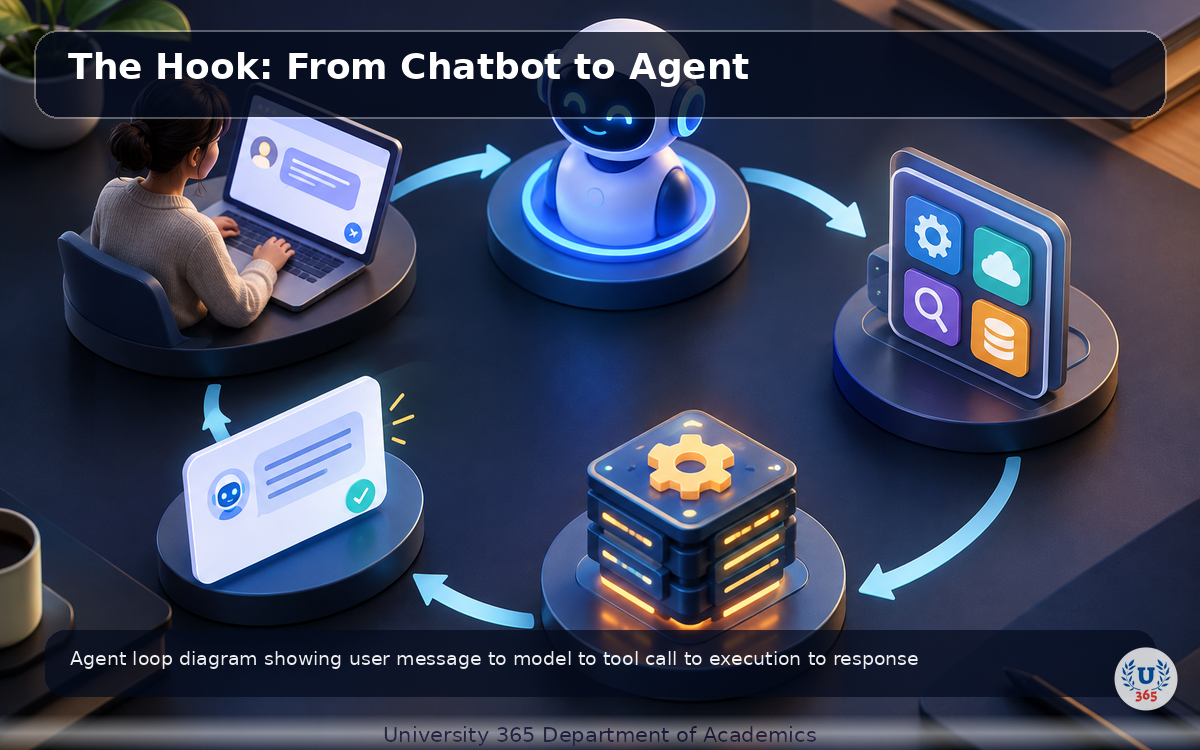
A chatbot can talk. An agent can act. The difference is one mechanism: function calling.
When you ask a chatbot "what is the weather in Paris?", it generates text based on its training data. It might be right or wrong. It cannot check. When you ask an agent the same question, it calls a weather API, gets the real current temperature, and tells you the answer. The agent does not guess. It knows.
Function calling is the bridge between language models and the real world. It lets the model ask your code to run a function: query a database, call an API, read a file, send an email. The model decides which function to call and with what arguments. Your code executes the function and returns the result. The model uses that result to answer the user.
Every major agent framework (LangChain, CrewAI, AutoGen, OpenAI Assistants) is built on this primitive. Understanding function calling means understanding how all agents work.
In the next 20 minutes, you will build a working AI agent from scratch, understand the loop that powers it, and learn the production patterns that make agents reliable.

What Is Function Calling?
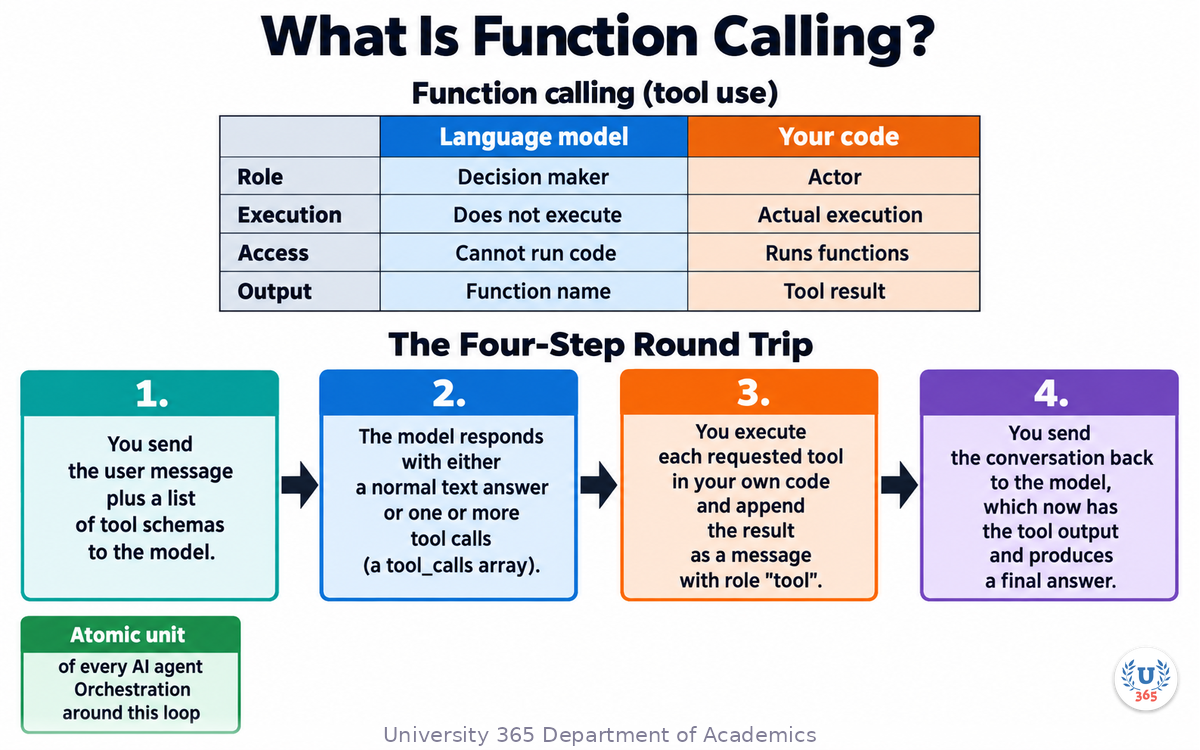
Function calling (also called tool use) is the mechanism by which a language model asks your application to run a piece of code on its behalf. You describe available functions to the model as JSON schemas. When the user request implies a function should run, the model returns a structured payload with the function name and a JSON object of arguments. Your code executes the function, appends the result to the conversation, and the model produces a final answer.
Key Misconception
The model does not execute your functions. It cannot run code, access your database, or make API calls. It only tells you which function to call and what arguments to use. Your code does the actual execution. The model is the decision maker. Your code is the actor.
The Four-Step Round Trip
1. You send the user message plus a list of tool schemas to the model.
2. The model responds with either a normal text answer or one or more tool calls (a tool_calls array).
3. You execute each requested tool in your own code and append the result as a message with role "tool".
4. You send the conversation back to the model, which now has the tool output and produces a final answer.
This round trip is the atomic unit of every AI agent. Everything else is orchestration around this loop.
The Agent Loop: Think, Act, Respond
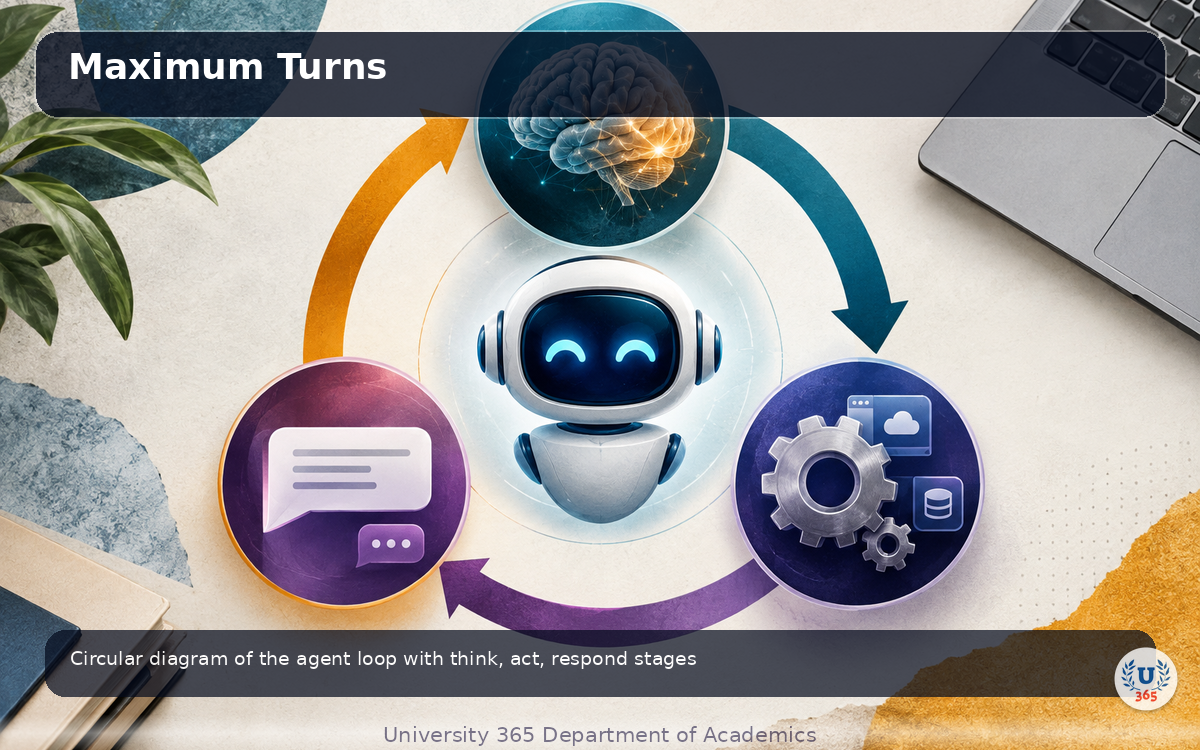
The agent loop is the core of every agent. It is a cycle of thinking (model decides), acting (code executes), and responding (model answers or requests another tool call).
How the Loop Works
The loop continues until the model returns a plain text response with no tool calls. At that point, the agent is done and the text is the final answer for the user.
Why a Loop, Not a Single Call
Some questions require multiple tool calls. "Compare the weather in Paris and London" requires two weather API calls. "Find the cheapest flight to Tokyo, then book it" requires a search call followed by a booking call. The loop handles these multi-step workflows naturally: the model calls one tool, sees the result, decides what to do next, and continues until the task is complete.
Maximum Turns
Every agent loop needs a maximum turn limit (typically 5 to 10). Without it, a confused model can loop forever, calling the same tool repeatedly. The limit is a safety net, not a feature.
Defining Tools: JSON Schema Basics
Tools are defined as JSON objects with a name, description, and parameter schema. The model uses the description to decide when to use the tool, and the parameter schema to generate correct arguments.
Tool Definition Structure
A tool definition has three parts:
- type: Always "function" for function calling.
- function: An object with name, description, and parameters.
- parameters: A JSON Schema object describing the expected arguments.
Writing Good Descriptions
The description is the most important part. The model relies on it to decide when to call the function. Write descriptions that explain what the function does, when to use it, and what the parameters mean. Bad descriptions produce wrong tool calls.
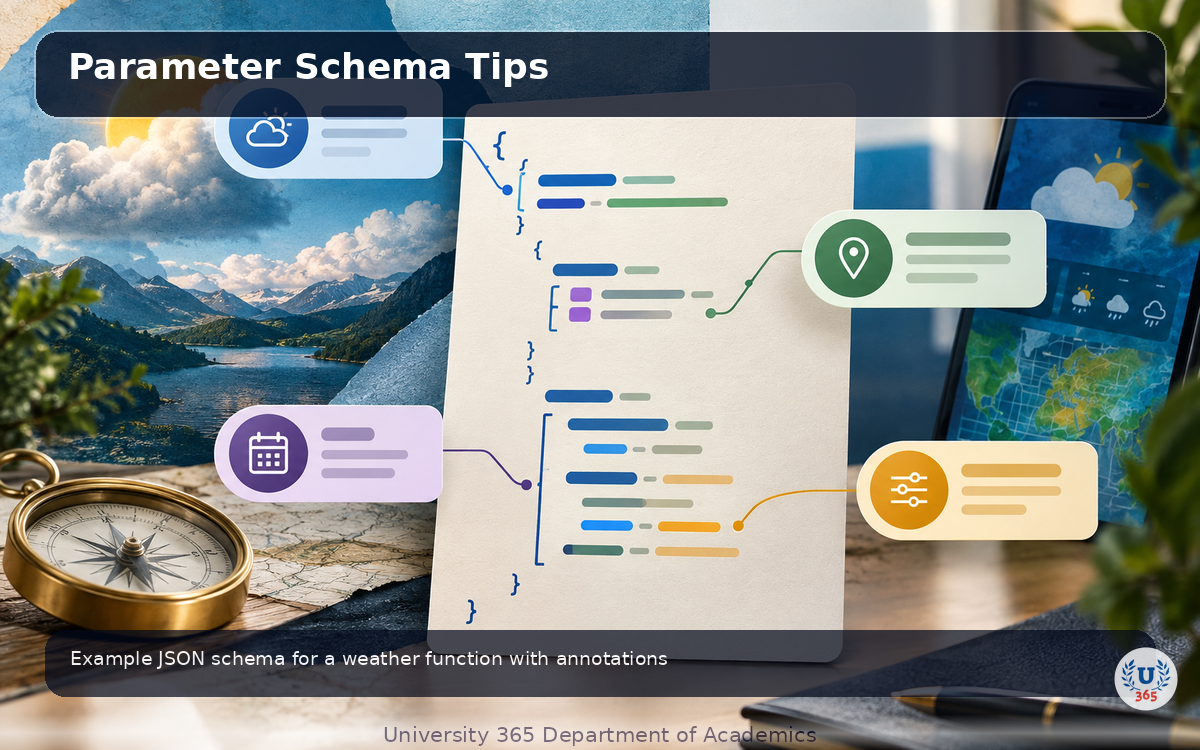
Parameter Schema Tips
- Mark required parameters with "required": ["param_name"].
- Add descriptions to each parameter so the model knows what values to provide.
- Use "enum" for parameters that accept a fixed set of values (for example, units: "metric" or "imperial").
- Set "type" for each property (string, number, boolean, array, object).
Building Your First Agent: A Weather Assistant
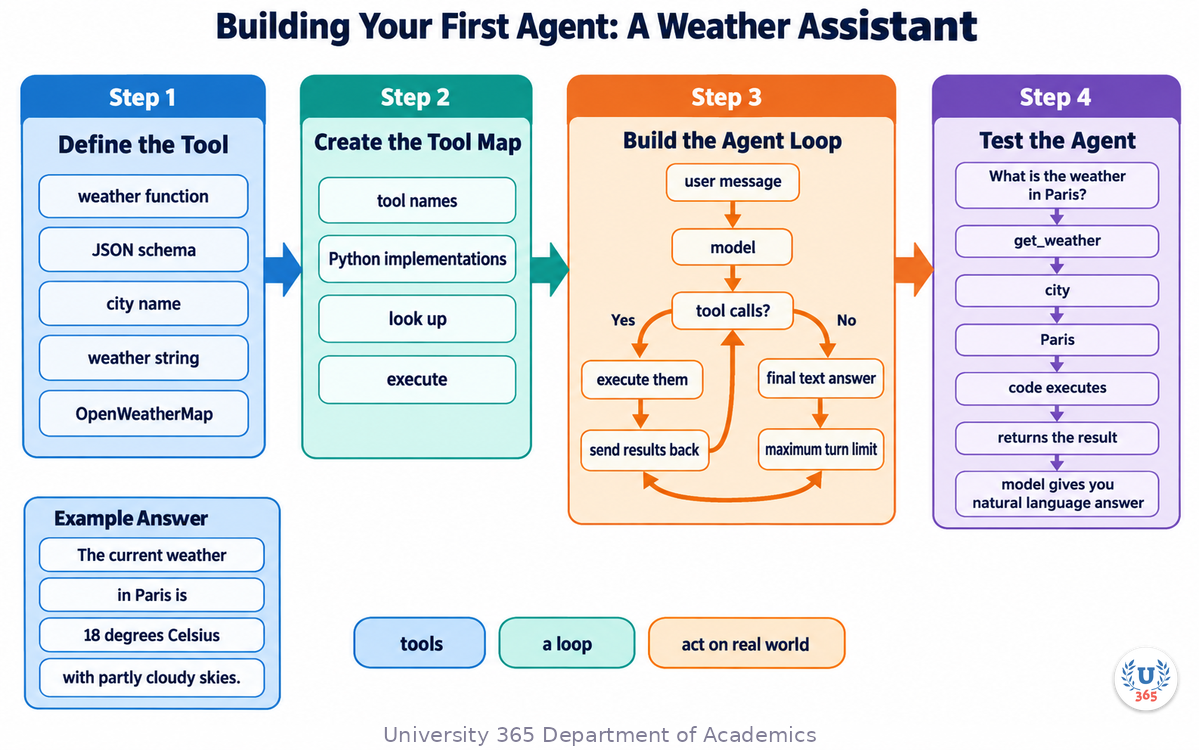
Let us build a working agent that can check the weather for any city. This example uses the OpenAI Python SDK, but the pattern works with any provider that supports function calling (Anthropic Claude, Google Gemini, OpenRouter).
Step 1: Define the Tool
Define a weather function and its JSON schema. The function takes a city name and returns a weather string. In a real application, this function would call a weather API like OpenWeatherMap.
Step 2: Create the Tool Map
Map tool names to their Python implementations. This lets your code look up and execute the right function when the model requests it.
Step 3: Build the Agent Loop
The loop sends the user message to the model, checks for tool calls, executes them, and sends results back. It repeats until the model returns a final text answer or the maximum turn limit is reached.
Step 4: Test the Agent
Ask the agent: "What is the weather in Paris?" The model will call the get_weather function with city "Paris", your code executes it, returns the result, and the model gives you a natural language answer like "The current weather in Paris is 18 degrees Celsius with partly cloudy skies."
This is a complete agent. It has tools, a loop, and the ability to act on the real world through your code.
Handling Multiple Tool Calls
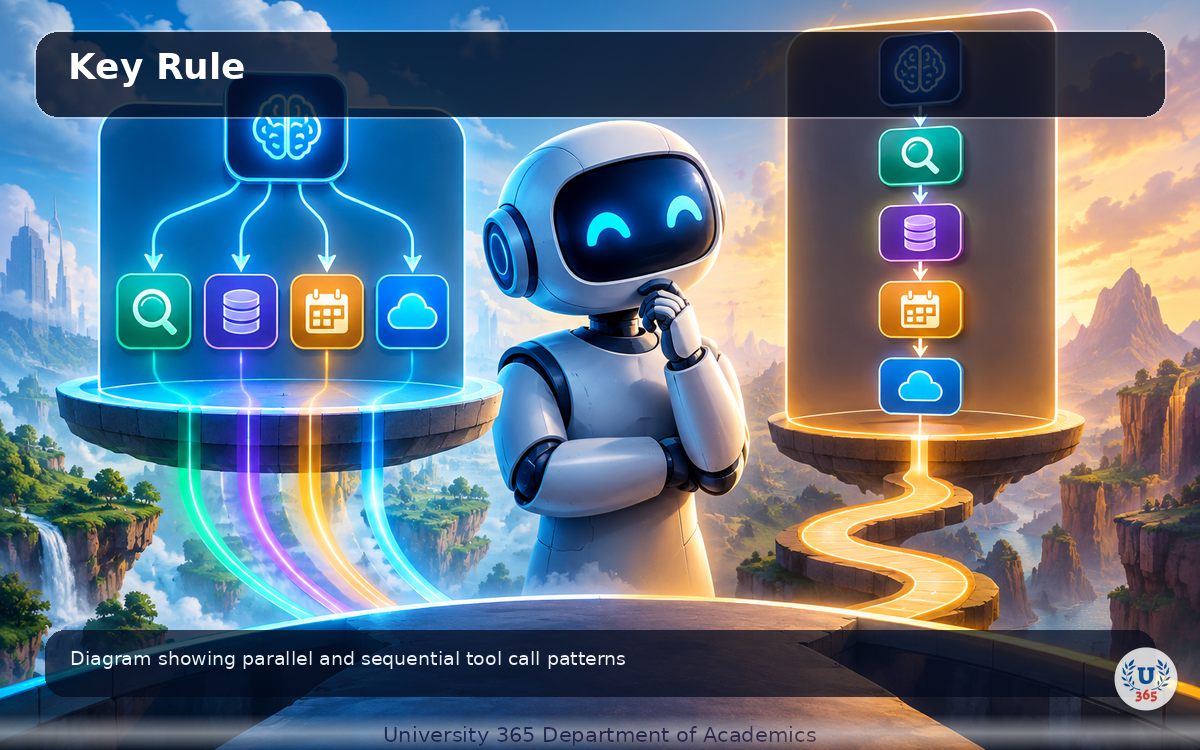
Modern models can request multiple tool calls in a single response. For example, if the user asks "Compare the weather in Paris, London, and Tokyo", the model may return three tool calls in one turn.
Parallel Execution
When the model returns multiple tool calls, execute them in parallel (using concurrent.futures or asyncio) and append all results before sending the conversation back. This reduces latency significantly for independent operations.
Sequential Tool Calls
Some tool calls are sequential: the result of one determines the arguments of the next. "Find flights to Tokyo, then book the cheapest one" requires two sequential calls. The loop handles this naturally: the model makes the first call, sees the result, then makes the second call in the next turn.
Key Rule
Always iterate over the tool_calls array. Never assume there is only one. Missing tool calls produces broken agents that skip steps.
Error Handling and Validation
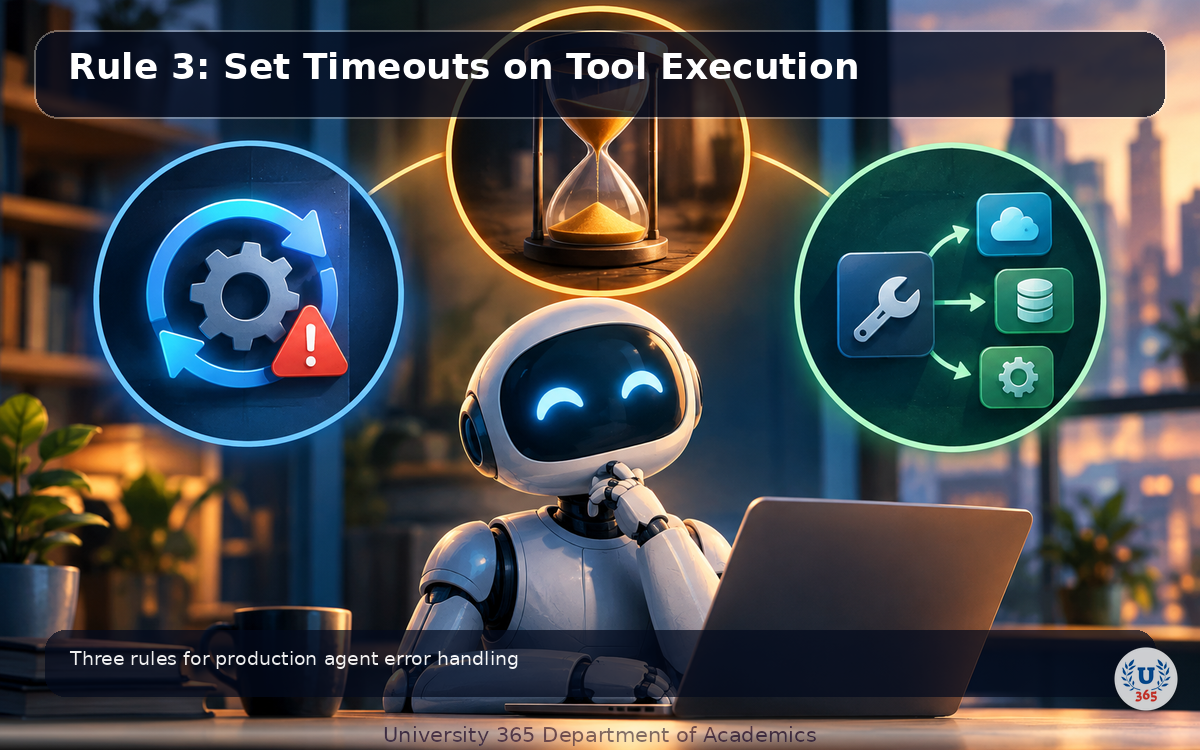
Agents fail in production when they do not handle errors. Here are the three rules that prevent most failures.
Rule 1: Validate All Arguments
Never trust model-generated arguments blindly. The model can produce invalid JSON, wrong types, or out-of-range values. Validate every argument before executing the function. Use Pydantic or manual type checks. Reject invalid inputs and return an error message to the model so it can retry.
Rule 2: Return Errors as Strings, Not Exceptions
If a tool fails (API timeout, database error, invalid input), return the error as a string in the tool result, not as a Python exception. The model can read the error message, apologize to the user, try a different approach, or retry. If you raise an exception, the agent crashes.
Rule 3: Set Timeouts on Tool Execution
External API calls can hang. Set a timeout on every tool execution (typically 10 to 30 seconds). If a tool times out, return a timeout error string to the model. This prevents the agent from hanging indefinitely on a slow or unresponsive service.
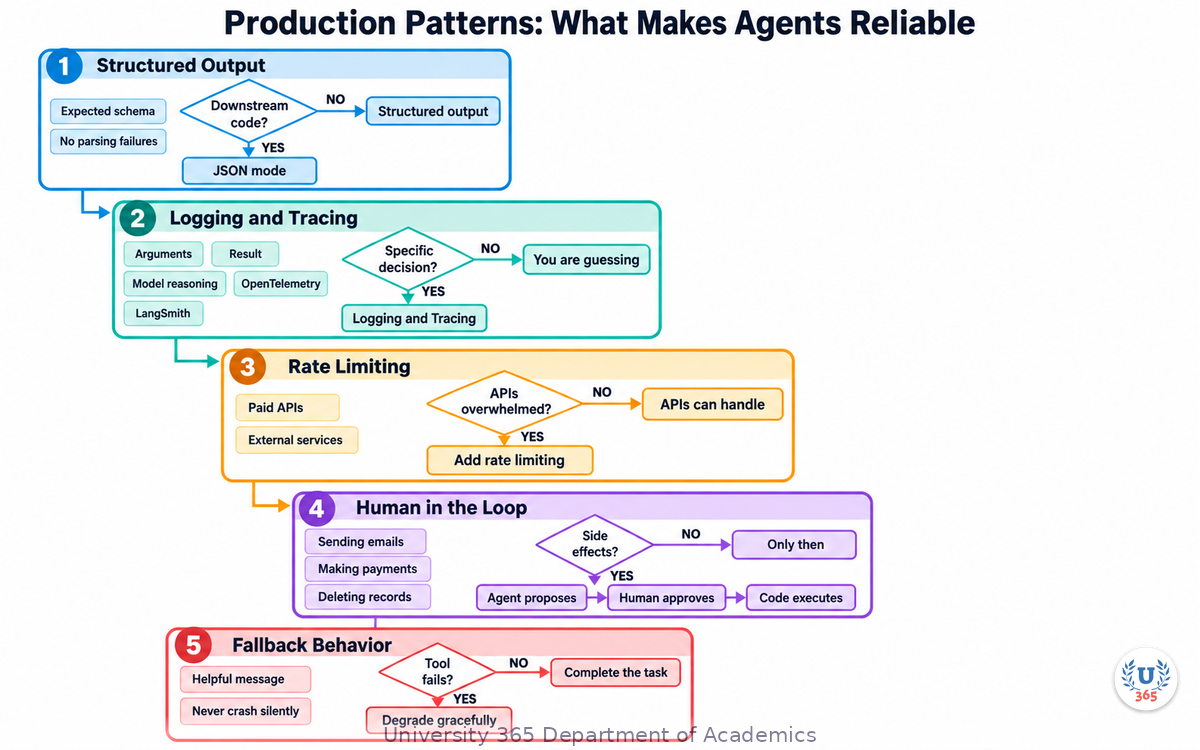
Production Patterns: What Makes Agents Reliable
Building a toy agent is easy. Running an agent in production at scale is hard. These patterns separate prototypes from production systems.
Structured Output
Use JSON mode or structured output formatting when the agent needs to return data that downstream code will parse. This eliminates parsing failures and ensures the output matches your expected schema.
Logging and Tracing
Log every tool call, its arguments, its result, and the model's reasoning. In production, you need to debug why an agent made a specific decision. Without traces, you are guessing. Use OpenTelemetry, LangSmith, or a simple logging framework.
Rate Limiting
The model can call tools faster than your APIs can handle. Add rate limiting to tool execution to prevent overwhelming external services. This is especially important for agents that call paid APIs.
Human in the Loop
For tools with side effects (sending emails, making payments, deleting records), require human approval before execution. The agent proposes the action. A human approves it. Only then does the code execute. This prevents costly mistakes from model hallucinations.
Fallback Behavior
When a tool fails or the model cannot complete the task, the agent should degrade gracefully. Return a helpful message explaining what went wrong and what the user can do. Never crash silently.
Beyond Single Agents: Multi-Step Workflows
A single agent with tools is powerful. But some tasks require multiple agents working together, each with different tools and responsibilities.
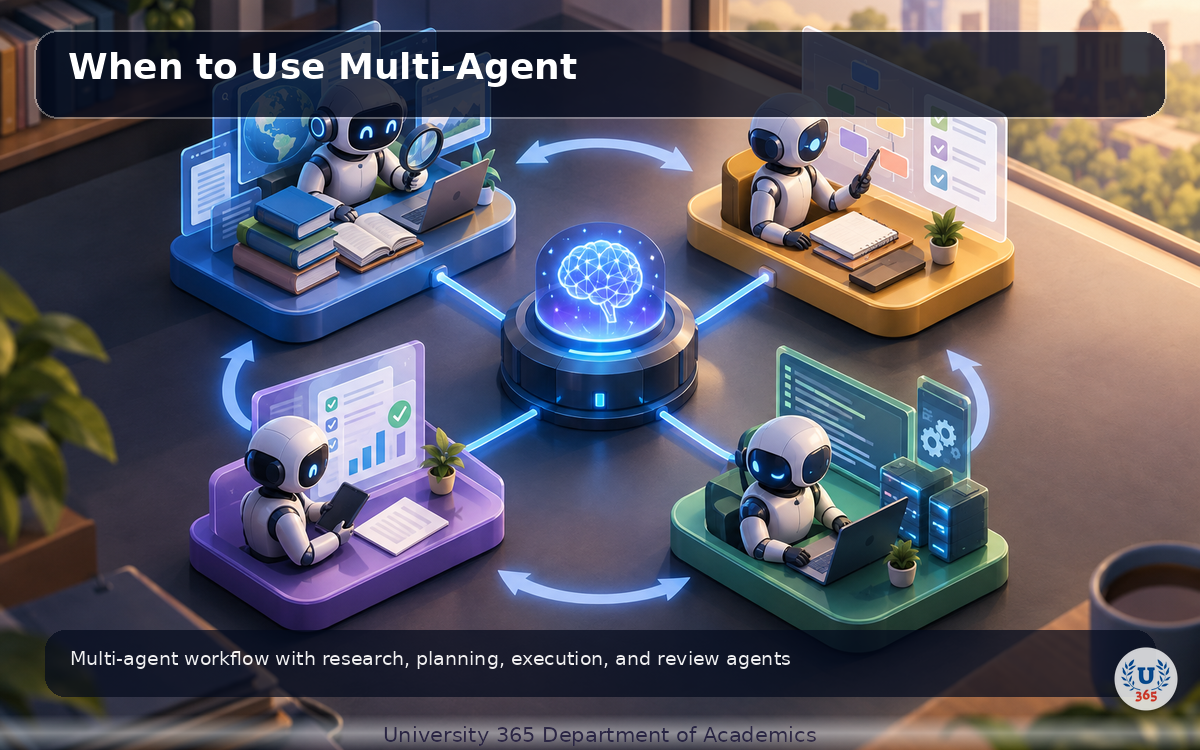
Agent Roles
In a multi-agent system, each agent has a role. A research agent gathers information. A planning agent creates a step-by-step plan. An execution agent carries out the plan. A review agent checks the results. This separation of concerns produces better results than a single agent trying to do everything.
Handoffs
Agents hand off tasks to each other through structured messages. The research agent passes its findings to the planning agent. The planning agent passes its plan to the execution agent. Each handoff is a function call that invokes the next agent.
When to Use Multi-Agent
Multi-agent systems add complexity. Use them only when a single agent cannot handle the task within its turn limit, or when different parts of the task require different tools or expertise. For most tasks, a single well-designed agent is sufficient.
Feynman Summary: Explain It Like You Are 12
Imagine you have a smart friend who knows a lot but cannot leave their room. That friend is the language model. You are outside the room. Your friend is the brain, and you are the hands.
Function calling is when your friend slides a note under the door that says "Please check the weather in Paris and tell me what you find." You go check the weather (using your phone, a weather app, or looking outside), write the answer on the note, and slide it back under the door.
Your friend reads the answer and says "The weather in Paris is 18 degrees and partly cloudy." That is the agent answering the user.
The agent loop is when your friend sends multiple notes. First: "Check the weather in Paris." You check and slide the answer back. Then: "Now check London." You check and slide it back. Finally your friend says "Paris is warmer than London by 3 degrees." The loop continues until your friend has enough information to answer.
Multiple tool calls is when your friend sends three notes at once: "Check Paris, London, and Tokyo." You check all three at the same time and slide all three answers back at once. Your friend then compares them.
The big idea: the model is the brain that decides what to do. Your code is the hands that actually do it. Function calling is the note under the door that connects them.
Mindmap: The Complete Picture
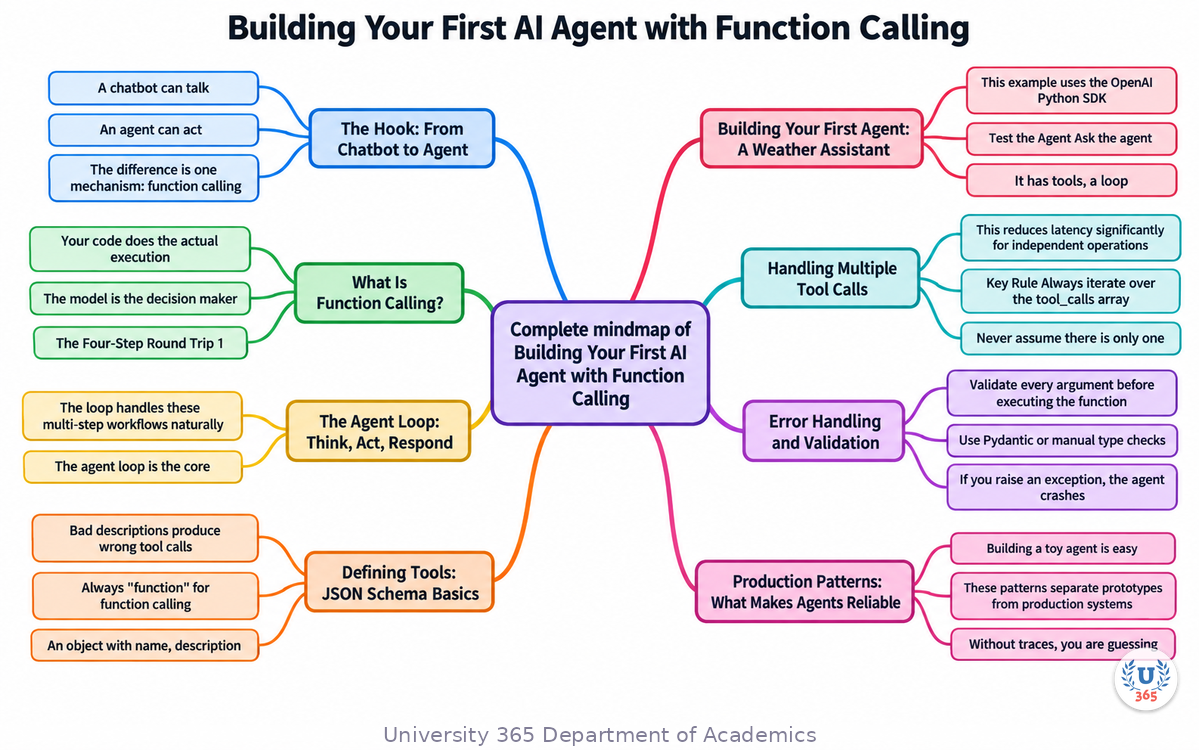
This mindmap shows the full agent architecture: the agent loop at the center, tool definitions, the four-step round trip, error handling patterns, production considerations, and multi-agent workflows branching out from the core.
UNOP Sound (University 365 Neuroscience Oriented Pedagogy)
Take five minutes to consolidate your memory. Play the isochronous tone track (10Hz alpha frequency) with your eyes closed. Alpha-frequency tones after a learning session support consolidation, helping move what you just learned from short-term to long-term memory.
[Audio player: UNOP Post-Lecture Isochrone (10Hz, 5 minutes)]
Practical Exercise: Build a Calculator Agent
Build a simple agent that can perform calculations. You will need Python and the openai package (or any LLM SDK that supports function calling).
Step 1: Define the Calculator Tool
Create a Python function that takes a mathematical expression string and returns the result. Use a safe evaluation method (not eval) to compute the result. The function should handle basic arithmetic: addition, subtraction, multiplication, division.
Step 2: Define the JSON Schema
Write the tool definition with name "calculate", a description "Perform a mathematical calculation", and parameters for the expression string.
Step 3: Build the Agent Loop
Write the loop that sends messages to the model, checks for tool calls, executes the calculator, and returns results. Set a maximum of 5 turns.
Step 4: Test with These Questions
- "What is 15 times 23?"
- "Calculate the sum of all numbers from 1 to 100"
- "If I have 3 boxes with 12 items each, how many items do I have?"
Step 5: Add a Second Tool
Add a "get_current_time" tool that returns the current time. Test: "What time is it, and what is 50 plus 25?" The agent should call both tools and combine the answers.
This exercise gives you hands-on experience with the complete agent loop, tool definition, and multi-tool coordination.
Glossary
Term | Definition |
Function Calling | Mechanism where a language model requests execution of external functions by returning structured JSON with function name and arguments. Also called tool use. |
Tool Use | Synonym for function calling. The model uses tools (functions) to interact with external systems. |
Agent Loop | The cycle of sending a message to the model, checking for tool calls, executing them, and returning results. Repeats until the model gives a final answer. |
Tool Schema | JSON object describing a function: its name, description, and parameter types. The model uses this to decide when and how to call the function. |
JSON Schema | Standard for describing JSON data structures. Used in tool definitions to specify expected parameters and their types. |
Tool Map | Dictionary mapping tool names to their Python function implementations. Used to look up and execute the correct function. |
Parallel Tool Calls | When the model requests multiple tool calls in a single response. Your code can execute them concurrently to reduce latency. |
Sequential Tool Calls | When the model requests tool calls one after another, where the result of one determines the arguments of the next. |
Maximum Turns | Safety limit on the number of agent loop iterations. Prevents infinite loops when the model is confused. Typically 5 to 10. |
Human in the Loop | Pattern where human approval is required before executing tools with side effects (payments, emails, deletions). |
Structured Output | Feature that forces the model to return output in a specific JSON format, eliminating parsing failures. |
Agent Framework | Library that provides abstractions for building agents: LangChain, CrewAI, AutoGen, OpenAI Assistants. All built on function calling. |
Multi-Agent System | Architecture where multiple agents with different roles (research, planning, execution, review) collaborate on complex tasks. |
Handoff | When one agent passes a task to another agent through a structured message or function call. |
Tracing | Recording every tool call, argument, result, and model reasoning for debugging and observability. |
Rate Limiting | Controlling the rate at which tools are executed to prevent overwhelming external APIs. |
Token | Unit of text processed by the model. Tool definitions consume tokens in the context window. |
UNOP | University 365 Neuroscience-Oriented Pedagogy: the teaching framework behind this lecture format. |
Quiz: TEST YOUR UNDERSTANDING
1. What is the key difference between a chatbot and an AI agent?
A) Agents use larger models than chatbots
B) Agents can call external functions to act on the real world; chatbots only generate text
C) Agents are faster than chatbots
D) Agents do not use language models
2. Who executes the function when the model requests a tool call?
A) The language model executes it directly
B) The API provider executes it
C) Your application code executes it and returns the result
D) The operating system executes it automatically
3. Why does the agent loop need a maximum turn limit?
A) To reduce API costs
B) To prevent infinite loops when the model is confused
C) To comply with API rate limits
D) Both A and B
4. What should you do when a tool execution fails in production?
A) Raise an exception and crash the agent
B) Return the error as a string so the model can retry or apologize
C) Ignore the error and continue
D) Restart the entire agent loop
5. When the model returns multiple tool calls in one response, what should you do?
A) Execute only the first one and ignore the rest
B) Execute them one at a time, sequentially
C) Execute all of them and append all results before sending back to the model
D) Ask the user which one to execute first
Related Resources
U365 INSIDE Publications
- How LLMs Actually Work: Transformers in 20 Minutes (AI Foundations, Lecture 1)
- RAG vs Fine-Tuning: When to Use Each (AI Engineering, Lecture 2)
- Prompt Engineering at Production Scale (AI Skills, Lecture 5, coming soon)
External Resources
- OpenAI Function Calling Guide: official documentation for tool use with GPT models
- Anthropic Claude Tool Use: function calling with Claude models
- Google Gemini Function Calling: tool use with Gemini models
- LangChain Agents documentation: framework for building multi-tool agents
- CrewAI: multi-agent framework with role-based design
- AutoGen: Microsoft's multi-agent conversation framework
Related U365 Lectures (Coming Soon)
- Vector Databases Explained: Embeddings for Search (AI Engineering, Lecture 4)
- The AI Stack 2026: What Every Developer Needs (AI Engineering, Lecture 10)
- AI Safety and Alignment: Why Hallucinations Happen (AI Foundations, Lecture 8)
U.Copilot for This Lecture
Copy and paste this prompt into the U.Copilot AI Agent on university-365.com to explore this topic further:
I just completed the U365 INSIDE Lecture "Building Your First AI Agent with Function Calling" from UIT. I want to build my own agent. Help me: 1. Identify 3 tools my agent would need for my use case 2. Write the JSON schema for each tool 3. Design the agent loop (what tools, what order, max turns) 4. Suggest error handling patterns for my specific tools 5. Recommend whether I need a single agent or a multi-agent system My use case is: [describe your project here]
Next Steps
1. Take the quiz above and check your answers at the bottom of this section.
2. Complete the Practical Exercise: build a calculator agent with a second tool.
3. Read the next lecture in the AI Agents series: multi-agent workflows (coming soon).
4. If you have not completed Lecture 1 (How LLMs Actually Work), start there for foundational knowledge.
5. Visit university-365.com/uit to explore UIT programs in AI Engineering and Software Development.
6. Try the U.Copilot prompt above to design an agent for your own project.
Answers: 1-B, 2-C, 3-D, 4-B, 5-C
IMPORTANT NOTICE
Copyright University 365, Inc. All rights reserved.
This lecture is part of the U365 INSIDE Lectures series, produced by UIT (University 365 Institute of Technology) under the UDA Department of Academics. The content follows the UNOP (University 365 Neuroscience-Oriented Pedagogy) framework and the 5M2S (5 Minutes to Success) microlearning format.
All lectures in this series are free to access. For enrollment in UIT degree programs, certificate programs, or executive education, visit university-365.com/tuition.
For permissions or inquiries, contact uda@university-365.com.
This content is for educational purposes. Code examples are illustrative and may require adaptation for production use. Always consult official API documentation for current function calling formats, as provider APIs evolve.
Published by the Department of Academics, University 365.
Lecture delivered by the University 365 Institute of Technology (UIT).
Sam Utteker, Dean of Technology, UIT
Signed for the academic year 2026.




Comments