
FluidVoice: Free Open-Source Voice-to-Text for macOS

Updated: 7 days ago
Status: Active (updated) | Last tested: 2026-08-24 (v1.6.9) | Re-check: trigger-based (max 6 months)
Active (updated): the tool is current and recommended. This review was recently re-checked and the content was refreshed.
Re-check triggers: iOS or Windows release, change from GPLv3, introduction of cloud-only features, or material change in on-device model support.


In this Tool Review
Tool Snapshot
Name: FluidVoice
Developer: Altic (altic.dev)
Tagline: Speak naturally. Write instantly. Free, open source voice-to-text for macOS with on-device AI, adaptive tone, and zero data leaving your Mac.
Category: Open-Source Voice and Input, Dictation, Accessibility
Primary use cases:
Press-to-talk dictation into any app
Command Mode for voice-controlled Mac automation
Write Mode for inline text rewriting
SL-OS note capture
Multilingual dictation
Pricing: Free and open source (GPLv3). No paid tiers. Optional Fluid Intelligence enhancement model is also free but private (not open-source).
Official links:
Website: https://altic.dev/fluid
GitHub repo: https://github.com/altic-dev/FluidVoice
Documentation: GitHub README (comprehensive, includes setup, models, and contributing guide)
Community: Discord (https://discord.gg/VUPHaKSvYV) and X/Twitter (@fluidvoiceapp)
Open-source fields:
GitHub repo: https://github.com/altic-dev/FluidVoice
License: GPLv3 (GNU General Public License v3.0, from 2026-02-23 onward; Apache 2.0 before that date)
Stars: 12,247
Forks: 887
Open issues: 135
Last commit: 2026-10-15
Latest release: v1.6.11
Downloads: 350,000+ (stated on the vendor site, altic.dev/fluid, read 2026-10-17)
Maintained status: Active (commits within the last week, active discussions, regular releases)
Language: Swift
Topics: ai, dictation, ios, llama-cpp, macOS, swift
At a Glance
CI-First Benefit Score | 7.0/10 (CI-First Strong) |
Time / Quantity / Quality / Skill | 8 / 8 / 6 / 6 |
CI-First Profile | Co-Worker and Assistant (2) |
Humics Protection | Humics-Friendly (+2) |
AI Imposture Risk | Medium (Time Low, Quantity Low, Skill Medium) |
User Sentiment | Predominantly Positive (12,247 GitHub stars; 887 forks) |
Pricing | Free and open source (GPLv3); no paid tiers |
Platforms | macOS 15.0+; Apple Silicon, with Whisper-only support on Intel Macs |
Speed Factor | Near-zero latency on Apple Silicon; dictation at 100-150 wpm vs typing at 40-60 wpm |
For detailed explanations of the CI-First evaluation terms used in this review , including CI-First Benefit Score, CI-First Profile, Humics Protection Badge, AI Imposture Risk, and User Sentiment, see the Glossary at the end of this publication.
The Problem
Writers, developers, and professionals who want to dictate instead of type face a difficult choice. Cloud-based dictation services like Wispr Flow and Dragon NaturallySpeaking require subscriptions, send your voice to remote servers, and lock you into an ecosystem. The built-in macOS Dictation is free but offers no AI formatting, limited language support, and no command or Write Mode.
Privacy-conscious users, developers, and open-source advocates have no free, local, auditable alternative. You either pay for a cloud service, accept the limitations of the built-in option, or go without. FluidVoice was built to fill that gap.
The Outcome
FluidVoice gives you a press-to-talk dictation app that runs entirely on your Mac. Your voice and transcribed text never leave your machine unless you explicitly opt in to a cloud AI provider. You get multiple local speech models (Nemotron, Parakeet, Whisper, Apple Speech), optional on-device AI enhancement (Fluid Intelligence), Command Mode for Mac automation by voice, and Write Mode for inline text rewriting.
A Fellow who installs FluidVoice can dictate notes into their SL-OS Digital Second Brain, write emails with natural speech, and control their Mac by voice using Command Mode. The GPLv3 license means you can audit the code, modify it, and contribute back. The app is maintained by Altic with active community support on GitHub and Discord.
Who Should Use FluidVoice
Learner categories
Learner type | Difficulty | Typical ROI | Career path |
Students (Bachelor, Master) | Beginner | Faster note-taking, accessible writing for those who think faster than they type | Any U365 program where writing volume matters |
Professionals (career upskilling) | Intermediate | Hands-free drafting, SL-OS integration, privacy-compliant dictation for sensitive content | ULM, SL-OS, any U365 program with heavy writing load |
Everyone (lifelong learners) | Beginner | Journaling by voice, reflection prompts, reducing typing strain | UNOP, ULM, My Successful Life |
U365 Institutes Alignment
UIT (Technology, AI, Data Science)
Rating. High, primary
The competency that remains. Choosing a speech model against a stated budget, and verifying the output against a second model on the same passage. The Fellow picks between the shipped Apple Speech model and the downloadable Parakeet, Nemotron and third-party speech families on a stated trade of latency, accuracy, language coverage and download size, runs the same passage through two of them, and states which one they will use and why. The review's own Workflow 1 verification checklist prescribes exactly this. The surrounding engineering is readable rather than hidden: the repository builds from source with Swift Package Manager, the models run through Apple MLX and llama.cpp, and the licence and the build route are inspectable before anything depends on them. The decisive competency is separating a claim from a measurement: the app reports no accuracy and no latency figure of its own, so the only numbers the Fellow has are the ones they produced, and a Fellow who can say which model moved and by how much on their own machine is doing evaluation work that transfers to every speech system they meet afterwards.
The limit that holds the row there. The tool supplies no engineering standard of its own. It publishes no model card, no accuracy figure, no benchmark and no latency table, and the model picker hides the configuration a Fellow would otherwise read. No published U365 programme assesses speech recognition, on-device model selection or audio engineering, and a word-start accent-folded term search over all 79 published programme descriptions returned zero matches for speech, voice, transcription, speech-to-text, whisper, pronunciation, microphone, accessibility, assistive, on-device, on device, coreml, quantiz, inference, gpu, benchmark, throughput and latency. The nearest published teaching is Statistics Essentials and Data Fluency inside Data Analyst Expert, whose outcomes are statement dissection, modelling and data analysis, and it assesses no audio, no speech model and no on-device inference. The row stands at High rather than Medium because the measurement happens on the Fellow's own machine against a budget they set, which is a stronger teaching position than reading a vendor's report.
UIB (Business Management, Entrepreneurship)
Rating. Medium
The competency that remains. Two competencies, both of them decisions a professional makes rather than operations the product performs. The first is licence and exit-path appraisal before adoption: GPLv3 terms, a repository a team could fork and build itself, no account, no key and no metered service, which together fix what switching away later would cost. The second is a workplace data-protection decision on captured speech: whether dictation may run in a meeting where other people's voices are captured, what the local-first claim actually covers, and what the Fellow must tell a colleague before the first meeting they record. Both survive the removal of the application, because both are decisions about a practice rather than actions inside a product.
The limit that holds the row there. The tool teaches no management, finance, entrepreneurship or leadership content of its own, and it produces nothing a business cohort can be assessed on beyond those two decisions. The nearest published U365 programme is Entrepreneur, which publishes Foundations, Finding and Testing Your Idea, Creating a Business Plan, a Business Law module, Raising Capital and Income Tax, and publishes no software licence reading, no procurement and no exit-cost outcome. A verified term search over all 79 published programme descriptions returned zero matches for licence, license, open source, intellectual property, copyright, procurement, total cost of ownership, unit economics, business case and infrastructure cost, and zero for privacy, gdpr, data protection, retention, consent, biometric and encryption. The rating is Medium rather than High because the free, no-account model removes the metered-cost analysis that carries a High row on the inference-engine reviews, and because neither decision is a curriculum strand.
UIC (Digital Communication, Marketing)
Rating. Medium
The competency that remains. The publication boundary over machine-enhanced text. When the optional enhancement layer reformats a dictated draft, the Fellow has to decide whether the text still carries their own voice, what a reader is owed about how it was produced, and what must be re-read before it goes out under their name. That judgement is exercised on the Fellow's own material, it is the same boundary the review records as a near miss under clause 4.2-a, and it survives the tool's removal because it is a rule the Fellow applies to any assistive layer rather than a feature of this one.
The limit that holds the row there. Nothing in the communication competency set is exercised as a communication act. The tool composes nothing, evaluates no audience, teaches no register and carries no editorial standard: the writing is the Fellow's, typed by voice instead of by hand. No published U365 programme assesses disclosure practice or editorial judgement over assisted text, verified on the same term search: zero matches for editorial, disclosure and conflict of interest, while the marketing group carries the audience and campaign vocabulary those programmes teach (6 programmes for audience, 1 for campaign, 1 for content strategy, 1 for copywriting). The row holds at Medium rather than dropping to Low because the tool captures the Fellow's own words rather than composing for them, which is the same position Reflect carries at Medium; the two siblings that sit at Low, Klarent and llama.cpp, are tools that compose or execute and leave the Fellow no voice-integrity decision at all.
UID (Digital Design, UX/UI)
Rating. Low
The competency that remains. A reading contact, not a design act. Two interface objects are worth reading as decisions someone else made: the live-preview overlay, including its notch-aware layout and its three density settings, and the accessibility-API insertion path that makes the tool app-independent. Reading either as a design decision, with the reason it holds, is critique with a stated basis.
The limit that holds the row there. Nothing in the design competency set is exercised as a design act. The product produces no design artefact, specifies no layout, interaction, prototyping or motion work, and evaluates no design against a brief. The published reason, Designers may use dictation for design documentation, but the tool is less central to visual workflows, is an admission of no relevance rather than a reason, and it is replaced so the row states the reading that does remain. A verified term search returned zero matches for usability, user research and wireframe, and the design programmes that do carry the neighbouring vocabulary are interaction design and prototyping (2 programmes each) and typography (2), none of which this tool exercises.
Skill level required: Beginner. If you can use a hotkey and speak, you can use FluidVoice.
Prerequisites: macOS 15.0 (Sequoia) or later. Apple Silicon Mac for all models; Intel Macs supported with Whisper models only.
Typical time to first result: 5 minutes. Install, grant permissions, set a hotkey, and dictate your first sentence.
Typical time to competence: 1 to 2 hours. Choosing the right model for your language, configuring per-app prompts, and learning Command Mode takes a session or two.
How FluidVoice Works
Inputs: Your voice, captured via microphone when you press a global hotkey. Optionally, selected text for Write Mode rewriting.
Outputs: Transcribed text inserted directly into the active app via macOS accessibility APIs. No copy-paste required.
Underlying technology
Speech models (on-device): Nemotron Speech 3.5 (Ultra Fast and Multilingual), Parakeet Flash (lowest-latency English), Parakeet TDT v3 (25 languages), Parakeet TDT v2 (English-only), Cohere Transcribe, Whisper (Small, Medium, Large), Apple Speech (zero-download). Models run via Apple MLX and llama.cpp.
AI enhancement: Optional post-processing via Fluid Intelligence (local, private model called Fluid-1), OpenAI, Groq, or custom providers. Enhancement handles smart formatting, context-aware capitalization, punctuation, and tone adaptation.
Modes: Dictation (default speech-to-text), Command Mode (control your Mac by voice: launch apps, run shortcuts, trigger system actions), Write Mode (write or rewrite text directly in any text field active on screen).
Accessibility integration: Text inserts into any app via macOS accessibility APIs. This is what makes FluidVoice app-independent: it types into anything that accepts keyboard input.
Live Preview: Real-time transcription overlay with notch support. You see words appear as you speak. Configurable from minimal pill to large overlay.
Audio History: Optional local recording history with budget controls and ZIP export. All recordings stay on your Mac.
Privacy architecture: Local-first. Voice, audio, and transcribed text never leave your machine unless you opt in to a cloud AI provider. Anonymous analytics are opt-in and collect no voice or text data.
Getting Started with FluidVoice
Required accounts: None. No sign-up, no login, no API keys for the core experience. The app is fully functional without any account.
Installation: Homebrew or direct DMG download. macOS only (iOS and Windows in development).
First-time configuration
1. Install via Homebrew: brew install --cask fluidvoice
Or download the latest DMG from https://github.com/altic-dev/FluidVoice/releases/latest
2. Launch FluidVoice. It will request microphone and accessibility permissions. Grant both. Accessibility is required for typing into other apps.
3. Set your global hotkey in Settings. This triggers voice capture from anywhere on your Mac.
4. Go through onboarding: choose your voice model based on your language and latency needs. Models range from zero-download Apple Speech to high-accuracy Nemotron and Whisper.
5. Optional: Enable Fluid Intelligence during onboarding. Download the local AI model (~3.5 GB) for on-device dictation enhancement. Everything runs locally.
6. Optional: Add an OpenAI, Groq, or custom provider API key for cloud-based enhancement. Keys are stored in macOS Keychain.
Open-source-specific setup
Install method: Homebrew cask (brew install --cask fluidvoice) or DMG download from GitHub releases.
Build from source: git clone https://github.com/altic-dev/FluidVoice.git, open Fluid.xcodeproj in Xcode. All dependencies managed via Swift Package Manager. Signed debug build:./build.sh. Unsigned:./build.sh --unsigned.
Hardware requirements: macOS 15.0+. Apple Silicon for all models. Intel Macs supported with Whisper models only. ~1 GB disk for a voice model, ~3.5 GB for Fluid Intelligence (optional).
First 15 minutes checklist
☐ Install FluidVoice via Homebrew or DMG
☐ Grant microphone and accessibility permissions
☐ Set a global hotkey
☐ Choose a speech model (Apple Speech for instant start, Parakeet Flash for low-latency English, Nemotron for multilingual)
☐ Dictate a test paragraph into Notes or any text editor
☐ Verify the transcribed text appears correctly in the active app
☐ Optional: Enable Fluid Intelligence and test with formatting (say an email and check capitalization)
Result: You have a working local dictation tool that types into any app on your Mac, with zero data leaving your machine.
Real Workflows
Workflow 1: SL-OS Note Capture by Voice
Learner type: Everyone (lifelong learners)
CI-First benefit tags: Time, Quantity, Skill
Connects to: SL-OS, LIPS Digital Second Brain, ULM journaling
Time estimate: 10 to 15 minutes including review
What you do vs what the tool does
Step | You do | The tool does |
1 | Open your SL-OS note app (Notes, Obsidian, OneNote) | Nothing yet |
2 | Press the FluidVoice hotkey and speak your thoughts | Captures audio and transcribes locally |
3 | Watch the live preview overlay to confirm accuracy | Shows real-time transcription with near-zero latency |
4 | Stop speaking; text is inserted into your note app | Inserts text via accessibility API, applies Fluid Intelligence formatting if enabled |
5 | Read through and edit the dictated text manually | Nothing; this is your Humics step |
Sample prompt
No prompt needed. Press your hotkey and speak naturally. Example: "Morning reflection for Monday. Three priorities today: finish the ULM review, call the academic team about the new MCC, and draft the engagement plan for the Q3 campaign."
Verification checklist
☐ Multi-Model Check: Dictate the same text using Apple Speech and Parakeet. Compare outputs for accuracy differences.
☐ External Source: Cross-check any factual claims in your dictated notes against your calendar or task list.
☐ Human Review: You review and edit the text within 24 hours. Fix formatting, structure, and any transcription errors.
☐ CI-First Test: Can you explain and defend the content of your notes without the dictation tool? Yes, because you spoke the content yourself; the tool only transcribed it.
Workflow 2: Command Mode for Focus and Mac Automation
Learner type: Professionals (career upskilling)
CI-First benefit tags: Time, Quality
Connects to: SL-OS, ULM Career domain, productivity workflows
Time estimate: 30 minutes to configure, then ongoing use
What you do vs what the tool does
Step | You do | The tool does |
1 | Open FluidVoice settings and enable Command Mode | Nothing yet |
2 | Map voice phrases to Mac actions ("next task," "log reflection," "open Mail") | Registers phrase-to-action mappings via macOS automation APIs |
3 | Say a command phrase while working | Recognizes the phrase and triggers the mapped action |
4 | Verify the action executed correctly (app opened, shortcut ran) | Reports success or failure in the overlay |
5 | Iterate: add or refine commands based on what you use most | Updates phrase mappings |
Sample prompt
No text prompt. Use voice commands: "Open Notion," "Next task," "Start timer," "Log reflection for ULM." Configure these in FluidVoice settings under Command Mode.
Verification checklist
☐ Multi-Model Check: Not applicable (Command Mode is deterministic, not generative).
☐ External Source: Verify each mapped action triggers the correct Mac behavior by watching the result.
☐ Human Review: You confirm the action executed as intended before relying on the workflow.
☐ CI-First Test: Can you perform the same actions without voice commands? Y (keyboard shortcuts work; voice is a convenience, not a dependency).
Workflow 3: Multilingual Dictation for International Fellows
Learner type: Students (Bachelor, Master) and Professionals
CI-First benefit tags: Time, Quantity, Quality
Connects to: Global engagement, U365 international programs, communication courses
Time estimate: 20 minutes to configure, then ongoing use
What you do vs what the tool does
Step | You do | The tool does |
1 | Open Settings and select a multilingual model (Nemotron Speech 3.5 for ~40 languages) | Downloads and loads the model locally |
2 | Switch to your target language context (e.g., dictate in French for a U365 communication course) | Transcribes in the model's supported language |
3 | Press hotkey and speak in the target language | Transcribes locally with the selected model |
4 | Review the transcript for accuracy in that language | Nothing; this is your verification step |
5 | Optional: Use Fluid Intelligence or a cloud provider for language-specific formatting | Applies post-processing for the target language |
Sample prompt
No text prompt. Speak in your target language. Example for French: "Bonjour, je voudrais preparer un resume de la reunion d'equipe d'aujourd'hui. Les trois points principaux etaient: la strategie d'enregistrement, le budget Q3, et le calendrier de lancement."
Verification checklist
☐ Multi-Model Check: Dictate the same text with two different models (e.g., Nemotron and Whisper) and compare accuracy in your target language.
☐ External Source: Cross-check key terms against a dictionary or translation tool if dictating in a non-native language.
☐ Human Review: A native speaker or you reviews the transcript for natural phrasing and correct terminology.
☐ CI-First Test: Can you write the same content in the target language without dictation? Y (dictation is an input method, not a language skill).
Strengths, Limits, and AI Imposture Risk
Strengths
CI-First Benefit | Strength | Evidence |
Time | Near-zero latency on Apple Silicon with Parakeet Flash. Dictation is faster than typing for most users. | README reports "pretty much zero delay between speaking and seeing words on screen" with Parakeet Flash. |
Quantity | Users can produce significantly more text in the same time, especially for long-form content. | Dictation speed averages 100-150 wpm vs 40-60 wpm for typing. |
Quality | Fluid Intelligence adds formatting, capitalization, and tone adaptation locally. | Fluid Intelligence is a custom-trained local model for on-device enhancement (private, not open-source). |
Skill | When used for journaling and reflection, the Fellow practices articulating thoughts verbally. | U365 SL-OS recipe: dictated notes still require manual review and structuring, which exercises editing skill. |
Limits
macOS only (15.0+ Sequoia). iOS and Windows are planned but not released as of August 2026.
Apple Silicon required for all models except Whisper. Intel Macs are limited to Whisper models only.
Model download sizes range from 250 MB (Parakeet Flash) to 2.9 GB (Whisper Large), plus 3.5 GB for Fluid Intelligence. Not trivial for users with limited disk space.
Speech recognition accuracy depends on the chosen model, microphone quality, and accent. No model is perfect. Whisper Large is most accurate but slowest.
Fluid Intelligence is private (not open-source). The core dictation is GPLv3, but the enhancement layer is proprietary. Users who require full open-source can skip Fluid Intelligence and use cloud providers or raw transcription.
Command Mode requires initial setup and mapping. Not useful out of the box without configuration effort.
AI Imposture Risk
Time Illusion
Rating. Low
Evidence. Dictation is a direct input method, not a generative AI task. The time savings are real: you speak faster than you type, and the text appears instantly. No hidden verification time.
Quantity Illusion
Rating. Low
Evidence. The tool transcribes what you say. There is no risk of generating polished-looking but hollow content. The text is your words, not AI-generated prose.
Skill Illusion
Rating. Medium
Evidence. The risk is over-reliance on dictation for thinking. A Fellow who dictates long texts without reviewing may produce quantity without structure. Manageable with U365 method discipline (mandatory review step).
Overall Imposture Risk: Medium. Framework Section 5.3 places the overall level at Low only when all three traps are Low, and this review rates Skill Illusion Medium, so the overall level is Medium. FluidVoice transcribes rather than generates, which is why Time and Quantity are Low: the speed and the volume are the Fellow's own words. The Medium rating is on Skill, where long, dictated text can carry quantity without structure unless the review step is kept.
Clause check against the CI-First Framework v1.2 pedagogical clauses, recorded explicitly:
5.2.3-a, agent-authored procedural memory: APPLIES, and the trap rating does not move. FluidVoice learns your vocabulary on your behalf. The learning path is on by default: the toggle Auto-learn words while typing, on the Custom Dictionary screen, ships switched on, and while it is on the app watches the field your dictation landed in, records the words it heard against the words you typed, and keeps that pair state between sessions with no decision from you at the time. The clause floors Skill Illusion at Medium, which is the rating this review publishes. High is not reached on either limb. The write into your own dictionary happens only through an explicit accept card, and an ignored card times out and counts as a dismissal rather than a silent write. And you do have a routine place to read what was learned: the Custom Dictionary screen lists every learned word, shows the replacement it applies, and lets you edit or delete each one. What the app records without asking is its own working list of candidate pairs, not your vocabulary. The boundary is close enough to name: a candidate is collected silently and offered after two sightings inside a week, so it is a card you can miss. A future release that writes a learned word without the accept card would reach High, and that condition is what a later re-check should test first.
4.2-a, agent-mediated conversation: NULL. The optional enhancement layer reformats words you originated, and you can switch it off to keep raw transcription. No text authored by the tool reaches another person as your own words, and the tool carries on no conversation with anyone else. Social Authenticity stays +1.
7.5, team-level rooms: NULL. There is no shared room, no second agent and no per-agent attribution to make.
Framework: v1.2, unchanged, and no release is requested. No clause text, rubric item, Humics dimension or AI Profile definition is amended by this review.
U365 Co-Intelligence Rating
CI-First Profile
Primary profile: Co-Worker and Assistant (2). FluidVoice transcribes and types for you. It handles the mechanical work of converting speech to text.
Secondary profiles: Professor, Coach and Tutor (3) when used for communication practice (articulating thoughts by voice).
CI-First Benefit Score
Dimension | Score (0-10) | Rationale |
Time | 8 | Dictation is 2-3x faster than typing for most users. Near-zero latency on Apple Silicon with Parakeet Flash. |
Quantity | 8 | Users produce 2-3x more text in the same time. The tool does not generate content, so quantity gains are real user output. |
Quality | 6 | Raw transcription quality depends on the model. Fluid Intelligence adds formatting, but cannot match careful manual editing. |
Skill | 6 | When used for journaling and reflection, the Fellow practices verbal articulation. The tool does not build writing skill directly. |
CI-First Benefit Score: 7.0 / 10 (CI-First Strong)
Humics Protection Badge
Dimension | Rating | Rationale |
Creativity | +1 (Protects) | Dictation can spark creative thinking. Speaking ideas aloud is a different cognitive process from typing, which can unlock new perspectives. |
Critical Thinking | 0 (Neutral) | The tool transcribes but does not analyze. It neither strengthens nor weakens critical thinking. |
Social Authenticity | +1 (Protects) | Voice input preserves the Fellow's natural speaking style and vocabulary. Unlike generative AI, it does not impose a machine voice on the text. |
Humics Protection Score: +2 / +3
Badge: Humics-Friendly
Superhuman Usage Guidance
When to invite this tool:
Dictating SL-OS notes, journaling, drafting emails, writing reflections, capturing ideas in meetings
Multilingual dictation for international U365 Fellows
Accessibility: Fellows with RSI, typing strain, or motor impairments
When to keep this tool out:
Final editing and structuring of written work (keep that manual to maintain writing skill)
Tasks where precise formatting matters more than speed (code, legal text, technical specs)
Any task where the Fellow should practice typing or handwriting for cognitive development
U365 method integration:
LIPS + CARE: FluidVoice supports the Collect phase: dictate raw thoughts into your Digital Second Brain at speaking speed. The Review and Execute phases remain manual.
ULM + EVA: Dictation supports the Explore phase: capture ideas as they come, without the friction of typing. ULM journaling benefits from voice input for daily reflection.
UP-Context-Engineering: FluidVoice is not a prompting tool, but dictated text can serve as raw input for UP-Context-Engineering prompts you send to other AI tools.
SL-OS: Integrates directly with Microsoft 365 apps (OneNote, Outlook, Word) via accessibility API text insertion. No integration needed; it types into anything.
UNOP: Dictation aligns with multi-modal learning (speaking, hearing, reading the transcript). The Fellow exercises verbal cognition, which UNOP supports as a complementary learning channel.
Over-delegation warning: If you stop writing by hand or keyboard entirely, your writing structure and editing skills may atrophy. Dictation produces unstructured text; the value comes from your manual review and structuring. Always keep the Humics step: review, edit, and structure what you dictate.
What Users Say
Aggregate Rating Table
Platform | Rating | Number of reviews | Link |
GitHub Stars | N/A (stars, not rating) | 12,247 stars | |
GitHub Forks | N/A | 887 forks | |
GitHub Open Issues | N/A | 135 open issues | |
Product Hunt | Not listed | N/A | Not found |
Trustpilot | No reviews found | 0 | N/A |
G2 | No reviews found | 0 | N/A |
Capterra | No reviews found | 0 | N/A |
App Store | Not listed (macOS app, not on App Store) | N/A | N/A |
Google Play | N/A (macOS only) | N/A | N/A |
Reddit sentiment | Predominantly Positive | 3+ threads | Search reddit.com for FluidVoice |
Futurepedia | Not listed | N/A | N/A |
FutureTools | Not listed | N/A | N/A |
What Users Praise
Speed and latency are the most praised aspects. Users on Reddit and GitHub discussions consistently point to the near-instant transcription with Parakeet models on Apple Silicon. The privacy model is the second most praised aspect: local-first, no cloud dependency, and GPLv3 auditable code. The open-source credibility (12,247 stars) signals a serious community project.
What Users Complain About
The main complaints are platform limitations: macOS only, with no iOS or Windows release yet. Some users report that initial setup (permissions, model download, hotkey configuration) is more involved than commercial alternatives. A few note that Fluid Intelligence being proprietary (not open-source) is a concern for full open-source purists.
Sentiment Summary
Overall sentiment: Predominantly Positive
Key themes:
1. Privacy: local-first, no cloud dependency, GPLv3 auditable code
2. Speed: near-zero latency with Parakeet on Apple Silicon
3. Open-source credibility: 12,247 stars signals a serious community project
4. Platform gap: iOS and Windows are the most requested features
5. Setup friction: more configuration than commercial alternatives, but worth it for privacy
U365 Editorial Note
User sentiment aligns strongly with the CI-First evaluation. The praise for speed maps directly to the Time Benefit score (8/10). The praise for privacy and open-source aligns with the Humics-Friendly badge. The complaints about platform limitations (macOS only) are factual constraints, not quality issues, and are tracked as re-check triggers (iOS or Windows release). The setup friction complaint is consistent with the tool's Intermediate difficulty rating for professionals.
Comparison and Alternatives
Alternative | Choose this if... | Choose FluidVoice if... |
You want a polished commercial product with cloud AI enhancement, cross-platform support, and mobile apps. | You want free, open-source, local-first dictation with no subscription and no cloud dependency. | |
macOS Built-in Dictation | You need zero-install dictation and accept basic transcription without formatting or Command Mode. | You want multiple model options, live preview, Command Mode, Write Mode, and Fluid Intelligence. |
You want a Whisper-based macOS tool with a focus on offline transcription and a simpler interface. | You want multi-model support (not just Whisper), Command Mode, and Fluid Intelligence enhancement. | |
You need enterprise-grade dictation with deep custom vocabulary, medical/legal specializations, and Windows support. | You are on macOS, want open-source, and do not need specialized vocabulary packs. | |
You are a developer who wants a pure Python CLI tool with no GUI, maximum control, and model flexibility. | You want a polished macOS app with hotkey integration, live preview, and accessibility API insertion. |
Where FluidVoice is clearly better
FluidVoice is the best choice for macOS users who want free, local, open-source dictation with a polished app experience. No other free tool offers the same combination of multi-model support (Nemotron, Parakeet, Whisper, Apple Speech), Command Mode, Write Mode, and Fluid Intelligence enhancement, all running locally.
Where FluidVoice is clearly worse
FluidVoice loses to commercial alternatives on platform coverage (macOS only vs cross-platform), setup simplicity (Homebrew and permissions vs one-click install), and specialized vocabulary (no medical or legal packs). Fluid Intelligence is proprietary, which is a concern for users who require fully open-source stacks.
Verdict
Who should adopt it: Any U365 Fellow, student, or professional on macOS 15+ who wants a free, private, open-source dictation tool. Especially valuable for Fellows who journal, take SL-OS notes, or have typing strain.
When: Now. The tool is actively maintained, the current release is v1.6.11, and the community is large enough to provide support.
For what: Press-to-talk dictation into any app, SL-OS note capture, journaling by voice, and Mac automation via Command Mode.
UP-Context-Engineering prompt pack
FluidVoice does not use text prompts. It uses voice input. However, you can pair FluidVoice with an AI tool using UP-Context-Engineering prompts. Here are reusable prompts for the paired workflow:
1. SL-OS Reflection Prompt (use after dictating notes): "You are my Co-Worker and Assistant. I dictated these notes using FluidVoice. Review them for structure, clarity, and completeness. Organize into headings and action items. Do not add new content; only restructure what I said."
2. Command Mode Planning Prompt (use before configuring commands): "You are my Professor, Coach and Tutor. I want to set up FluidVoice Command Mode for my daily SL-OS workflow. Based on my ULM domains (Body, Spirit, Intellect, Relationships, Finance, Career), suggest 10 voice commands I should map to Mac actions."
3. Dictation Review Prompt (use after a long dictation session): "You are my Analyst and Tester. Here is text I dictated using FluidVoice with the [model name] model. Identify any transcription errors, missing punctuation, or formatting issues. Suggest corrections but do not rewrite the content."
Related U365 content
SL-OS Digital Second Brain: https://university-365.com/slos
UNOP: Neuroscience-Oriented Pedagogy (multi-modal learning): https://university-365.com/unop
ULM: University 365 Life Management (journaling and reflection): https://university-365.com/ulm
The INSIDE Tools Review index, for every tool assessed under the same CI-First framework: https://university-365.com/tools
Migration Path
Not applicable. FluidVoice is Active (updated). No migration path is needed for new adopters.
If you are migrating FROM a commercial dictation tool (Wispr Flow, Dragon) TO FluidVoice:
1. Install FluidVoice via Homebrew or DMG.
2. Choose a speech model that matches your previous tool's language support.
3. Set the same hotkey you used in your previous tool for muscle memory.
4. Enable Fluid Intelligence if you relied on AI formatting in your previous tool.
5. Test dictation in your most-used apps before cancelling your subscription.
6. Export any custom vocabulary or commands from your previous tool. FluidVoice does not import these; you will need to recreate them in Command Mode.
FluidVoice: Free, Private, Open-Source Dictation for macOS
FluidVoice is the open-source dictation tool U365 recommends for Fellows on macOS who value privacy, local processing, and the ability to audit their tools. Install it, test it, and integrate it into your SL-OS workflow.
Download FluidVoice: https://altic.dev/fluid
University 365: Become Superhuman, not Sub-human.
CI-First: Always invite AI, never compete with it.
U365's Recommendations to Learn More
These curated resources extend the review with hands-on tutorials, deep-dive articles, and community discussions. All links verified as of 2026-09-03.
Official learning resources
FluidVoice official site: https://altic.dev/fluid
GitHub repository (README, issues, releases): https://github.com/altic-dev/FluidVoice
GitHub releases page: https://github.com/altic-dev/FluidVoice/releases
Video tutorials and channels
Free, local audio dictation tutorial by The Next New Thing (community walkthrough by Andrew Warner and Adam Brakhane): https://www.youtube.com/watch?v=q_BazF9CCsU
Written tutorials and deep-dive articles
FluidVoice Review: I Used the Viral Free Dictation App for 3 Weeks (Voibe): https://www.getvoibe.com/resources/fluidvoice-review
FluidVoice Review: Free, Local, Open-Source Mac Dictation (Joao Queiros): https://www.ai.joaoqueiros.com/blog/fluidvoice-free-local-dictation-ai-workflows
FluidVoice: Free Open-Source Mac Dictation App Guide (Bitdoze): https://www.bitdoze.com/fluidvoice-mac-dictation
FluidVoice 1.6.1: Open Source macOS Dictation With Fluid Intelligence (Explainx): https://explainx.ai/blog/fluidvoice-macos-open-source-dictation-fluid-intelligence-2026
Community and social
FluidVoice Discord community: https://discord.gg/VUPHaKSvYV
FluidVoice on X/Twitter: https://x.com/fluidvoiceapp
Reddit r/macapps FluidVoice developer update thread: https://reddit.com/r/macapps/comments/1paekae/i_promised_to_make_fluidvoice_the_best_free_open
This curation favors substantive tutorials and reviews over promotional content. Individual creators are included when their content teaches something the review itself does not cover.
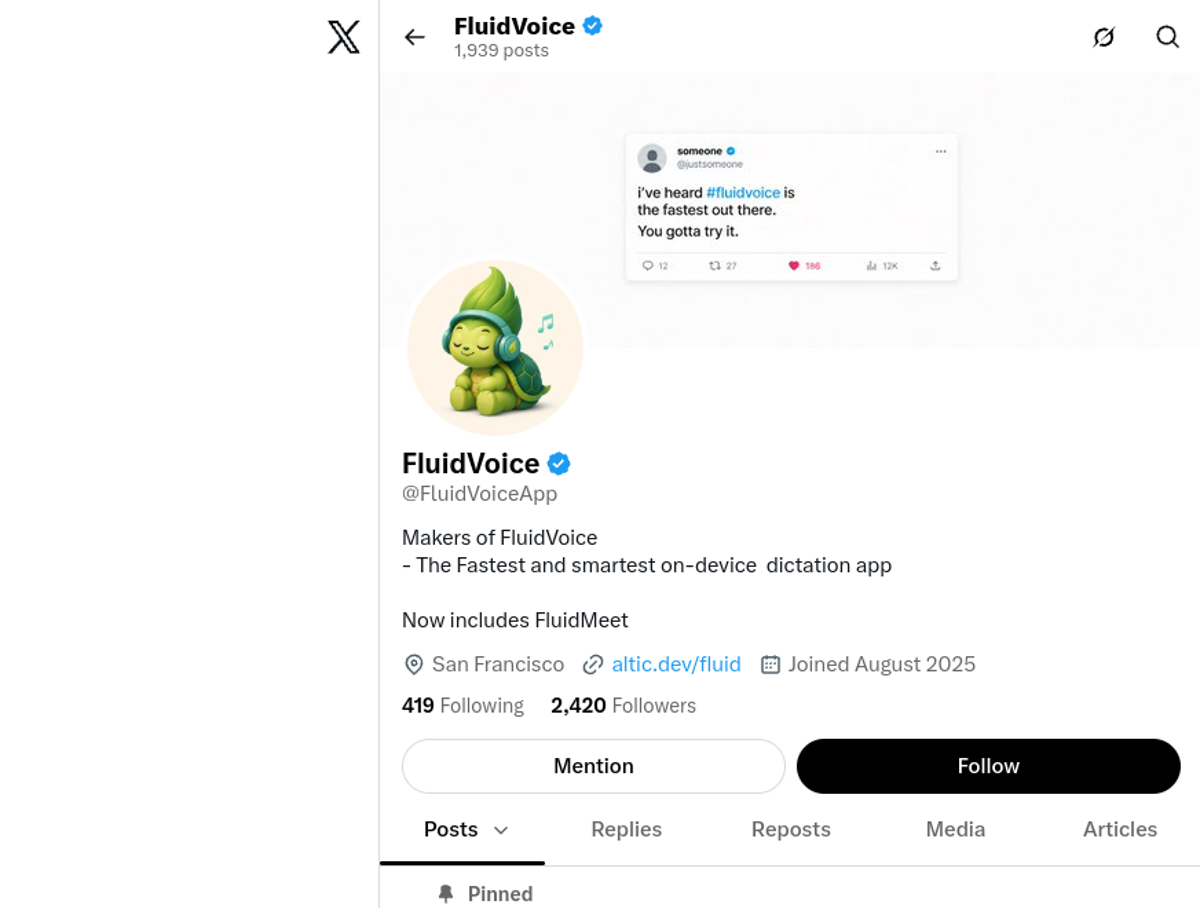
Resources on X
Dedicated X channels:
FluidVoice on X, the vendor account, which carries the release announcements and the model demonstrations: https://x.com/fluidvoiceapp
Wispr Flow on X, the commercial dictation tool this review compares against: https://x.com/WisprFlow
superwhisper on X, the other commercial dictation tool this review compares against: https://x.com/superwhisper
X posts with video content:
The vendor account's feed, which carries the account's own video posts, including the FluidMeet announcement its bio names: https://x.com/fluidvoiceapp
CI-First Evaluation Summary Card
Field | Result |
Tool | FluidVoice, by Altic (altic.dev). Free, open-source, on-device voice-to-text for macOS |
Category | Open-source voice and input, dictation, accessibility |
CI-First Profile | Primary: Co-Worker and Assistant (level 2). Secondary: Professor, Coach and Tutor (level 3) |
Collaboration Mode | Centaur |
CI-First Benefit Score | 7.0 / 10 (CI-First Strong) |
Time / Quantity / Quality / Skill | 8 / 8 / 6 / 6 |
Humics Protection Badge | Humics-Friendly (+2 / +3) |
AI Imposture Risk overall | Medium |
Trap: Time Illusion | Low |
Trap: Quantity Illusion | Low |
Trap: Skill Illusion | Medium, floored at Medium by clause 5.2.3-a |
Clause 5.2.3-a | Applies. A default-enabled vocabulary store outlives the session it was learned in. The write into your own dictionary is gated by an accept card |
Clause 4.2-a | Null |
Clause 7.5 | Null |
Institutes | UIT (Technology, AI, Data Science) High and primary; UIB Medium; UIC Medium; UID Low |
Status | Active (updated) |
Last tested | 2026-08-24 |
Version tested | v1.6.9 |
License | GPLv3 (GNU General Public License v3.0) |
Downloads | 350,000+, as stated on the vendor site |
Glossary
CI-First Benefit Score
The CI-First Benefit Score averages Time, Quantity, Quality, and Skill on a 0 to 10 scale after accounting for setup, checking, and correction. FluidVoice scores 7.0/10, or CI-First Strong: it delivers real time savings and output volume gains from direct transcription, with moderate quality and skill benefits.
CI-First Profile
A CI-First Profile describes the role the tool should play beside human intelligence. The five levels are: (level 1) Co-Creator and Thought Partner, (level 2) Co-Worker and Assistant, (level 3) Professor, Coach and Tutor, (level 4) Analyst and Tester, and (level 5) Challenger and Devil's Advocate. Lower level numbers indicate higher AI autonomy. FluidVoice is primarily a Co-Worker and Assistant (level 2): you form and speak the ideas, while the tool performs the mechanical work of transcription, formatting, and insertion into the active app.
Humics Protection Badge
The Humics Protection Badge assesses whether a tool protects creativity, critical thinking, and social authenticity, scoring each dimension from -1 to +1. FluidVoice earns +2/3 and a Humics-Friendly badge: dictation can spark creative thinking (+1), preserves the user's natural voice in the text (+1), and is neutral on critical thinking (0) because it transcribes but does not analyze.
AI Imposture Risk
FluidVoice's overall risk is Medium, because its Skill Illusion rating is Medium and framework Section 5.3 sets the overall level at Low only when all three traps are Low. The Time and Quantity gains are real and come from direct transcription rather than synthetic generation. The Medium rating is the reminder that value comes from the review step, not from the dictation.
User Sentiment
User Sentiment summarizes observed praise, complaints, adoption signals, and ratings without treating popularity as proof of quality. FluidVoice sentiment is Predominantly Positive, supported by 12,247 GitHub stars, active Reddit threads praising speed and privacy, and the main complaints being platform limitations (macOS only) rather than quality issues.
Review Status
Review Status records the current standing of the tool at the time of the last test. Active: the tool is current and recommended. Active (updated): recently re-checked and the content was refreshed. Changed: a re-check trigger fired and an update is pending, so read the review with that in mind. Risky: the tool has significant unresolved issues, or it has been clearly surpassed by newer alternatives. Use it with caution and read the Limits section. Stale: this review has not been re-checked in over 6 months, so treat details such as pricing and features as unverified. Retired: the tool still works but is no longer recommended. Deprecated: the tool has been shut down or fundamentally changed. Retired and Deprecated posts include a Migration Path section. FluidVoice is Active (updated): it was recently re-checked and the content was refreshed.
Sources
FluidVoice official site: https://altic.dev/fluid
FluidVoice GitHub repository: https://github.com/altic-dev/FluidVoice
FluidVoice GitHub releases: https://github.com/altic-dev/FluidVoice/releases
FluidVoice v1.6.11 release notes: https://github.com/altic-dev/FluidVoice/releases/tag/v1.6.11
FluidVoice GitHub stars: https://github.com/altic-dev/FluidVoice
FluidVoice GitHub forks: https://github.com/altic-dev/FluidVoice/forks
FluidVoice GitHub issues: https://github.com/altic-dev/FluidVoice/issues
FluidVoice Discord community: https://discord.gg/VUPHaKSvYV
FluidVoice on X/Twitter: https://x.com/fluidvoiceapp
The Next New Thing: Free, local audio dictation (YouTube): https://www.youtube.com/watch?v=q_BazF9CCsU
Voibe: FluidVoice Review: https://www.getvoibe.com/resources/fluidvoice-review
Joao Queiros: FluidVoice Review: https://www.ai.joaoqueiros.com/blog/fluidvoice-free-local-dictation-ai-workflows
Bitdoze: FluidVoice Guide: https://www.bitdoze.com/fluidvoice-mac-dictation
Explainx: FluidVoice 1.6.1 Analysis: https://explainx.ai/blog/fluidvoice-macos-open-source-dictation-fluid-intelligence-2026
Reddit r/macapps FluidVoice thread: https://reddit.com/r/macapps/comments/1paekae/i_promised_to_make_fluidvoice_the_best_free_open
Apple Dictation support guide: https://support.apple.com/guide/mac-help/use-dictation-mh40584/mac
Wispr Flow (comparison): https://wisprflow.ai
Superwhisper (comparison): https://superwhisper.com
OpenAI Whisper (comparison): https://github.com/openai/whisper




Comments