
Hermes Agent: The Self-Improving AI Agent Platform by Nous Research

Updated: 6 days ago
Status: Active (updated) | Last tested: 2026-10-24 (Hermes Agent v0.22.5) | Re-check: trigger-based (max 6 months)
Active (updated): the tool is current and recommended. This review was recently re-checked and the content was refreshed.


In this Tool Review
Tool Snapshot
Tagline: The agent that grows with you.
Category: AI Agent Platform, Open-Source Agent Framework
Primary use cases:
Running multiple AI agent profiles with distinct roles and personalities
Automating recurring tasks with cron-scheduled agent runs
Managing AI agent teams through Kanban task routing
Building and sharing reusable agent skills (procedural memory)
Connecting AI agents to messaging platforms (Telegram, Discord, Slack, WhatsApp, Teams, and 15+ more)
Pricing summary: Free and open-source (MIT License). You bring your own LLM provider (Nous Portal, OpenRouter, OpenAI, Anthropic, DeepSeek, or any OpenAI-compatible endpoint).
Official links:
Documentation: https://hermes-agent.nousresearch.com/docs
Community: https://discord.gg/NousResearch
Nous Portal: https://portal.nousresearch.com
CI-First Benefit Score | 7.8/10 (CI-First Strong) |
Time / Quantity / Quality / Skill | 7 / 8 / 8 / 8 |
CI-First Profile | Co-Creator and Thought Partner (1); secondary Professor, Coach and Tutor (3), Co-Worker and Assistant (2) |
Humics Protection | Humics-Friendly (+2) |
AI Imposture Risk | Medium: Time Illusion Medium, Quantity Illusion Low, Skill Illusion High |
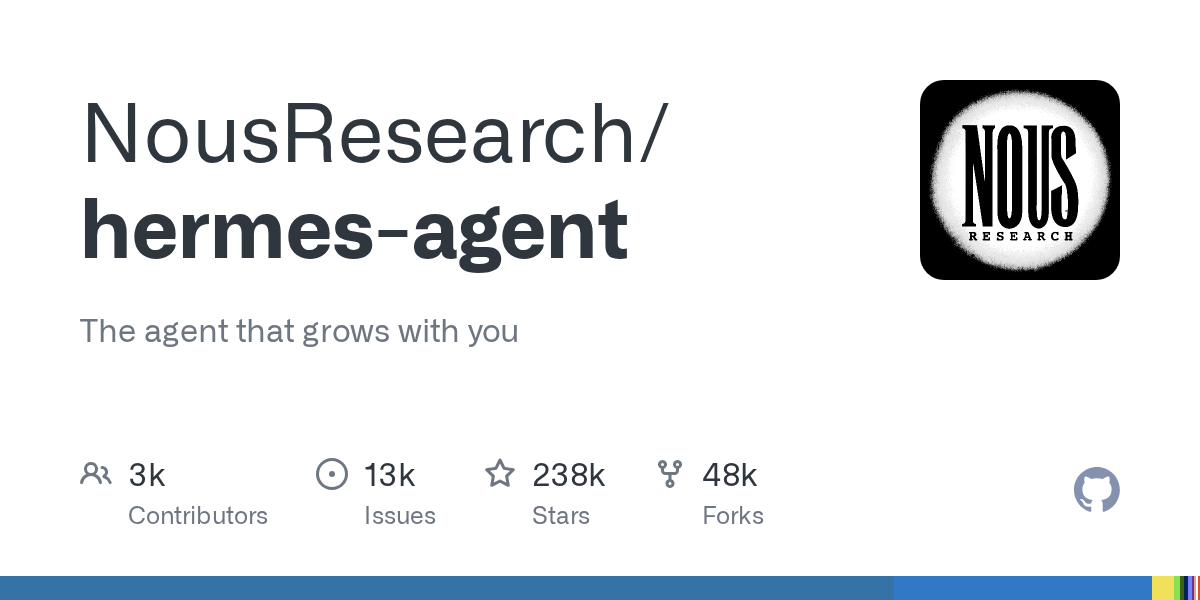
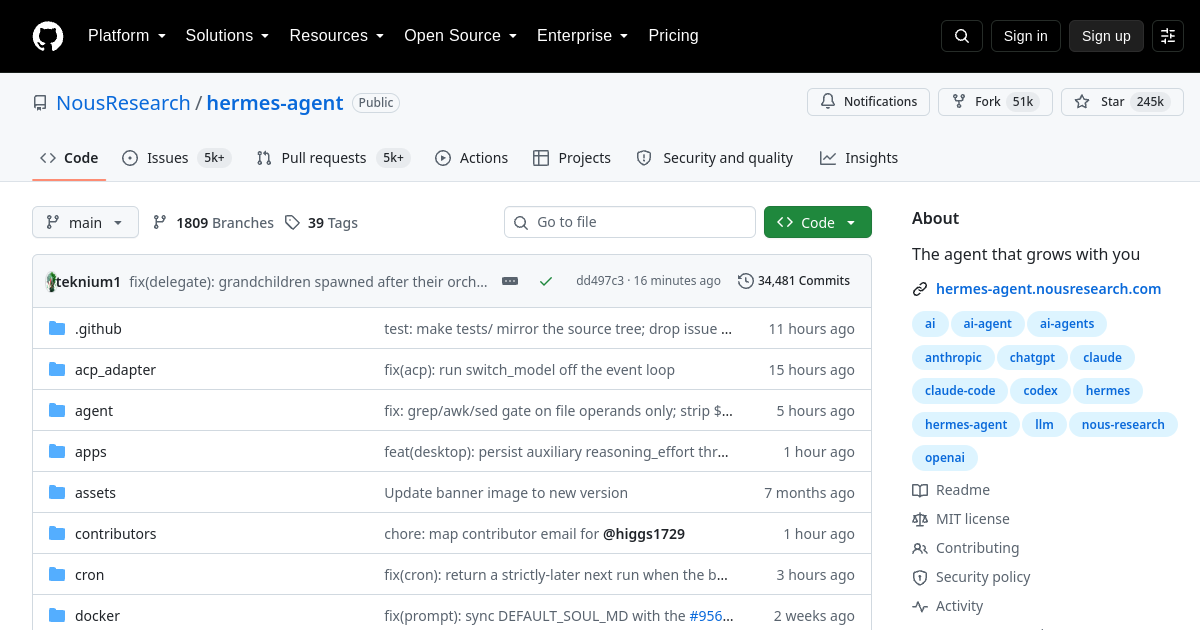
User Sentiment | Predominantly Positive. GitHub: 256,655 stars, 56,120 forks (as of 2026-10-24) |
Pricing | Free and open-source (MIT) |
Platforms | Linux, macOS, Windows, WSL2, Docker, SSH, serverless (Daytona, Modal, Vercel Sandbox) |
Providers | 41 provider plugins (Nous Portal, OpenRouter, OpenAI, Anthropic, etc.) |
For detailed explanations of the CI-First evaluation terms used in this review, including CI-First Benefit Score, CI-First Profile, Humics Protection Badge, AI Imposture Risk, and User Sentiment, see the Glossary at the end of this publication.
The Problem
Today's AI tools are fragmented. You use one chatbot for writing, another for research, a third for coding, and a fourth for scheduling. Each conversation starts from scratch. Each tool forgets what you told the others. The result is cognitive overhead: you spend time re-explaining context, copying outputs between tools, and managing a dozen subscriptions.
Organizations face a sharper version of this problem. Teams need AI agents that understand their domain, maintain institutional memory, and coordinate across departments. A marketing agent that forgets the brand voice every Monday is not useful. A research agent that cannot recall last week's findings wastes everyone's time.
The gap between consumer AI chatbots and production-grade agent infrastructure is wide. Most tools are single-purpose, stateless, and locked to one provider. Developers and technical professionals who want persistent, multi-platform, provider-agnostic agents have to build their own infrastructure from scratch.
Hermes Agent by Nous Research was built to close this gap. It is an open-source agent framework that runs in your terminal, on your messaging platforms, and in your IDE, with persistent memory, reusable skills, and multi-agent coordination built in.
The Outcome
Hermes Agent delivers persistent context. The agent remembers who you are, what you are working on, and what you have learned. Sessions are not isolated conversations but a continuous thread of accumulated knowledge. Cross-session memory with full-text search means you can ask follow-up questions days or weeks later without re-explaining.
The agent improves over time through its skills system. When you complete a complex task, the agent can save the procedure as a reusable skill. Skills load into future sessions, making the agent faster and more reliable at specific tasks. This is procedural memory: the agent gets better at your work, not just generally smarter.
Hermes Agent provides multi-platform presence. One agent instance runs on Telegram, Discord, Slack, WhatsApp, Signal, Teams, Matrix, Email, and 15+ other platforms. You interact with the same agent, with the same memory and tools, wherever you are. No other open-source agent framework offers this breadth.
The framework supports self-improvement through a virtuous cycle: you work with the agent, the agent learns from your workflows, saved skills make future tasks faster, and the accumulated knowledge compounds. This is co-intelligence that grows with you, not a one-shot tool you reset every morning.
Who Should Use Hermes Agent
Hermes Agent serves three learner types:
Learner type | Difficulty | Typical ROI | Career path |
Students (Bachelor, Master) | Intermediate | Automating research workflows, building agent skills, multi-model experimentation | AI Agents and Workflows Automation with n8n on multi-agent tool use, URC research methodology |
Professionals (career upskilling) | Intermediate | Automating daily tasks, building specialist agent profiles, multi-platform productivity | UDG Growth and Partnerships, Business Analysis Professional on business process modelling |
Everyone (lifelong learners) | Beginner to Intermediate | Personal automation, persistent AI assistant, skill-building over time | LIPS Digital Second Brain, SL-OS daily routines |
U365 Institutes Alignment
Rating. High (primary)
Why. Agent engineering, Bot Mode team-room design, live steering, typed subagent handoffs and AI-system evaluation.
The limit that holds the row. The tool is agent engineering a Fellow can read, configure and audit, and it teaches that engineering only to a Fellow who does so: one who installs the agent and lets it work learns operations, not agent engineering. The four Foundation-level chains only pay off for a Fellow who reads the configuration, audits what the agent wrote, and can defend the orchestration without the tool.
Rating. High
Why. Recurring operations with continuity, review gates and written scopes per agent.
The limit that holds the row. The recurring routine is a configuration exercise rather than a project, and the competency is designing an automation with accountable outputs: the written scope per agent and the per-task review gates are the Fellow's own design work. The credential reach stops at Foundation level, no Expert-level programme covers agent governance, and DISCOVERY Fellows can reach none of the mapped programmes as written.
Rating. Medium
Why. Gateway governance and decisions about when an agent may speak under an organisation's name.
The limit that holds the row. It builds no communication craft: no brand voice, no campaign strategy and no audience analysis. The competency that remains is governance rather than content, deciding when an agent may speak in a channel under an organisation's name, and no UIC credential chain is mapped for it.
Rating. Low to Medium
Why. Agent-facing interface and interaction literacy. Hermes produces no design artefact or design curriculum strand.
The limit that holds the row. It emits no design artefact and teaches no design craft; its visual surface is configuration, not design work. The contact that remains is interface and interaction literacy, one supporting competency inside a workshop rather than a curriculum strand, and no UID credential chain is mapped for it.
Tool-to-Skill-to-Credential Chains
Persistent-context profiles, model/provider pinning, credential isolation and MCP management
U365 competency. AI agent platform operation
Credential. No published U365 programme publishes an AI-agent-platform operation outcome. Nearest published anchors: MCP Server from Zero to Deployed (2 days, certificate, publishes building MCP servers from scratch, elicitation and sampling, security and authorisation, and remote deployment, and publishes a Micro-Credential for your Career of 1 US academic credit and 1.5 ECTS), and AI Agents and Workflows Automation with n8n (2 days, same credit, publishes advanced AI agents with models from major vendors and custom MCP servers for multi-agent tool use). Confirm with academic team.
Institute. UIT
Scoped multi-agent orchestration, live steering and schema-validated handoffs
U365 competency. Multi-agent system design: deciding who may act, on what, and when to stop
Credential. No published U365 programme publishes a multi-agent boundary, provenance or stopping-rule outcome. Nearest published anchors: AI Agents and Workflows Automation with n8n (2 days, certificate) on multi-agent tool use and custom MCP servers, and AI Developer Specialist (18 days, ai-developer-specialist-diploma, publishes Deep Learning Foundations, NLP with TensorFlow, transformers text classification with BERT, building NLP apps with Hugging Face transformers, Introduction to Responsible AI, Algorithm Design, and Generative AI working with Large Language Models). Confirm with academic team.
Institute. UIT
Audit agent-authored procedural memory and write-approval controls
U365 competency. AI governance and system evaluation: judging what an autonomous tool may persist, and being accountable for the record
Credential. No published U365 programme publishes an agent-memory audit or a write-approval outcome. Nearest published anchors: AI Developer Specialist (18 days) on Introduction to Responsible AI and Algorithm Design; IT Security Specialist (60 days, it-security-specialist-diploma, publishes Core Concepts, Operating System Security, Network Security, SSL/TLS, Cybersecurity with Cloud Computing, Vulnerability Management, Threat Modeling and AI for Cybersecurity); and Bachelor of Science in IT (B.Sc.) (224 days, bachelor-of-science-in-it-b-sc) on Risk Management and Information Governance. Confirm with academic team.
Institute. UIT
Cron continuity and monitor-mode automation
U365 competency. Operations automation with accountable outputs
Credential. No published U365 programme publishes a scheduled-automation or unattended-monitor outcome. Nearest published anchors: Business Analysis Professional (60 days, business-analysis-professional-diploma, publishes Business Analysis Foundations, Agile Requirements, Business Benefits Realization, Project Manager Collaboration and Business Process Modeling), and Microsoft 365 Expert (46 days, microsoft-365-expert-diploma, publishes Excel, Outlook, Word, Microsoft Teams, OneDrive for Business, SharePoint Online, OneNote and Team Collaboration in Microsoft 365). Confirm with academic team.
Institute. UIB
Capture verified agent sessions
U365 competency. LIPS and CARE knowledge practice
Credential. No credential. This is a practice chain and not an assessment: no published U365 programme publishes a LIPS or CARE record outcome, and none is asserted. The catalogue mentions a Digital Second Brain once, in the Superhuman Expert with AI diploma description, and Effective Note-taking once, in Administrative Professional. Neither assesses a LIPS or CARE record, so neither is claimed as an assessment home.
Institute. No institute competency asserted. LIPS and CARE are U365 method surfaces, not an institute's disciplinary competency.
There is no credential chain for UIC or UID: this tool does not build communication or design artefacts. No published U365 programme assesses an agent-platform, multi-agent-boundary, agent-memory-audit, or scheduled-automation outcome, and each row above says so. Degree programmes carry a single Expert level and are open to SUPERHUMAN Fellows only.
Academic use and guardrails
U.Copilot should route Fellows here for persistent assistants, isolated specialist profiles, accountable recurring automation, scoped multi-agent work and self-hosted provider-agnostic infrastructure. It should route away from human-facing communication that requires the Fellow's own voice, work the Fellow cannot verify, one-off tasks that do not benefit from persistence, and unattributable team rooms.
Record each substantive engagement in LIPS with the task, profile attribution, scope, configuration, cost, outputs, verification record, skill-write record and rejection notes. Apply CARE: collect the evidence, set verification in the action plan, review claims and saved skills, then execute only verified outputs. Run a monthly skill audit: delete or rewrite anything the Fellow cannot explain.
UNOP fit: reading configuration, explaining a saved skill and judging a write-approval gate are active learning and metacognitive evaluation. The conflict is unattended delegation: volume and agent-authored procedural memory can replace practice. Position Hermes as inspectable infrastructure with a mandatory audit, not as an assistant that simply handles things.
Skill level required: Intermediate. Comfort with terminal/CLI and basic configuration (YAML) needed.
Prerequisites: Python 3.11+, a terminal environment, and at least one LLM API key or Nous Portal OAuth.
Typical time to first result: 15 minutes. Install, configure a provider, and run your first agent task.
Typical time to competence: 2 to 4 weeks. Learning to create skills, configure profiles, and build multi-agent workflows.
How Hermes Agent Works
Inputs: Natural language instructions via CLI, messaging platforms, or API. The agent processes commands, uses tools, and maintains context across the session.
Outputs: Executed tasks, generated files, sent messages, research summaries, code changes, and any action available through its tools on the CLI surface.
Underlying technology
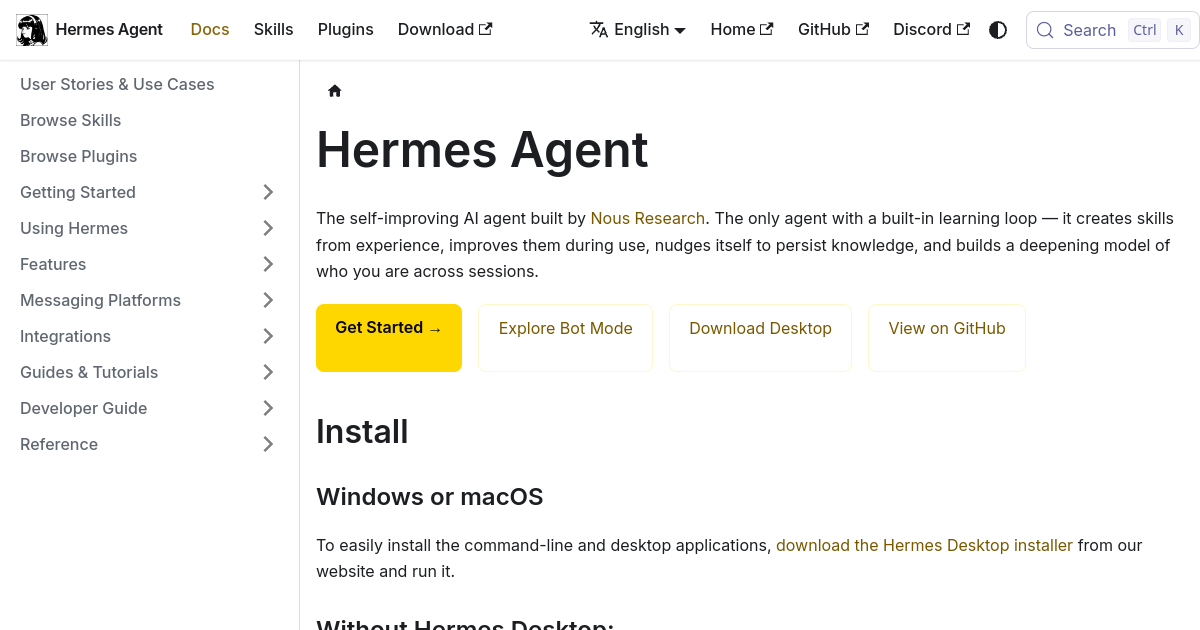
Python-based agent framework with tool-calling architecture. The agent loop: build system prompt, call LLM with tool schemas, dispatch tool calls, append results, repeat until text response. Context compression triggers automatically near token limits.
Key technical features
Skills system: The agent creates reusable skill documents from experience. Skills load into future sessions, making the agent better at specific tasks over time.
Persistent memory: Cross-session memory with FTS5 search. The agent remembers who you are, your preferences, and lessons learned. Pluggable backends (built-in, Honcho, Mem0).
Multi-platform gateway: one agent can work across Telegram, Discord, Slack, WhatsApp, Signal, Teams, Matrix, Email and other platforms. v0.21.x also adds hermes peer messaging across profiles and gateways; a queued receipt confirms admission, not a completed reply.
Profiles and Bot Mode: run independent Hermes profiles with isolated configuration, skills and memory. Bot Mode is built into the desktop app, with named agents, deterministic avatars and group rooms using @mentions.
Delegation: spawn isolated subagents for parallel workstreams. Live orchestration can list, steer or stop a child with a partial result; JSON-schema validation and per-delegation cost make handoffs inspectable.
Cron and scheduling
Cron and scheduling: cron jobs can retain memory, use continuity carry-over and a durable notepad, while monitor mode skips the model when no monitored source changed. The v0.21.2 state.db reliability patch repaired session-store regressions; v0.21.3 also fixed refresh-burst session revocation and duplicate writer handles.
Getting Started with Hermes Agent
Required accounts: Choose an LLM provider. Nous Portal offers one OAuth for a model plus web search, image generation, TTS, and browser tools. Alternatively, use OpenRouter, OpenAI, Anthropic, or any OpenAI-compatible endpoint.
Installation
1. Run the install script: curl -fsSL https://hermes-agent.nousresearch.com/install.sh | bash
2. Run the setup wizard: hermes setup (or hermes setup --portal for Nous Portal OAuth)
3. Verify installation: hermes doctor checks dependencies and configuration.
First-time configuration
1. Choose your model and provider: hermes model
2. Enable toolsets: hermes tools (interactive curses UI)
3. Set up memory: hermes config set memory.memory_enabled true
4. (Optional) Configure a messaging platform: hermes gateway setup
First 15 minutes checklist
☐ Install Hermes Agent on your primary device
☐ Run hermes setup and configure a provider
☐ Run hermes doctor to verify configuration
☐ Start a chat session: hermes
☐ Ask the agent to perform a simple task (search the web, write a file)
☐ Enable memory: hermes config set memory.memory_enabled true
☐ Create your first skill by asking the agent to remember a workflow
Result: After 15 minutes, you have a working AI agent with persistent memory and tool access.
Real Workflows
Workflow 1: Multi-Platform Research Assistant
Learner type: Students (Bachelor, Master) and Professionals
CI-First benefit tags: Time, Quantity, Quality, Skill
Connects to: AI Agents and Workflows Automation with n8n on multi-agent tool use, URC research methodology, LIPS Digital Second Brain
Time estimate: 30 minutes setup, then ongoing
What you do vs what the tool does:
Step | You do | The tool does |
1 | Define research question and scope | Searches web, arxiv, and databases for relevant papers |
2 | Review the summary and flag gaps | Summarizes findings, extracts key claims, saves to folder |
3 | Ask follow-up questions on specific papers | Retrieves full context from memory, answers with citations |
4 | Verify key claims against original sources | Provides source URLs and quotes for each claim |
5 | Decide which findings to pursue further | Saves the research session as a skill for future use |
The agent maintains context across sessions, so you can ask follow-up questions days later without re-explaining.
Sample prompt: Research the latest papers on GRPO training methods. Summarize the top 5 findings and save them to my research folder.
Verification checklist:
☐ Multi-Model Check: Ask the same research question to Hermes and to a separate LLM. Compare findings.
☐ External Source: Verify key claims against the original papers.
☐ Human Review: Check that the agent correctly understood your research context.
☐ Skill Review: Read the saved skill for this workflow and confirm it matches what you intended.
☐ CI-First Test: Can you explain and defend the research summary without the tool? [Y/N]
Workflow 2: Automated Department Coordination
Learner type: Professionals (career upskilling)
CI-First benefit tags: Time, Quantity, Quality
Connects to: UDG Growth and Partnerships, Business Analysis Professional on business process modelling
Time estimate: 1 hour setup, then automated
What you do vs what the tool does:
Step | You do | The tool does |
1 | Define department tasks and assign to profiles | Creates Kanban board and routes tasks to agent profiles |
2 | Review task outputs as they complete | Each profile picks up its task, executes, and reports back |
3 | Approve or request changes on outputs | Profiles revise based on your feedback, resubmit |
4 | Monitor board for blockers and status | Updates task status, sends notifications on completion |
5 | Consolidate results into final deliverable | Compiles outputs from all profiles into a summary |
The Kanban board routes tasks between agent profiles. Each department agent picks up its assigned tasks, executes them, and reports back.
Sample prompt: Create a Kanban board for the marketing department. Route content creation tasks to the UIC agent and analytics tasks to the UIT agent.
Verification checklist:
☐ Multi-Model Check: Compare task outputs from different agent profiles.
☐ External Source: Verify any external data the agents used.
☐ Human Review: Check task routing and agent responses for accuracy.
☐ Instruction-File Review: Read every proposed skill, memory or AGENTS.md write before approving it.
☐ CI-First Test: Can you explain the workflow and its logic without the tool? [Y/N]
Workflow 3: Bot Mode Team Room
Learner type: UIT and UIB Fellows coordinating a bounded multi-agent objective.
What you do vs what the tool does: assign each named agent a written boundary and profile before the room opens; agents contribute labelled work, @mention one another and escalate judgement calls to you.
Verification checklist:
☐ Scope Declaration: each agent has a written task boundary before the room opens.
☐ Attribution: name which agent produced each claim in the final output.
☐ Peer Delivery Check: a queued acknowledgement is not a completed reply; confirm settled delivery.
☐ Human Review: no bot speaks in a human-facing channel unless a person approved the text.
☐ CI-First Test: could you hold this conversation without the room? [Y/N]
Strengths, Limits, and AI Imposture Risk
Strengths
CI-First Benefit | Strength | Evidence |
Time | Persistent context eliminates re-explaining; cron automates recurring tasks | Session memory and cron scheduling reduce setup time for repeated workflows |
Quantity | Multi-agent coordination produces parallel output from independent profiles | Kanban routing and delegation enable concurrent workstreams |
Quality | Skills system preserves verified procedures; multi-model comparison improves output | Saved skills encode best practices; verification checklists catch errors |
Skill | Skills create lasting capability; user reviews and understands each saved procedure | Skill documents serve as documentation and learning artifacts, not black-box automation |
Limits
Learning curve: Comfort with CLI and configuration files is required. Not a turnkey consumer product.
Provider costs: While Hermes itself is free, LLM API costs vary by provider and usage.
Self-hosted: No managed cloud offering. You run it on your own infrastructure.
Complexity: The breadth of features (profiles, cron, Kanban, delegation, MCP) can be overwhelming for new users.
AI Imposture Risk
Time Illusion
Rating. Medium
Evidence. Configuration and maintenance grew across Bot Mode, peer gateways, MCP authentication, profile isolation and the credential vault. Setup remains cheap for a simple task, not for complex paths.
Quantity Illusion
Rating. Low
Evidence. Output volume remains executed and checkable: files, messages and tasks are real artefacts. Higher volume still needs review.
Skill Illusion
Rating. High
Evidence. The agent can create and improve skills, memory and continuity. No per-write approval stands between the agent and that store at the shipped configuration, so the write proceeds without a human decision. The user holds a documented capability they did not write.
Overall Imposture Risk: Medium. The tool did not get worse; it acquired more self-direction. Time and Skill Illusion rose because it can run on its own schedule and write durable procedural memory. A skill the Fellow cannot explain is a skill the Fellow does not have.
U365 Co-Intelligence Rating
CI-First Profile
Primary profile: Co-Creator and Thought Partner (1). Hermes Agent works alongside you with persistent context, building knowledge over time. It is not a one-shot tool but a collaborator that grows with you.
Secondary profiles: Professor, Coach and Tutor (3), and Co-Worker and Assistant (2). Cron continuity, peer handoffs and live subagent orchestration are execution work the user directs and reviews.
CI-First Benefit Score
Time
Score (0-10). 7
Rationale. Persistent memory and cron scheduling save time on recurring tasks, but initial setup and configuration require investment
Quantity
Score (0-10). 8
Rationale. Bot Mode rooms, peer handoffs, live steering and accountable parallel work raise usable output, subject to human review.
Quality
Score (0-10). 8
Rationale. Skills system preserves verified procedures and best practices, improving output quality over time
Skill
Score (0-10). 8
Rationale. Skills are readable, versioned and editable by the Fellow, and each one can be explained and tested against a real task. The capability at issue is one the user did not author: agent-authored procedural memory must be read and audited by the Fellow before it counts as theirs.
CI-First Benefit Score: (7 + 8 + 8 + 8) / 4 = 7.8 (CI-First Strong). Quantity rose; Skill was deliberately reduced under the conservative-Skill principle.
Humics Protection Badge
Dimension | Rating | Rationale |
Creativity | +1 (Protects) | The skills system encourages documenting creative workflows, preserving rather than automating away creative processes |
Critical Thinking | +1 (Protects) | Verification checklists and transparent tool calls require the user to evaluate outputs, maintaining critical engagement |
Social Authenticity | 0 (Neutral) | The gateway and Bot Mode rooms are internal coordination surfaces. Erosion occurs when an agent speaks in a human-facing channel on the user's behalf, which the user controls. |
Humics Protection Score: +2
Badge: Humics-Friendly
Superhuman Usage Guidance
When to invite this tool:
Research workflows, multi-agent coordination, recurring task automation, cross-platform messaging, software development with persistent context.
When to keep this tool out:
Tasks requiring human judgment on sensitive matters, situations where you need to develop manual skills first, one-off simple tasks that do not benefit from persistence.
U365 method integration: record verified engagements in LIPS under CARE, including a skill-write record. Hermes supports Career-domain operations and the Execute phase of CARE, but not the Fellow's strategic judgement, coaching or human relationships. Under EVA, explore the workflow, visualize what survived verification, then action-plan what to automate and what to keep manual.
Over-delegation warning: the persistence and self-improvement loop is the specific risk. The agent writes and revises skills during use. Review saved skills monthly and treat any skill you cannot explain as a skill you do not have.
What Users Say
Aggregate Rating Table
Platform | Rating | Number of reviews | Notes |
GitHub | 256,655 stars | 56,120 forks; 50,771 open issues; 993 watchers | Verified 2026-10-24 via GitHub repository API |
N/A | N/A | Positive sentiment in r/LocalLLaMA and AI agent discussions | |
Product Hunt | N/A | Not found | Developer tool, not listed |
Trustpilot | N/A | No reviews | Developer tool |
G2 | N/A | No reviews | Developer tool |
Discord | Active community | N/A | discord.gg/NousResearch |
What Users Praise
Users consistently praise the skills system, which makes the agent better over time at specific tasks. The multi-platform gateway is frequently mentioned as a differentiator. Developers appreciate the provider-agnostic design and the ability to use local models.
What Users Complain About
The learning curve is the most common complaint. Users coming from consumer AI tools find the CLI-first approach intimidating. Some users report configuration complexity when setting up multiple profiles or messaging platforms.
Sentiment Summary
Overall sentiment: Predominantly Positive.
Key themes: Skill accumulation, multi-platform support, persistent memory, provider flexibility, open-source community.
U365 Editorial Note
User sentiment aligns with the CI-First evaluation. As of 2026-10-24, GitHub reported 256,655 stars, 56,120 forks, 50,771 open issues and 993 watchers. The benefit score remains 7.8, while the Skill score is 8, not 9: a saved procedure is only a Fellow capability when the Fellow has read and can explain it.
Comparison and Alternatives
Alternative | Choose this if... | Choose Hermes Agent if... |
Claude Code | You want an IDE-integrated coding copilot from Anthropic | You want a multi-platform, provider-agnostic agent with persistent memory and skills |
OpenAI Codex | You want a cloud-based coding agent tied to OpenAI | You want an open-source, self-hosted agent that works with any provider |
AutoGPT | You want a simple autonomous task runner | You want a mature agent framework with skills, memory, and multi-platform support |
CrewAI | You want a Python library for multi-agent orchestration | You want a complete agent platform with CLI, gateway, and built-in coordination |
Where Hermes Agent is clearly better
Hermes Agent is better than all alternatives for persistent context. The skills system and cross-session memory mean the agent accumulates knowledge specific to your work. The multi-platform gateway is unmatched: no other agent runs on 20+ messaging platforms with full tool access.
Where Hermes Agent is clearly worse
Hermes Agent is worse than Claude Code for IDE integration. Claude Code runs inside VS Code with deep codebase awareness. Hermes is worse than consumer tools (ChatGPT, Claude.ai) for zero-setup ease of use. It requires technical comfort.
Verdict and Next Steps
Who should adopt it: Developers, researchers, and technical professionals who want a persistent AI agent that grows with them. Organizations that need multi-agent coordination across departments.
When: When you find yourself repeating the same AI workflows and want the agent to remember and improve. When you need AI presence on messaging platforms.
For what: Research automation, multi-agent coordination, recurring task scheduling, cross-platform AI presence, skill building over time.
This refresh covers releases through v0.22.5 (released 2026-10-23).
UP-Context-Engineering prompt packs: four reusable prompts for Hermes Agent.
Prompt 1: Skill authoring with audit
Context: I am a U365 Fellow working on [recurring task], and I want the procedure to survive without the conversation that produced it. Role: AI as a Co-Worker and Assistant (Profile 2). You write the procedure down; I own the method and the approval. Profile: Act as a Co-Worker and Assistant, turning my working method into something I could hand over. Task: write the procedure as a skill, then explain it in under 200 words as if I must perform it without you. Constraints: name every tool, path and parameter, flag every step only you can perform, and keep the procedure to one job rather than bundling unrelated work. Output format: the skill text, then the 200-word explanation. Memory: the skill file and the explanations I approved belong in my own repository, because the platform holds no standing instruction for me. UP-Context-Engineering verification: I read the skill before approval and I will not approve a step I cannot explain; I perform the procedure once with the tool closed; and I can defend every line in it without reopening this conversation. Data safety: this pack carries no personal data. I do not paste credentials, an unpublished process document or a client's operating detail into it, and I keep the approved procedure in my own store.
Prompt 2: Scoped multi-agent coordination
Context: I am coordinating [N] workstreams and every handover has to be inspectable. Role: AI as a Co-Worker and Assistant (Profile 2) drafting the coordination, with the routing decision staying mine. Profile: Act as a Co-Worker and Assistant, making the work visible rather than executing it. Task: create one task per workstream with owner, deliverable, boundary, evidence and dependency. Constraints: visible cost, no task is finished on its own claim, and an unresolved decision stops the workstream rather than being absorbed. Output format: the task list, then one line naming the dependency each task waits on. Memory: the task list, the owners and the decisions belong in my own project record and in my LIPS Digital Second Brain, not in this conversation. UP-Context-Engineering verification: I check each output against its evidence and can defend the routing without the tool; I confirm every boundary in my own words before work starts; and I resolve or record each stopped decision myself. Data safety: this pack carries no personal data. I do not paste a customer record, a team member's private note or an unannounced plan into it, and I keep the coordination record in my own store.
Prompt 3: Bot Mode team room
Context: I am opening a room with [N] named agents, and every contribution has to stay attributable. Role: AI as a Co-Worker and Assistant (Profile 2) running the room, with the judgement calls escalating to me. Profile: Act as a Co-Worker and Assistant, keeping each voice separate rather than merging them into one. Task: each member states what it will produce and what it will not touch, then contributes labelled work. Constraints: attribute every claim to the member that made it, no member speaks in my voice, and escalate judgement calls to me rather than deciding among yourselves. Output format: the room's work, each item labelled with its author, then the open questions for me. Memory: the room's outputs, the attributions and my decisions belong in my own record, because the room itself is not a record. UP-Context-Engineering verification: I read every labelled contribution before I act on it; I check that no claim lost its author; and I take the judgement calls myself, because a room that decides for me is a room I cannot defend. Data safety: this pack carries no personal data. I do not paste another person's private message, a customer record or an unpublished plan into it, and I keep the room record in my own store.
Prompt 4: Instruction-file and memory write review
Context: you propose to write a skill, a memory store or a standing instruction, and I am the one who approves it. Role: AI as a Co-Worker and Assistant (Profile 2) proposing the change, with the approval staying mine. Profile: Act as a Co-Worker and Assistant, presenting one change at a time rather than a bundle. Task: state the change, its trigger evidence, the future behavioural effect and what it could break. Constraints: one write, one review, no bundled changes, and no write I have not read in its exact text. Output format: the proposed change, the trigger evidence, the effect, the failure modes, then the exact text to be written. Memory: the approved text and the reason for the change belong in my own record, because the platform's memory is not a record I control. UP-Context-Engineering verification: I read the exact text and approve only what I understand; I check the trigger against evidence I can point to; and I can describe what the change will do differently in a week without reopening this proposal. Data safety: this pack carries no personal data. I do not paste credentials, an unpublished instruction file or another person's note into it, and I keep the approved text in my own store.
U365's Recommendations to Learn More
These links are curated, not collected. Every resource below teaches something this review does not cover, verified as of September 3, 2026. Individual creators and community experts are welcome when their content is substantial and accurate.
Official learning resources
Hermes Agent documentation: https://hermes-agent.nousresearch.com/docs
Quickstart tutorial: https://hermes-agent.nousresearch.com/docs/getting-started/quickstart
Skills system: procedural memory the agent creates and reuses: https://hermes-agent.nousresearch.com/docs/user-guide/features/skills
Memory system: persistent memory that grows across sessions: https://hermes-agent.nousresearch.com/docs/user-guide/features/memory
Features overview: the full capability map: https://hermes-agent.nousresearch.com/docs/user-guide/features/overview
Video tutorials and channels
Hermes Agent Masterclass playlist (community walkthrough by Tonbi's AI Garage, 11 videos): https://www.youtube.com/playlist?list=PLmpUb_PWAkDx-VWjh00tVCji794xAa_IX
Hermes Agent Tutorials and Use Cases playlist (community walkthrough by Tonbi's AI Garage, 43 videos): https://www.youtube.com/playlist?list=PLmpUb_PWAkDxewld5ZYyKifuHxgIbiq2d
Hermes Agent Masterclass 1: Installation, Setup, Basic Commands (community walkthrough by Tonbi's AI Garage): https://www.youtube.com/watch?v=R3YOGfTBcQg
Hermes Agent: The Ultimate Beginner's Guide (community walkthrough by Agent Glitch): https://www.youtube.com/watch?v=JEzCxqq8vro
Hermes Agent Crash Course for Beginners (community walkthrough by Adrian Twarog): https://www.youtube.com/watch?v=4sAmpcSOVEw
Nous Research's Hermes Agent: The Case for Open Models in Production (Arize AI conference talk): https://www.youtube.com/watch?v=Y3NDtqk6ags
Written tutorials and deep-dive articles
Nous Research Hermes Agent: Setup and Tutorial Guide (DataCamp): https://www.datacamp.com/tutorial/hermes-agent
Hermes Agent v0.21.0: The Complete Beginner's Guide (Hermes Atlas): https://hermesatlas.com/guide/
Hermes Agent Masterclass Full Tutorial (community walkthrough by Parvez Mohammed, Towards Dev): https://medium.com/towardsdev/hermes-agent-masterclass-full-tutorial-9f682bb28789
Hermes Agent Review: Why It Just Crossed 150K Stars (Claw4Science): https://claw4science.org/blog/hermes-agent-review
Community and social
Nous Research Discord: community support and discussion: https://discord.gg/NousResearch
r/hermesagent on Reddit: unofficial community for builds, tools, and workflows: https://www.reddit.com/r/hermesagent/
Nous Research on X: announcements and releases: https://x.com/NousResearch
Individual creators and community experts are listed alongside official sources. Judge by content quality, not source type. We exclude only promotional and affiliate content.
Resources on X
Dedicated X channels:
Nous Research, the vendor account carrying Hermes Agent release announcements and the Nous Portal business-account announcement: https://x.com/NousResearch
Glossary
CI-First Benefit Score
A score from 0 to 10 that measures how much a tool genuinely benefits a human user in a co-intelligent workflow. It averages four dimensions: Time saved, Quantity of usable output, Quality improvement, and Skill development. A score of 7.8 falls in the CI-First Strong band (6.1-8.0), meaning the tool provides significant, verified benefits across multiple dimensions.
CI-First Profile
A classification of the role an AI tool plays in your work. The five profiles are: (1) Co-Creator and Thought Partner, (2) Co-Worker and Assistant, (3) Professor, Coach and Tutor, (4) Analyst and Tester, and (5) Challenger and Devil's Advocate. Hermes Agent is classified as a Co-Creator and Thought Partner because it works alongside you with persistent context, accumulating knowledge about how you work.
Humics Protection Badge
A rating that measures whether a tool protects or erodes three distinctively human capabilities: Creativity, Critical Thinking, and Social Authenticity. Each dimension is scored +1 (protects), 0 (neutral), or -1 (erodes). The total ranges from -3 to +3. A badge of Humics-Friendly (+2 or +3) means the tool actively preserves and enhances human capabilities while augmenting output.
AI Imposture Risk
An assessment of whether a tool creates the illusion of competence without the underlying skill. It evaluates three traps: Time Illusion, Quantity Illusion, and Skill Illusion. Each is rated Low, Medium, or High. An overall rating of Low means the tool's outputs are transparent, reviewable, and the user maintains full control over the process.
User Sentiment
A summary of how real users rate and describe the tool across public review platforms. For developer tools like Hermes Agent, GitHub stars, community activity, and developer forum discussions serve as primary indicators rather than consumer review sites. User sentiment can align with or diverge from the CI-First evaluation.
Review Status
Review Status explains freshness. Active means the tool is current and recommended. Active (updated) means a recent re-check refreshed the review. Changed means a re-check trigger fired and an update is pending. Risky means significant unresolved issues or clearly better alternatives require caution. Stale means the review is over six months old and details need verification.
Sources
https://hermes-agent.nousresearch.com/docs/getting-started/quickstart
https://hermes-agent.nousresearch.com/docs/user-guide/features/skills
https://hermes-agent.nousresearch.com/docs/user-guide/features/memory
https://hermes-agent.nousresearch.com/docs/user-guide/features/overview
https://www.youtube.com/playlist?list=PLmpUb_PWAkDx-VWjh00tVCji794xAa_IX
https://www.youtube.com/playlist?list=PLmpUb_PWAkDxewld5ZYyKifuHxgIbiq2d
https://medium.com/towardsdev/hermes-agent-masterclass-full-tutorial-9f682bb28789




Comments