
Prompt Bundle: Working With AI, Well (UP-Context, UIT)

Updated: 2 days ago
In this Prompting Publication

Why this bundle exists
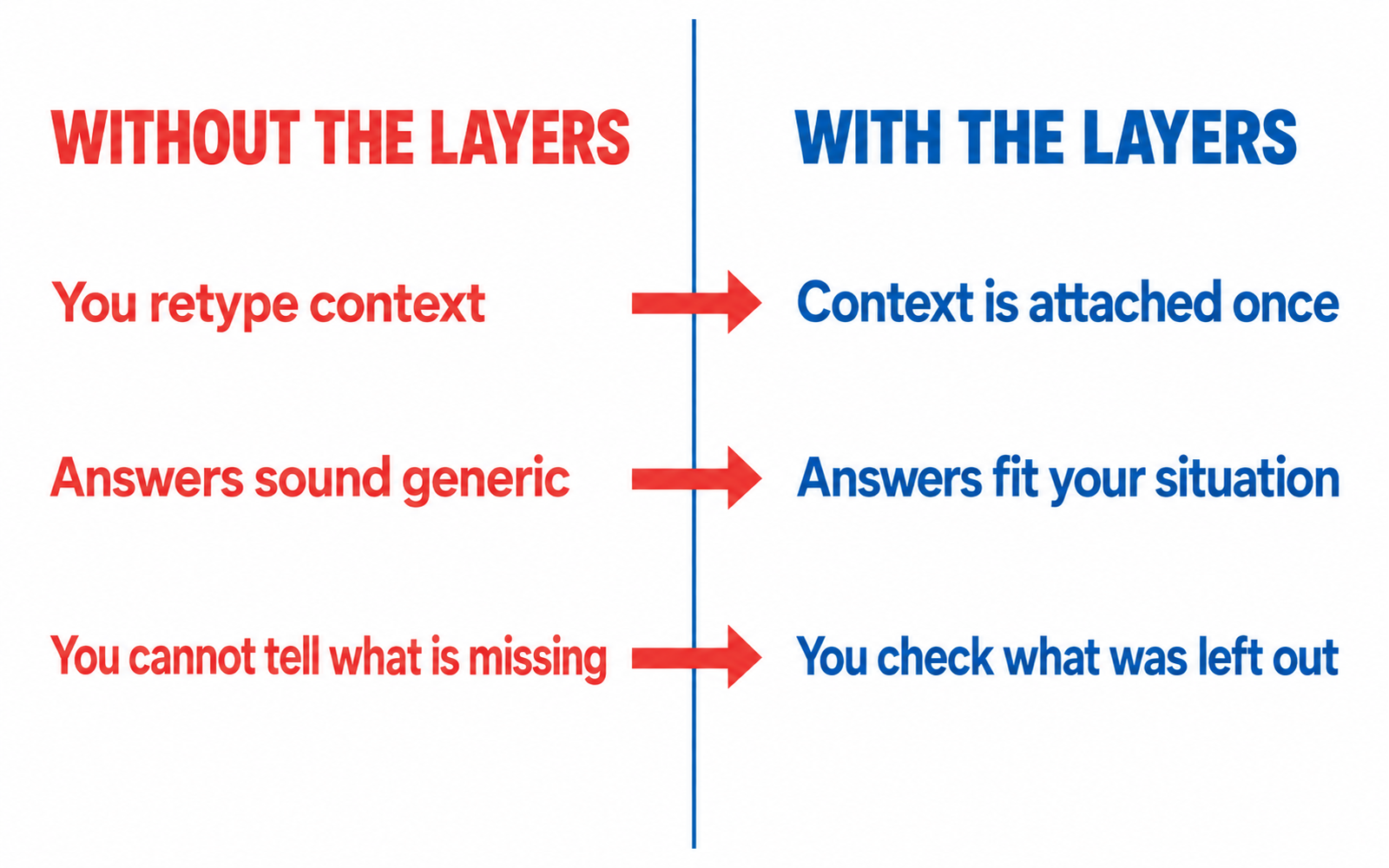
Working with AI is now part of ordinary work, and the failure mode is quiet. You get fluent, confident, well-formed answers that were built on nothing about you. Nothing looks broken, so you never go back and check.
This bundle fixes the quiet failure. Every prompt in it is written to be used with a context you build once: the eight UP-Context layers. Six prompts, each for one job in the craft of working with AI well.
Before you start: UP-Context prerequisites
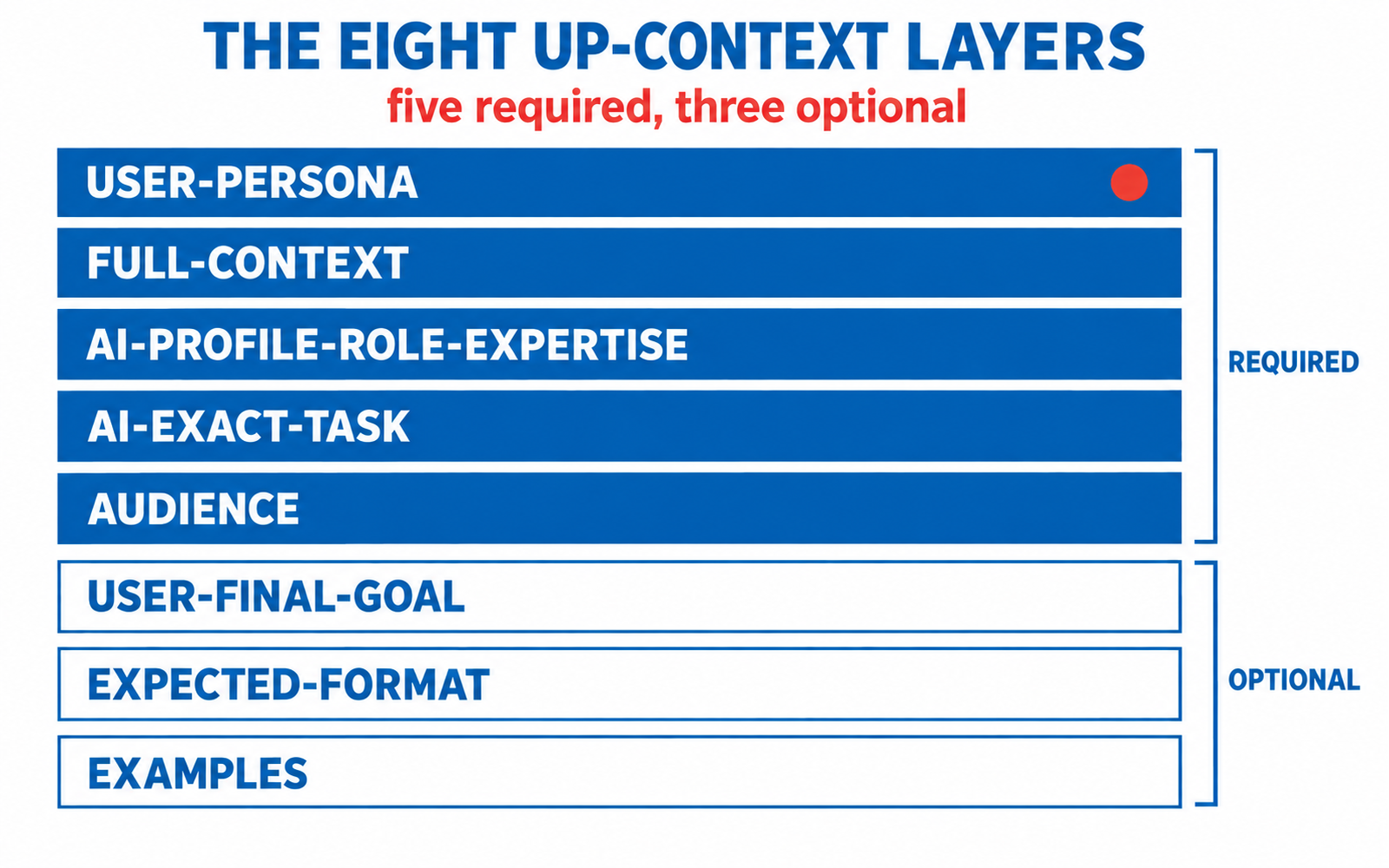
THIS BUNDLE ASSUMES YOU HAVE IMPLEMENTED THE UP-CONTEXT METHOD. Every prompt in this bundle is written to be used with the eight UP-Context layers already in place, five required and three optional: USER-PERSONA, FULL-CONTEXT, AI-PROFILE-ROLE-EXPERTISE, USER-FINAL-GOAL, AI-EXACT-TASK, AUDIENCE, EXPECTED-FORMAT and EXAMPLES. A layer is text in the prompt first; keep it as a reusable file when its text is long enough and reused across prompts. If you have not built those layers, the prompts below will still run, but they will produce generic output and you will be doing the work twice. Build your UP-Context layers first. Start with the UP-Context Method publication, then download the templates in the next section. The prerequisites are not a formality: they are the difference between a prompt that knows your situation and a prompt that guesses.
Where to build the layers: the UP-Context Method publication explains the method and the eight layers, and the UP-Context USER-PERSONA build takes you through the interviews that produce the first and most important layer. Neither is a prerequisite for reading this page; both are what make the prompts below worth running.
The templates this bundle needs
This bundle assumes four of the eight layers are available as reusable files, because all six prompts lean on them:
Template | What it holds |
USER-PERSONA template | The professional variant of your persona file. Every prompt in this bundle has a work purpose, so the professional variant is the right file. |
FULL-CONTEXT template | One file for the working practice itself: what you do, the tools you use, the constraints you work under. |
AI-PROFILE-ROLE-EXPERTISE template | The reviewer, the sceptical colleague, the patient teacher. Select one per prompt rather than writing a role from scratch. |
AUDIENCE template | Who reads the result: a client, a colleague, your future self. |
The remaining four layers are written directly in each prompt: USER-FINAL-GOAL, AI-EXACT-TASK, EXPECTED-FORMAT and EXAMPLES are usually short and specific to the task, so they belong in the prompt text rather than in a file.
What you will be able to do
Four finished capabilities, in the order the prompts teach them:
Capability | What it means |
Start informed | Run an AI session that already knows your context, without re-explaining yourself every time. |
Check the output | Audit an answer for what it left out, and say what would change your mind about it. |
Hand over cleanly | Write a standing brief you can reuse, so anyone picking up the work starts from the same understanding. |
Keep the judgement | Spot fluent output that reads like evidence and is not, and keep your own judgement in the loop. |
The prompts in this bundle
Work through them in this order. Each row links to the prompt.
Prompt | What it does |
Turns a bare chat into a project that starts every session informed. | |
Finds what an answer failed to say before you act on it. | |
One brief a colleague or a fresh session can read before starting. | |
Classifies the task, then recommends the model that fits it. | |
Separates how sure an answer sounds from how much it knows. | |
Structures a decision without making it, and hands it back. |


How to work through them
Start with the project prompt. It teaches the habit the others assume: context set once, before the work begins.
Then the audit prompt, which is the one that changes how you read AI output. Then the standing brief, which turns your own context into something you can hand to a colleague or to your future self.
The remaining three are independent. Use them as the need appears.
How to check your work
One shared checklist, used on every prompt in this bundle:
Check | What it asks of you |
Multi-model check | Run the same prompt on a second model. Where the two disagree, you have found the part of the answer that depends on the model rather than on your material. |
External source check | Any factual claim that matters gets a source outside the AI. |
Human review | Before you act on an answer, a person reads it. The AI drafts; the person decides. |
CI-First test | Ask the second question: does using this prompt build your own capability, or quietly replace it? |
Institutes and life domain
Owning institute: UIT, the University 365 IT Engineering Institute, which owns the technology and AI curriculum.
Primary ULM life domain: Spirit and Mind. Working with AI well is a thinking practice before it is a technical one.
Sources and last reviewed
Sources: the UP-Context Method (University 365 Prompting-Context), owned by the University 365 Research Center; and this bundle's own six prompts.
Last reviewed 2026-09-26. Bundle code UDA-PRM-B01. Review cycle: quarterly, as the Evolve step of the method.




Comments