
Vector Databases Explained: Embeddings for Search

Updated: 3 days ago

UIT University 365 Institute of Technology
Series AI Engineering | Level Basic (Free)
Duration 15 to 20 minutes | Access Free
IT Engineering, AI and Applied AI, Data Science, Software Development, Digital Transformation

UNOP Sound (University 365 Neuroscience Oriented Pedagogy)
Take five minutes to prepare your brain. Play the isochronous tone track (40Hz gamma frequency) with your eyes closed. Gamma-frequency tones before a learning session raise attention and make the material easier to absorb.
[Audio player: UNOP Pre-Lecture Isochrone (40Hz, 5 minutes)]
Table of Contents
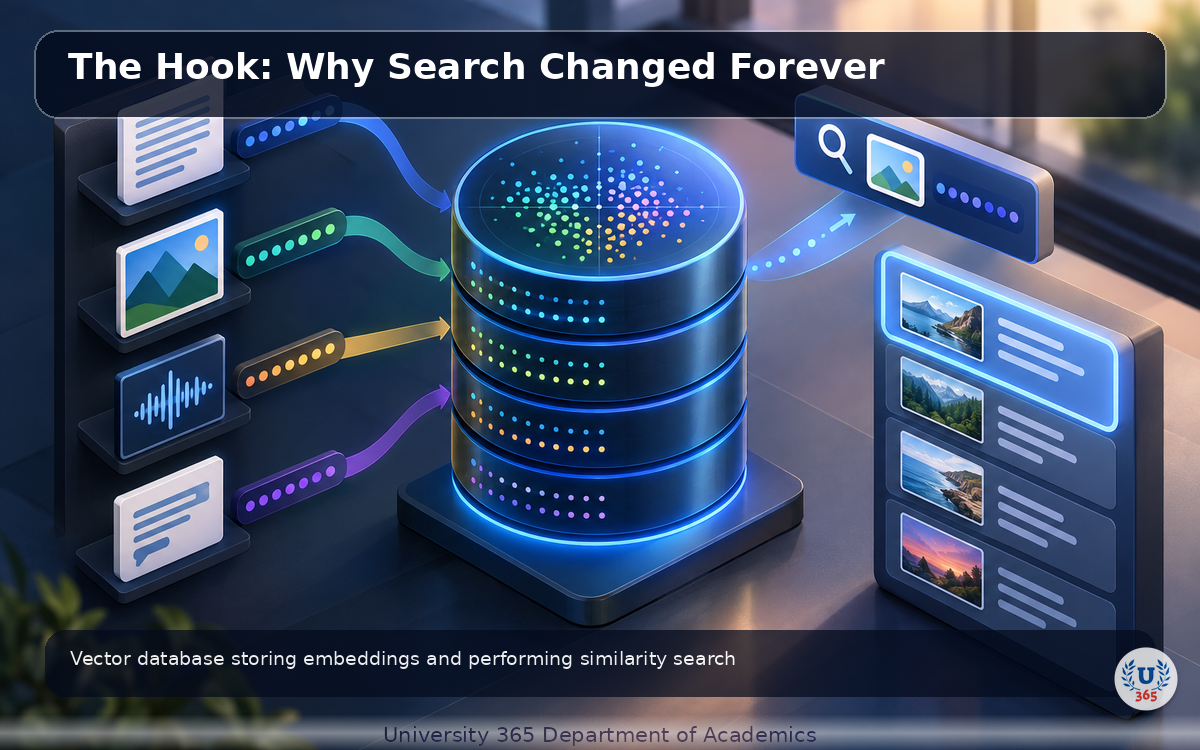
The Hook: Why Search Changed Forever
You search for 'how to handle database connection errors' and get exactly what you need in 0.2 seconds. Not because the exact words match, but because the search engine understands what you mean. That is vector search.
Traditional search counts keyword matches. Vector search measures semantic similarity. Instead of asking 'does this document contain these words?', it asks 'is this document about the same thing as the query?' The result: searches that find relevant content even when the words are completely different.
Vector databases store and search these semantic representations. They power RAG pipelines, recommendation systems, image search, and duplicate detection. In the next 20 minutes, you will understand how they work, which ones to choose, and how to build a search system that understands meaning, not just keywords.

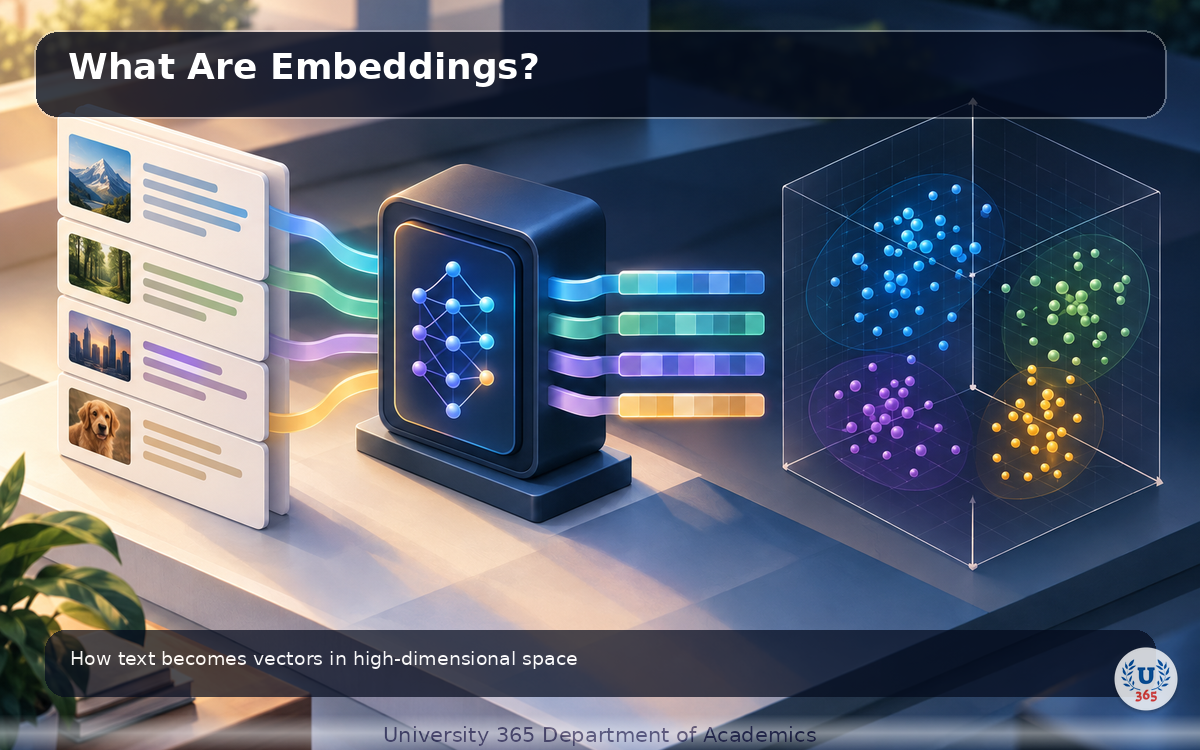
What Are Embeddings?
Embeddings are vectors (lists of numbers) that represent the semantic meaning of text, images, or audio. Text with similar meaning gets vectors that are close together in high-dimensional space. The distance between vectors measures semantic similarity.
A sentence like 'the cat sat on the mat' and 'the feline rested on the rug' have different words but nearly identical meaning. Their embedding vectors are close neighbors. This is why vector search finds relevant content without exact keyword matches.
Embeddings are produced by embedding models: OpenAI text-embedding-3-large, Cohere embed-v3, or open-source models like BGE-large. These models are trained on massive text corpora to map similar meanings to nearby points in vector space.
How Vector Search Works
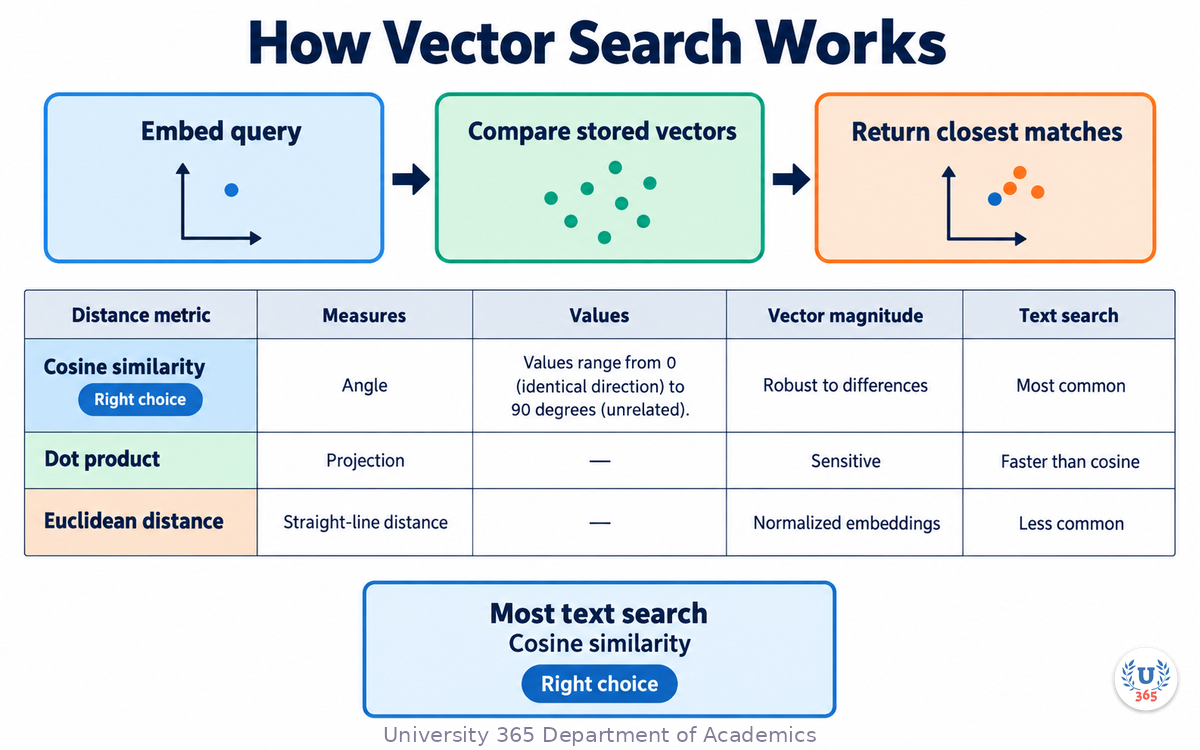
Vector search finds the nearest neighbors to a query vector. You embed the query, compare it against all stored vectors, and return the closest matches. The comparison uses a distance metric.
Three common distance metrics:
- Cosine similarity: Measures the angle between vectors. Values range from 0 (identical direction) to 90 degrees (unrelated). Robust to vector magnitude differences. Most common for text search.
- Dot product: Measures the projection of one vector onto another. Faster than cosine but sensitive to vector magnitude.
- Euclidean distance: Measures straight-line distance between vectors. Less common for normalized embeddings but useful for some applications.
For most text search applications, cosine similarity is the right choice.
Popular Vector Databases in 2026
The vector database market has matured. Here are the main options:
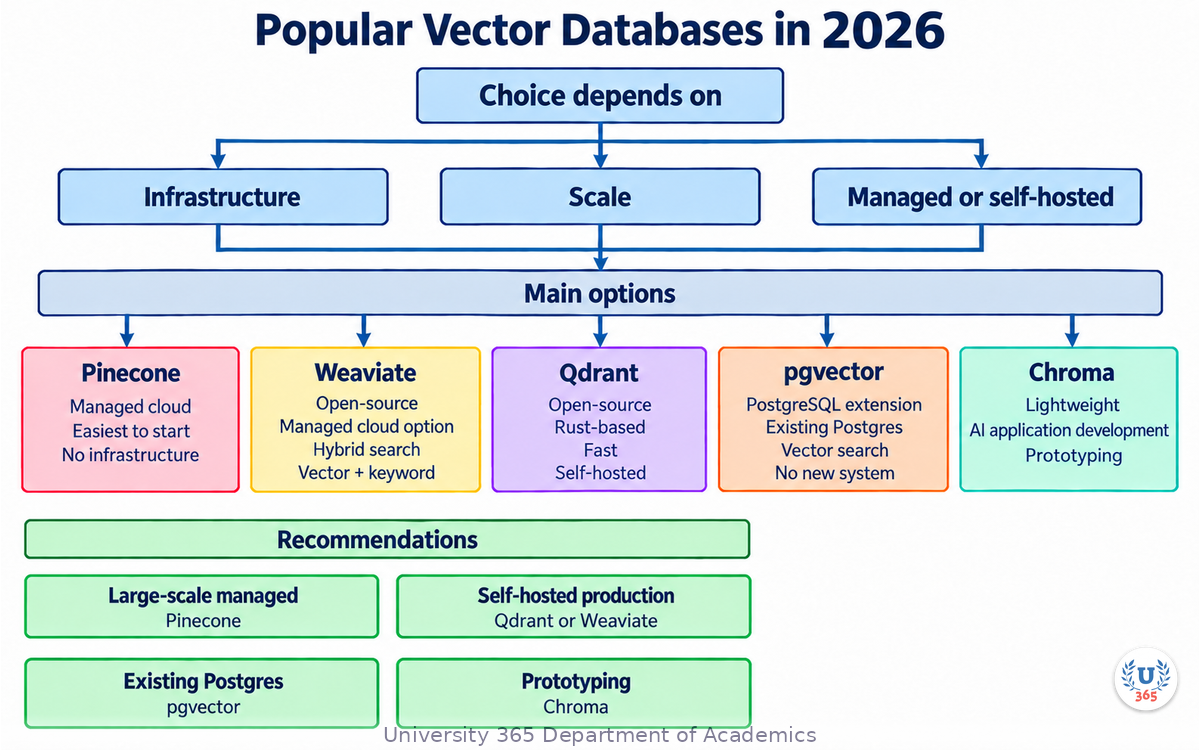
- Pinecone: Managed cloud service. Easiest to start with. Good for teams that do not want to manage infrastructure.
- Weaviate: Open-source with managed cloud option. Supports hybrid search (vector + keyword) natively.
- Qdrant: Open-source, Rust-based, fast. Good for self-hosted deployments.
- pgvector: PostgreSQL extension. If you already use Postgres, this adds vector search without a new system.
- Chroma: Lightweight, designed for AI application development. Good for prototyping.
The choice depends on your infrastructure, scale, and whether you need managed or self-hosted. For prototyping: Chroma. For production with existing Postgres: pgvector. For large-scale managed: Pinecone. For self-hosted production: Qdrant or Weaviate.
Indexing Algorithms: HNSW and IVF
Comparing a query vector against every stored vector is too slow at scale. Indexing algorithms organize vectors to make search faster, at the cost of approximate results.
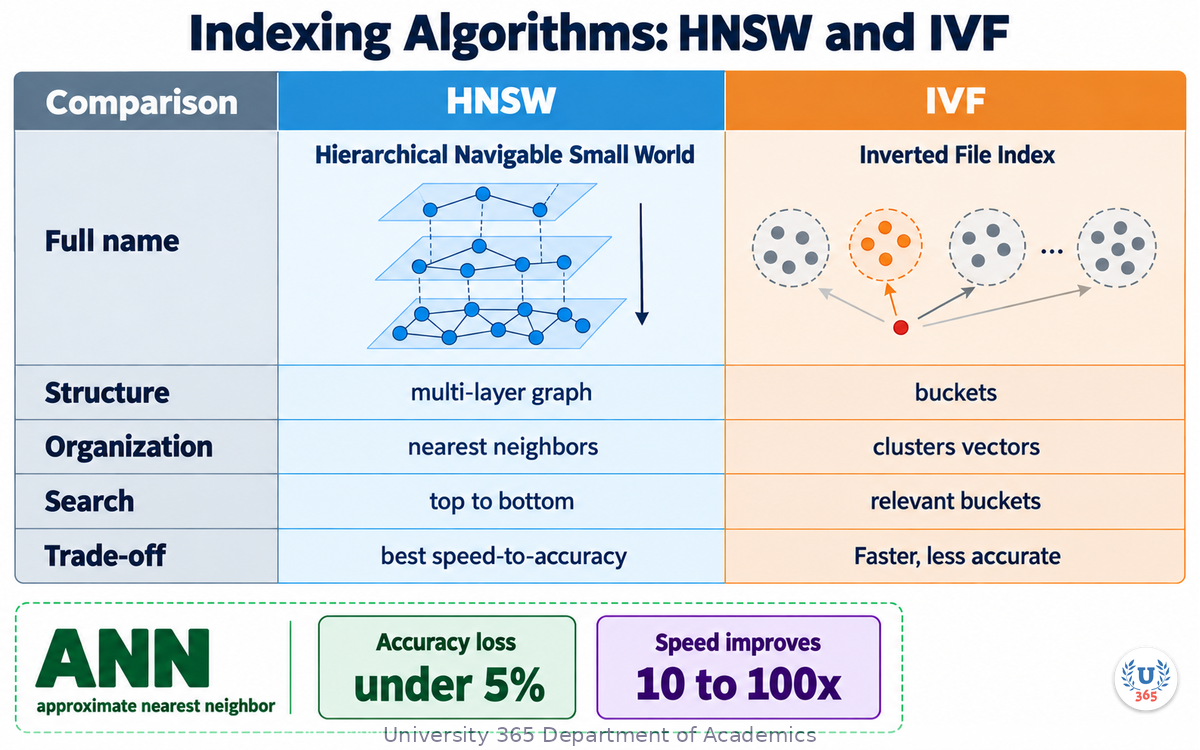
HNSW (Hierarchical Navigable Small World) builds a multi-layer graph where each node connects to its nearest neighbors. Search traverses the graph from top to bottom, narrowing to the correct neighborhood. HNSW is the default in most vector databases because it offers the best speed-to-accuracy trade-off.
IVF (Inverted File Index) clusters vectors into buckets. Search only checks vectors in the most relevant buckets. Faster but less accurate than HNSW.
Both algorithms trade exact search for approximate nearest neighbor (ANN) search. The accuracy loss is typically under 5% while speed improves by 10 to 100x.
Chunking Strategies for RAG
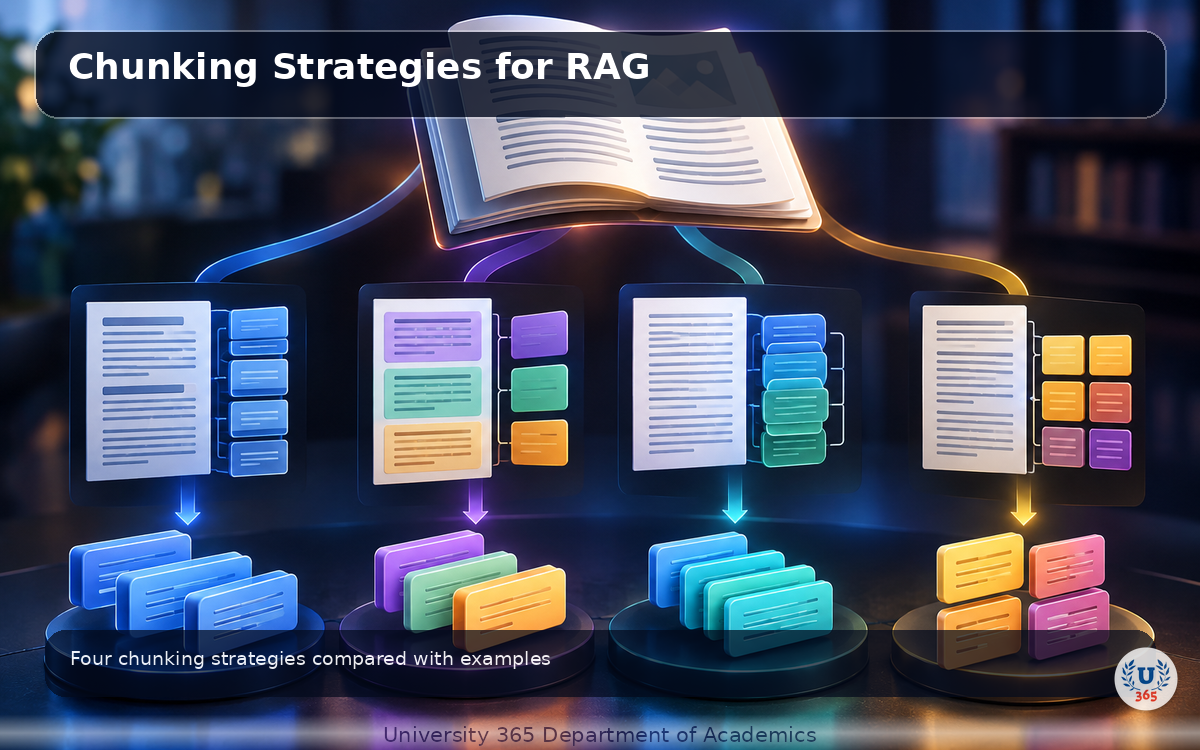
Before embedding documents, you need to split them into chunks. Chunking determines what the vector database stores and what the search retrieves.
- Fixed-size chunking: Split every N tokens (typically 400-600). Simple but can cut mid-sentence.
- Semantic chunking: Split at natural boundaries (paragraphs, sections, headings). Preserves meaning.
- Sentence-level chunking: One sentence per chunk. Fine-grained but may lose context.
- Parent-document chunking: Embed small chunks for precise search, but retrieve the parent document for context.
Add 15% overlap between chunks to preserve context across boundaries. Without overlap, a concept split across two chunks is unsearchable.
Hybrid Search: Combining Vector and Keyword
Vector search finds semantic matches. Keyword search finds exact matches. Some queries need both.
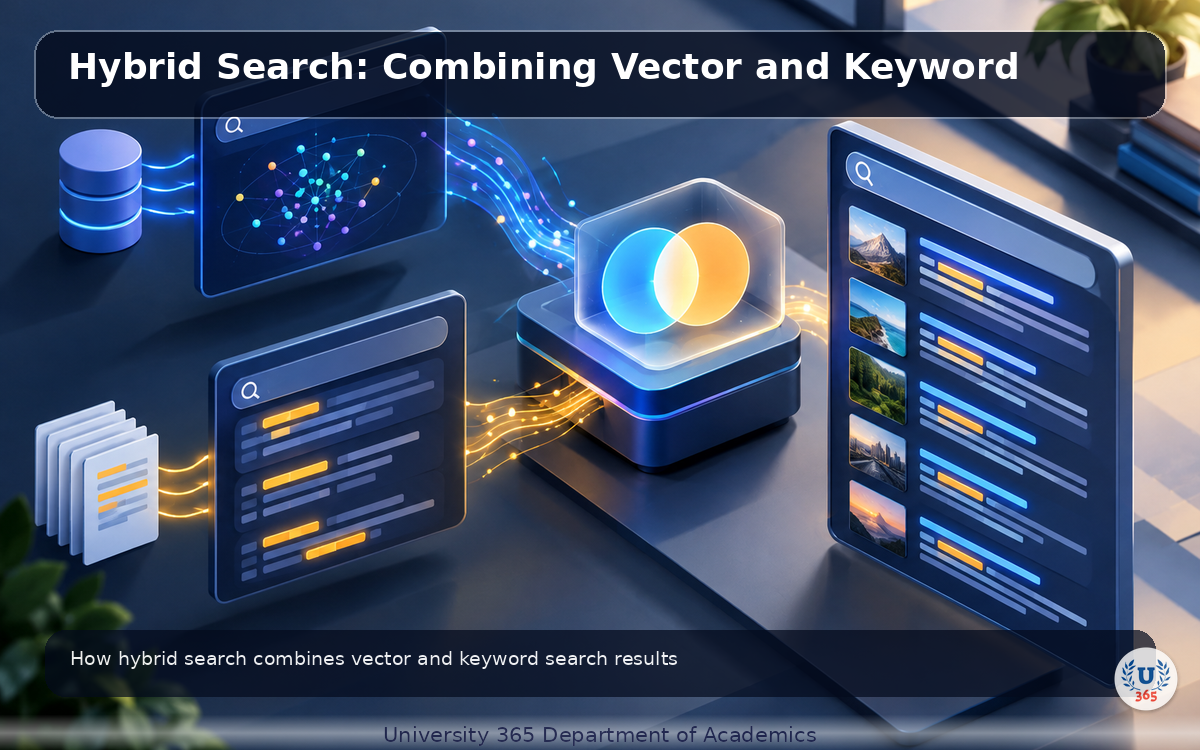
A product code like 'SKU-48291' has no semantic neighbors. A vector search for it fails. But a keyword search finds it instantly. Hybrid search combines both: BM25 for keyword matching and vector similarity for semantic matching, then merges the results.
Most production search systems use hybrid search. Weaviate supports it natively. Pinecone and Qdrant added hybrid search in 2025-2026. If your vector database does not support hybrid natively, you can run BM25 separately and merge results in your application code.
Feynman Summary: Explain It Like You Are 12
Imagine every document in your library is converted into a point on a giant map. Documents about the same topic end up close together on the map. Documents about different topics end up far apart.
When you search for something, your question also becomes a point on the map. The search finds whatever documents are closest to your question's point. This works even if you use completely different words, because the map is based on meaning, not spelling.
A vector database is the map. Embeddings are the coordinates that place each document on the map. Similarity search is finding the nearest points. Chunking is deciding how big each piece of the document should be before placing it on the map.
Hybrid search is using both the meaning map and a regular keyword index. The keyword index catches exact matches (product codes, names, error messages). The meaning map catches conceptual matches. Together they find everything.
Mindmap: The Complete Picture
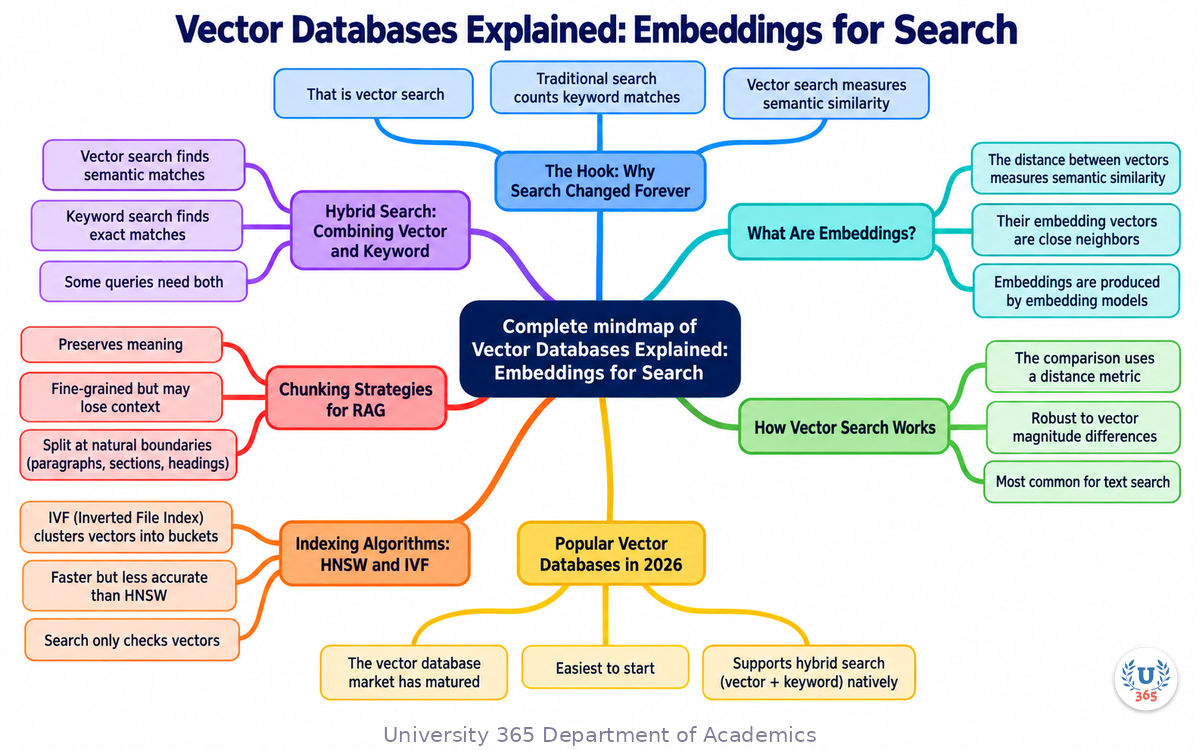
This mindmap shows the key concepts, relationships, and decision points covered in this lecture.
UNOP Sound (University 365 Neuroscience Oriented Pedagogy)
Take five minutes to consolidate your memory. Play the isochronous tone track (10Hz alpha frequency) with your eyes closed. Alpha-frequency tones after a learning session support consolidation, helping move what you just learned from short-term to long-term memory.
[Audio player: UNOP Post-Lecture Isochrone (10Hz, 5 minutes)]
Practical Exercise: Compare Vector Databases
Research and compare three vector databases for a hypothetical project.
Step 1: Define Your Use Case
Write one sentence: what will you search, how many documents, and what is your budget?
Step 2: Compare These Options
- Pinecone (managed, cloud)
- Qdrant (self-hosted, open-source)
- pgvector (PostgreSQL extension)
Step 3: Evaluate
For each option, write:
1. Setup time (hours/days)
2. Cost per month at your scale
3. Does it support hybrid search?
4. Does it support filtering (metadata)?
5. What is the maximum vector dimension?
Step 4: Choose
Pick one and write one sentence explaining why. This exercise gives you a practical decision framework for vector database selection.
Glossary
Term | Definition |
Embedding | Vector representation of text, images, or audio that captures semantic meaning in high-dimensional space. |
Vector Database | Specialized database that stores and searches high-dimensional vectors using similarity metrics. Examples: Pinecone, Weaviate, Qdrant, pgvector. |
Cosine Similarity | Distance metric measuring the angle between two vectors. The most common metric for text similarity. |
HNSW | Hierarchical Navigable Small World: graph-based indexing algorithm that enables fast approximate nearest neighbor search. |
IVF | Inverted File Index: clustering-based indexing algorithm that groups vectors into buckets for faster search. |
ANN (Approximate Nearest Neighbor) | Search algorithm that finds approximately the closest vectors, trading accuracy for speed. |
Chunking | Process of splitting documents into smaller passages before embedding. Semantic chunking preserves meaning better than fixed-size. |
Hybrid Search | Search approach combining vector similarity (semantic) and BM25 (keyword) to catch both types of matches. |
BM25 | Sparse keyword matching algorithm that scores documents by term frequency and inverse document frequency. |
Re-Ranker | Cross-encoder model that re-orders search results by true relevance to the query. |
Embedding Model | Model that converts text into vector representations. Examples: OpenAI text-embedding-3, Cohere embed-v3, BGE-large. |
Dimension | Number of values in an embedding vector. Typical: 768 to 3072 dimensions. Higher dimensions capture more nuance but cost more. |
RAG | Retrieval Augmented Generation: technique that retrieves relevant documents from a vector database and passes them to an LLM. |
Pinecone | Managed cloud vector database. Easiest to start with, no infrastructure management. |
Weaviate | Open-source vector database with native hybrid search support. |
Qdrant | Open-source, Rust-based vector database optimized for speed. |
pgvector | PostgreSQL extension that adds vector similarity search to existing Postgres databases. |
Chroma | Lightweight vector database designed for AI application prototyping. |
UNOP | University 365 Neuroscience-Oriented Pedagogy: the teaching framework behind this lecture format. |
Quiz: TEST YOUR UNDERSTANDING
1. What is the main advantage of vector search over keyword search?
A) Vector search is faster
B) Vector search finds semantically similar content even with different words
C) Vector search does not require an index
D) Vector search works without embeddings
2. Which distance metric is most commonly used for text similarity?
A) Euclidean distance
B) Manhattan distance
C) Cosine similarity
D) Hamming distance
3. What does HNSW stand for and what is it used for?
A) High-speed Network Search Web: for web search
B) Hierarchical Navigable Small World: for fast approximate nearest neighbor search
C) Hybrid Node Search Worker: for distributed search
D) Hash-based Natural Search Word: for keyword search
4. Why should you add overlap between chunks when chunking documents?
A) To increase the number of chunks
B) To preserve context across chunk boundaries
C) To reduce embedding costs
D) To improve keyword matching
5. When should you use hybrid search instead of pure vector search?
A) Always: hybrid is always better
B) Never: vector search is sufficient
C) When you need to match exact keywords (product codes, names) alongside semantic matches
D) Only when your vector database does not support HNSW
Answers: 1-B, 2-C, 3-B, 4-B, 5-C
Related Resources
U365 INSIDE Publications
- How LLMs Actually Work: Transformers in 20 Minutes (AI Foundations, Lecture 1)
- RAG vs Fine-Tuning: When to Use Each (AI Engineering, Lecture 2)
- Building Your First AI Agent with Function Calling (AI Agents, Lecture 3)
External Resources
- Research papers and official documentation for topics covered in this lecture
- Open-source tools and libraries referenced in the content
Related U365 Lectures (Coming Soon)
- Additional lectures in the AI Engineering series
- Cross-referenced lectures from AI Engineering and AI Foundations series
U.Copilot for This Lecture
Copy and paste this prompt into the U.Copilot AI Agent on university-365.com to explore this topic further:
I just completed the U365 INSIDE Lecture "Vector Databases Explained" from UIT. Help me: 1. Choose a vector database for my use case 2. Design a chunking strategy for my documents 3. Decide if I need hybrid search 4. Estimate the cost and infrastructure I will need 5. Suggest an embedding model for my language and content type My use case is: [describe your project here]
Next Steps
1. Take the quiz above and check your answers at the bottom of this section.
2. Complete the Practical Exercise: compare three vector databases for your use case.
3. Read Lecture 2 (RAG vs Fine-Tuning) to understand how vector databases fit into RAG pipelines.
4. Read Lecture 5 (Prompt Engineering at Production Scale) to learn how to use retrieved context effectively.
5. Visit university-365.com/uit to explore UIT programs in Data Science and AI Engineering.
Answers: 1-B, 2-C, 3-B, 4-B, 5-C
IMPORTANT NOTICE
Copyright University 365, Inc. All rights reserved.
This lecture is part of the U365 INSIDE Lectures series, produced by UIT (University 365 Institute of Technology) under the UDA Department of Academics. The content follows the UNOP (University 365 Neuroscience-Oriented Pedagogy) framework and the 5M2S (5 Minutes to Success) microlearning format.
All lectures in this series are free to access. For enrollment in UIT degree programs, certificate programs, or executive education, visit university-365.com/tuition.
For permissions or inquiries, contact uda@university-365.com.
This content is for educational purposes. Technical details reflect publicly available information as of September 2026 and may change. Always consult official documentation before making architecture decisions.
Published by the Department of Academics, University 365.
Lecture delivered by the University 365 Institute of Technology (UIT).
Sam Utteker, Dean of Technology, UIT
Signed for the academic year 2026.




Comments