
AI in Web Design: From Wireframe to Deployed Site



UID University 365 Institute of Design
Series UX/UI Design | Level Basic (Free)
Duration 15 to 20 minutes | Access Free
Digital Design, UX/UI, Visual Communication, Motion Graphics, Creative Technology

UNOP Sound (University 365 Neuroscience Oriented Pedagogy)
Take five minutes to prepare your brain. Play the isochronous tone track (40Hz gamma frequency) with your eyes closed. Gamma-frequency tones before a learning session raise attention and make the material easier to absorb.
[Audio player: UNOP Pre-Lecture Isochrone (40Hz, 5 minutes)]
In this Lecture

The Hook: The Prototype Looked Perfect and the Site Was Slow
The page looked excellent. The hero, the type scale, the card grid, the call to action: all of it generated in a single afternoon and approved by the client the same day.
Then it went live, and three things happened in the first week. The largest content element took four seconds to appear on a mid-range phone. A third of the page shifted downward while the fonts loaded. And nobody could change the tagline, because the words were baked into an image.
Every one of those problems was created in the generation step and revealed only after deployment. The layout was never the hard part. The hard part is everything between the mockup and a site that stays fast, accessible and editable after launch.
This lecture teaches the five stages from wireframe to deployment, which of them AI genuinely accelerates, and where the generated output must be treated as a draft rather than a deliverable. You will learn how design tokens carry intent from the design tool into the build, what generated code is and is not, how to structure content so that both people and search engines can read it, the measurable performance and accessibility gates a page must clear before it ships, and the CI-First workflow that keeps a designer in charge of the outcome rather than the pixels.
Step 1: The Five Stages from Wireframe to Deployment
Name the stages before you name the tools, because each stage has a different failure mode and a different level of automation.
Stage | Output | What AI can do | What it cannot do |
Structure | Wireframe, content inventory, flow | Draft layout options from a written brief; generate placeholder content structures | Decide priority, hierarchy or what the page is for |
Visual design | Mockup, type scale, colour system | Propose layouts, palettes and type pairings | Hold a brand system it was not given; judge whether it looks right |
Build | Components, styles, responsive behaviour | Generate markup, styles and component scaffolding | Guarantee production-grade code, maintainability or a real component contract |
Content | Copy, headings, metadata | Draft copy, headings, meta descriptions, alt text | Verify claims, know the audience, own the legal statements |
Deployment | Live page, monitoring | Configure, automate checks, triage failures | Decide whether a regression is acceptable to ship |
The Rule That Saves Most Projects
Decide what is disposable at each stage. Wireframes are usually disposable. Mockups are partly disposable. Tokens, component contracts and copy are not, because everything downstream depends on them and changing them late is expensive. Teams that treat generated output as disposable everywhere lose the system; teams that treat it as final everywhere ship defects.
Step 2: Wireframing and Layout Generation
A wireframe answers three questions: what is on the page, in what order, and how much space does each thing get. Generation is genuinely useful here because layout is a combinatorial search, and search is what models do well.
What to Give the Model
The page's single job, in one sentence. A page that does two jobs does neither.
The content inventory, as a list of blocks in priority order. Navigation, hero, proof, features, pricing, objection handling, call to action, footer.
The constraints: grid, breakpoints, maximum content width, and the components your design system actually has.
What Comes Back and How to Use It
You will receive several arrangements of the same blocks. Treat them as questions rather than answers. Ask of each: does the visual weight match the priority order, does the primary action appear before the reader has to scroll on mobile, and does the layout survive when one block has three times the text you assumed.
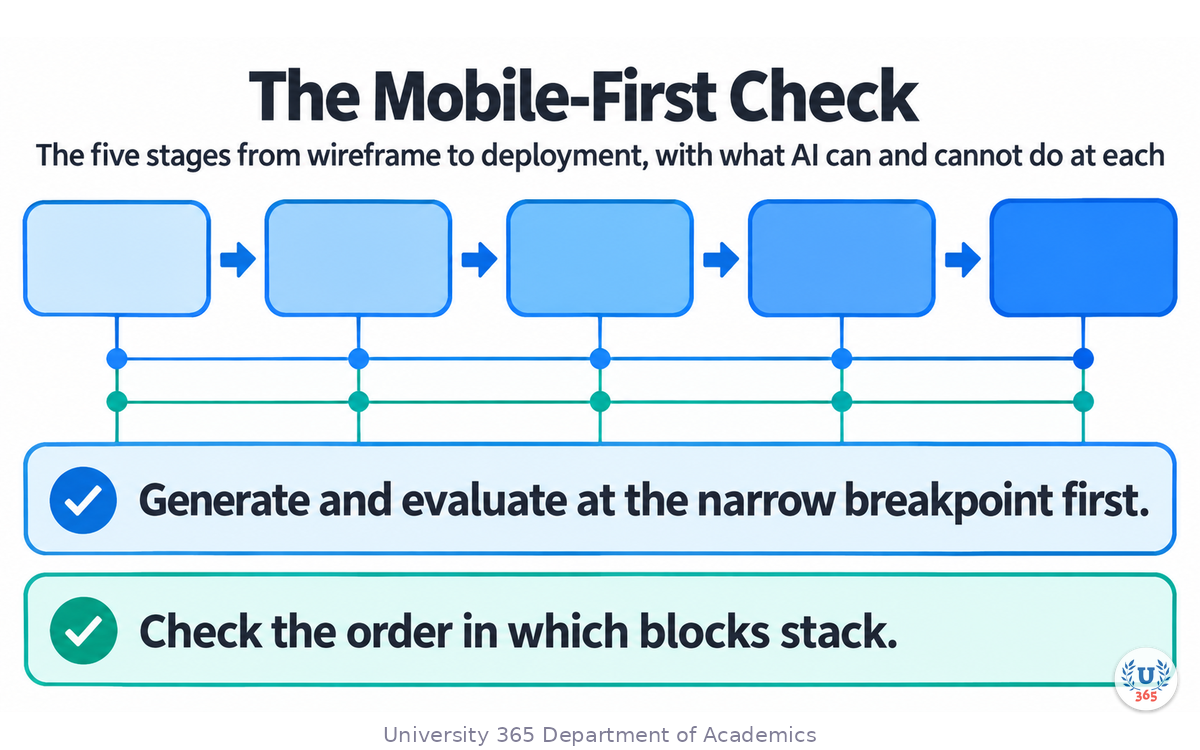
The Mobile-First Check
Generate and evaluate at the narrow breakpoint first. A layout that only works at desktop width is a layout that will be redesigned during the build. Check the order in which blocks stack, whether the first screen contains the primary action, and whether any interactive element ends up below the fold when a keyboard is open on a phone.
Step 3: From Mockup to Code, and What Generated Code Is
Modern design tools generate working code from a design, and prompt-to-code tools generate a whole page from a description. Both are useful, and both produce output that needs to be understood before it can be trusted.
What Generated Code Is Good At
Scaffolding a layout that matches a mockup closely enough to review in a browser.
Producing a working interactive prototype, which is a far better review artefact than a static image.
Handling the tedious middle: responsive rules, spacing, flex and grid wiring, form markup.
Producing variations fast once you can describe the rule you are testing.
Where It Stops Being Production Code
It does not know your codebase. Generated components do not import your design system, your state management, your routing or your conventions. Porting the output is real work, and it belongs in the estimate.
It does not know your data. Generated screens render hardcoded values. Real screens render loading, empty, error, partial and long-content states, and those states are where layouts break.
It is optimistic about accessibility. Generated markup often looks correct and behaves incorrectly: focus order that follows the DOM rather than the reading order, custom controls without keyboard behaviour, error messages that are not announced.
It is optimistic about performance. Generated pages commonly ship large images without dimensions, fonts loaded without a fallback strategy, and third-party scripts loaded eagerly.
The Porting Discipline
Diff the generated output against your component library, and map each generated block to the component that should own it.
Delete anything the design system already provides.
Replace hardcoded text with the content source.
Add the states the generator never saw: loading, empty, error, and the longest plausible text.
Only then wire it into the application.
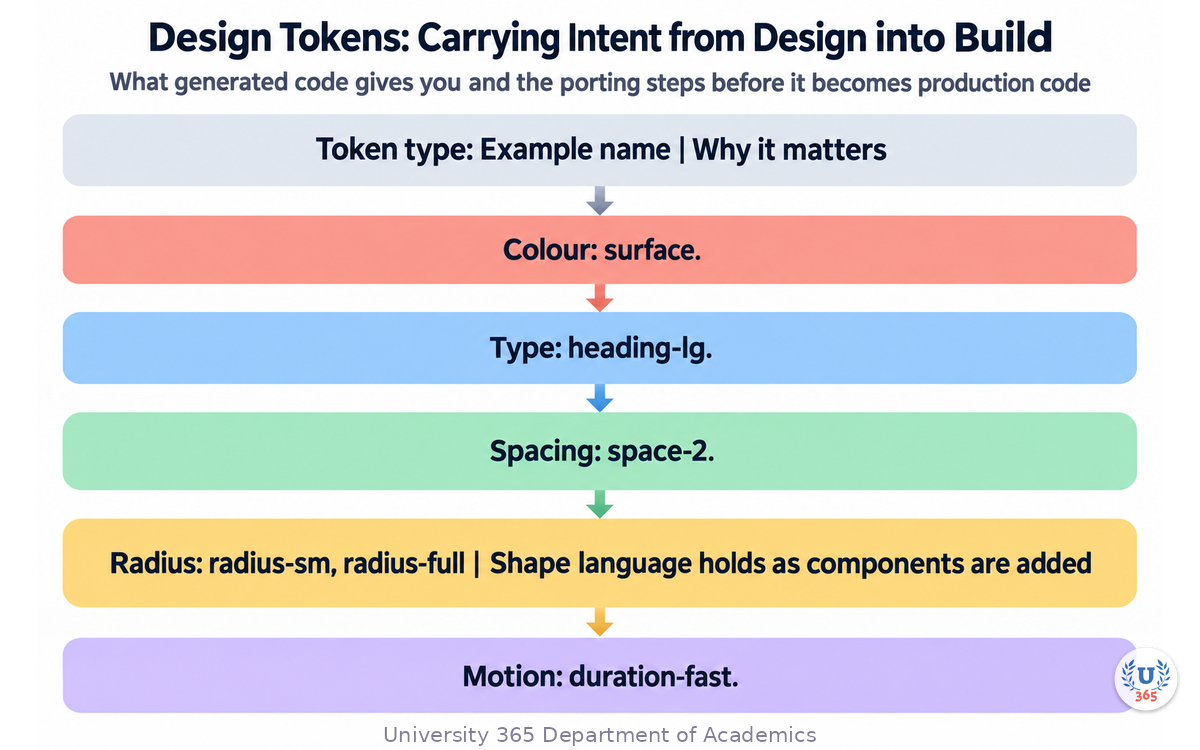
Design Tokens: Carrying Intent from Design into Build
A token is a named design decision expressed as a value. Where a mockup says "large heading" and a stylesheet says font-size: 32px, a token says heading-lg and resolves to a value in one place.
Token type | Example name | Why it matters |
Colour | `surface`, `text-muted`, `brand-accent` | A palette change becomes one edit instead of a search and replace |
Type | `heading-lg`, `body`, `caption` | Type scale stays consistent across components and generated output |
Spacing | `space-2`, `space-4` | Layout rhythm survives being extended by someone else |
Radius | `radius-sm`, `radius-full` | Shape language holds as components are added |
Motion | `duration-fast`, `ease-standard` | Movement feels like one system rather than many |
Two rules make tokens work. First, define a contrast target alongside each colour token, so accessibility is a property of the token rather than a review finding. Second, hand the token set to the generator. A model that receives your tokens produces output that is already close to your system, and a model that receives nothing invents a new one.
Step 4: Content, SEO and the Structure Machines Read
A page is read by three audiences: people, assistive technology and search engines. Generated layouts routinely serve only the first.
Structure That Survives Scrutiny
One primary heading, in real text. Not an image, not a styled div. The heading states what the page is about.
A logical heading order. Section headings nest properly, so a table of contents or a screen reader can navigate by structure.
Text that can be edited by someone who is not a developer. Words baked into images and hero graphics are unfindable by search and unchangeable by marketing.
Descriptive link text. "Read the pricing guide" beats "click here", both for a person scanning the page and for assistive technology reading links out of context.
Metadata written for the page, not the site. Each page needs its own title and description, and a generated template will produce near-duplicates if you let it.
Where Generated Copy Needs a Human
Draft copy from a model is fluent, on-topic and usually free of outright errors. It is also frequently vague, occasionally wrong about your product, and prone to claims nobody can substantiate. The check is simple: for every factual statement on the page, name the person who would defend it if challenged. If nobody can, the sentence does not ship.
The Technical Layer Nobody Sees and Everybody Needs
A sitemap and canonical URLs, so search engines index one version of each page.
Structured data where it applies, so machines can interpret what the page offers.
A robots policy that reflects what you actually want indexed.
Redirects for every URL that changed, checked once, before launch rather than after.
Step 5: Performance, Accessibility and the Pre-Launch Gate
This is the stage where generated sites most often fail, because nothing in the generation step is measured.
Core Web Vitals, in Plain Terms
Metric | Measures | Good threshold |
Largest Contentful Paint (LCP) | How long until the main content appears | 2500 ms or less |
Interaction to Next Paint (INP) | How long from a tap or click to visible response | 200 ms or less |
Cumulative Layout Shift (CLS) | How much visible content moves while loading | 0.1 or less |
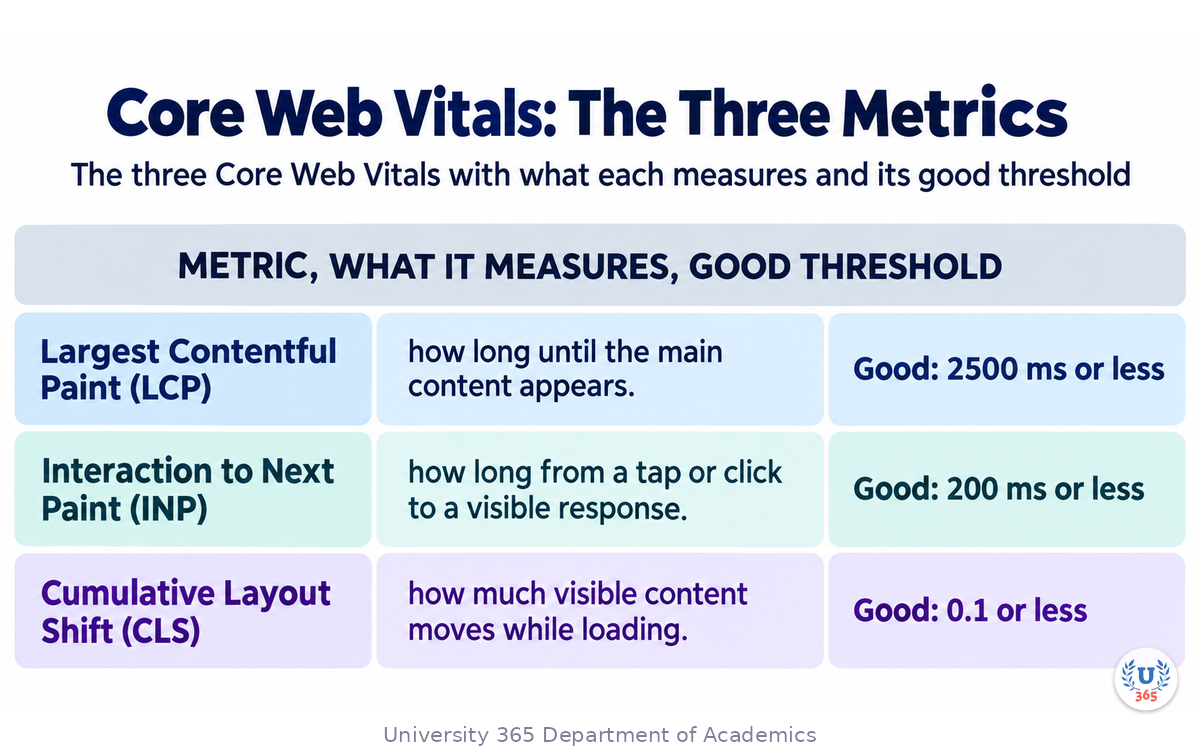
The assessment uses the 75th percentile of real page views over a rolling window, which means lab scores and field scores can disagree. A local test that passes while the field data fails is a normal outcome, not an anomaly.
The Three Fixes That Cover Most Damage
Declare image dimensions and serve appropriately sized files. Most layout shift on a generated page is an image or an embed that had no reserved space.
Load fonts with a fallback strategy, so text renders immediately and does not reflow when the web font arrives.
Reserve space for anything loaded by a script, including cookie notices, chat widgets and embeds. An empty reserved box is better than a page that jumps when the widget appears.
The Accessibility Gate
Every point in AI for Accessibility: Designing for Everyone applies here, and generated pages fail two of them constantly: control labels that carry no information out of context, and focus order that does not match reading order. Run the accessibility gate before launch, not after.
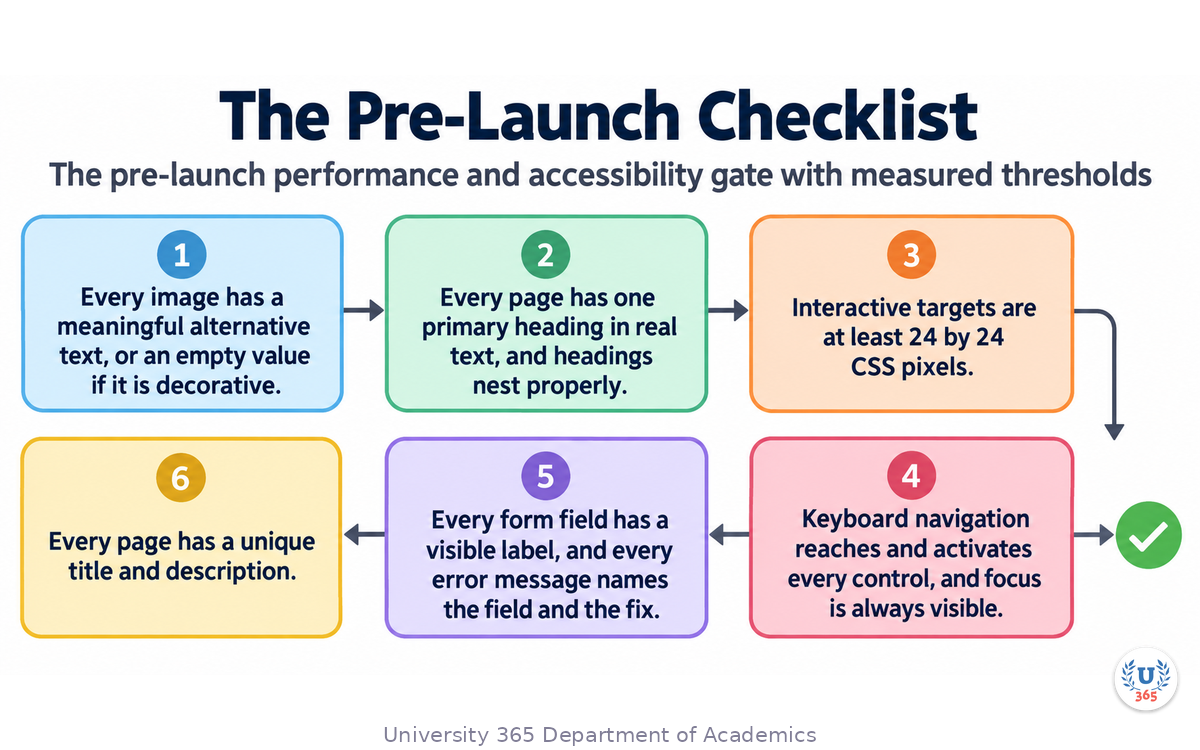
The Pre-Launch Checklist
Every image has a meaningful alternative text, or an empty value if it is decorative.
Every page has one primary heading in real text, and headings nest properly.
Colour contrast meets 4.5 to 1 for body text and 3 to 1 for large text and interface boundaries.
Interactive targets are at least 24 by 24 CSS pixels.
Keyboard navigation reaches and activates every control, and focus is always visible.
Every form field has a visible label, and every error message names the field and the fix.
Every page has a unique title and description.
Largest Contentful Paint, Interaction to Next Paint and Cumulative Layout Shift measured on a real device over a real network, rather than in a lab panel alone.
The page renders correctly with images blocked, with JavaScript disabled and on a slow connection.
Step 6: The CI-First Web Design Workflow
CI-First means Co-Intelligence First: the human is the ruler and orchestrator, and AI is the amplifier. Web design is where that split has the clearest financial consequence, because the defects a generator produces are the expensive ones.
The Human Owns
The page's job, the priority order and the audience.
The design system: tokens, component contracts and the rules that bind them.
Judgement on every layout and every word that makes a claim.
The decision to ship, and the acceptance of every known trade-off.
The measurement plan: which metrics matter and what threshold is unacceptable.
The AI Owns
Breadth: layout options, copy drafts, component scaffolding.
Repetition: applying one rule across many sections and breakpoints.
Checks: running the accessibility and performance gates and reporting failures.
Triage: reading a failure report and naming the likely cause and the smallest fix.
Translation: converting between the design representation and the build representation.
The Eight-Step Loop
Define the page's job and content inventory. One sentence and a prioritised list of blocks.
Generate layout options at the narrow breakpoint first. Evaluate against the priority order, not against taste.
Produce a working prototype, not a picture. A prototype in a browser finds problems that a mockup hides.
Establish or reuse the tokens. If tokens exist, hand them to the generator. If they do not, this is the moment to create them.
Port the output to your components. Map every block to the component that should own it, and delete the rest.
Write the real content. Replace placeholders, make each factual claim attributable, and write per-page metadata.
Run the gate. Accessibility and performance, measured before launch and on a real device.
Deploy, then watch. Field data and error reporting after launch, with an owner for each metric.
Steps 1, 4, 5, 6 and 8 are where a designer's judgement decides the outcome. Steps 2, 3 and 7 are where generation and automation remove days of labour.
Feynman Summary: Explain It Like You Are 12
Imagine you want to build a treehouse. You could ask a very fast helper to draw a hundred plans for you. That would be useful, and it would save you weeks.
But the drawing is not the treehouse. Someone still has to check that the wood in the drawing can actually be bought, that the floor holds two people, that the ladder is not too steep for your little brother, and that the whole thing does not fall over in the wind. And once it is built, someone has to know which plank to replace when one starts to rot.
Websites work the same way. The helper can draw layouts fast, and it can even build a rough version in a few minutes. But the rough version is not finished, because it does not know your materials. It uses its own parts instead of the parts you already have. It forgets to test that the floor holds, which for a website means testing that the page loads quickly on a cheap phone and that everyone can use it. And it writes words that sound right but that nobody has checked.
So the deal is this: let the helper draw and let the helper build the rough version. Then you check the wood, you test the floor, you write the real words, and you keep track of the measurements after the treehouse goes up. The helper is fast. You are responsible.
Mindmap: The Complete Picture
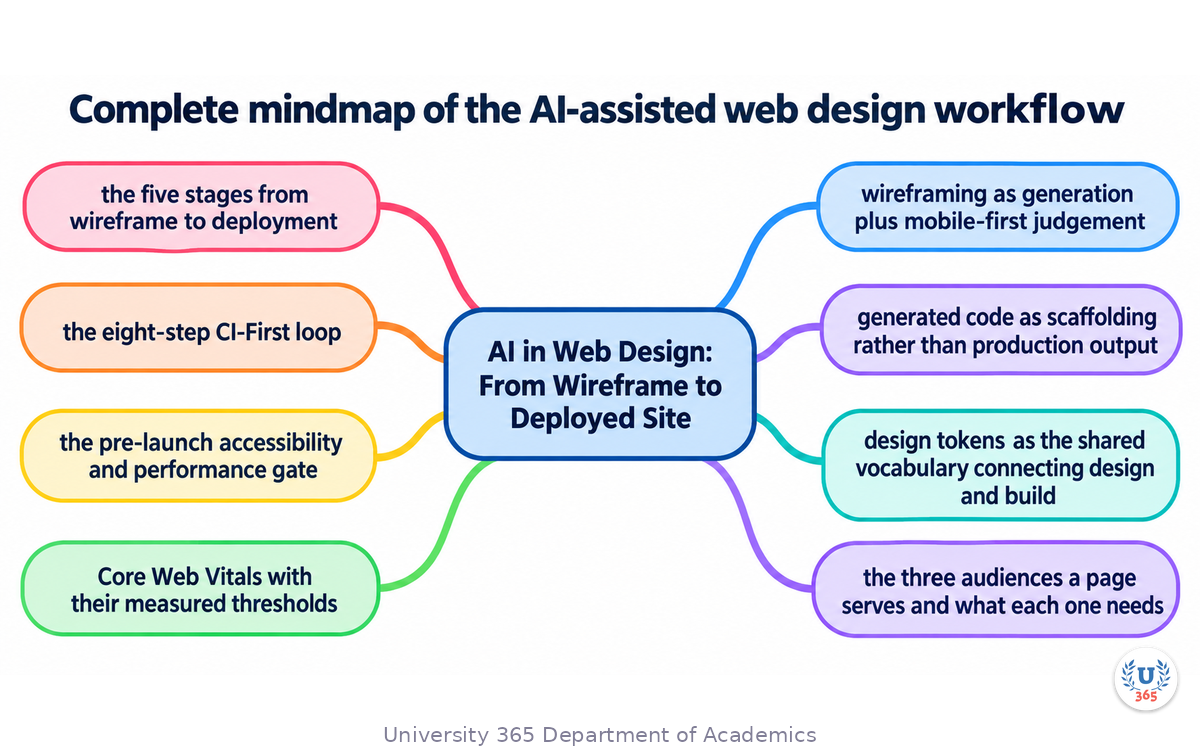
The mindmap shows the whole structure of what you learned: the five stages from wireframe to deployment and what AI contributes at each; wireframing as generation plus mobile-first judgement; generated code as scaffolding rather than production output; design tokens as the shared vocabulary connecting design and build; the three audiences a page serves and what each one needs; Core Web Vitals with their measured thresholds; the pre-launch accessibility and performance gate; and the eight-step CI-First loop that keeps responsibility with the designer.
UNOP Sound (University 365 Neuroscience Oriented Pedagogy)
Take five minutes to consolidate your memory. Play the isochronous tone track (10Hz alpha frequency) with your eyes closed. Alpha-frequency tones after a learning session support consolidation, helping move what you just learned from short-term to long-term memory.
[Audio player: UNOP Post-Lecture Isochrone (10Hz, 5 minutes)]
Practical Exercise: Take One Page from Prompt to Deployable
Exercise: From Brief to Gate
Choose one real page you need: a product page, a landing page, a sign-up page or a documentation index.
Write the page's one job in a single sentence. If you need the word "and", the page has two jobs and you should split it.
List the blocks in priority order. Navigation, hero, proof, features, pricing, objections, call to action, footer. Cut anything that is not in service of the one job.
Generate three layout options at the narrow breakpoint. Evaluate each on one question: does the visual weight match the priority order.
Build a working prototype of the best option. Not a picture. Something you can tab through and click.
Write the tokens you used. List the colour, type, spacing and radius values. If two sections use two different spacings for no reason, fix one.
Port it to your components. Map each block to a component. Delete what the design system already provides. Add loading, empty and error states.
Write the real content. Replace every placeholder. For each factual claim, write the name of whoever would defend it. Delete the ones with no name. Write a unique page title and description.
Run the gate. Check contrast, target sizes, keyboard navigation, heading order and form labels. Then measure the three Core Web Vitals on a real phone on a real connection.
Write the report. One page: what you generated, what you kept, what you replaced, which metrics you measured, and what remains outstanding.
What to Look For
The narrow breakpoint will change your choice of layout more often than the desktop one. That is the normal result.
The porting step will surface at least one block your design system does not have. That is a real finding, and it belongs in the design system backlog.
The metrics you measure on a real device will be worse than the lab panel. Reserve the time.
Your final report should list something outstanding. A page with nothing outstanding was not measured.
CI-First Connection
Steps 1, 3, 5, 6, 7 and 9 are decision work and they stay with you. Steps 2, 4 and 8 are where generation and automation return the time. The report in step 9 is the part that turns a build into a record you can defend.
Glossary
Term | Definition |
**Wireframe** | A low-fidelity layout that shows what is on a page, in what order, and how much space each block occupies. |
**Breakpoint** | A viewport width at which a layout changes its arrangement, such as mobile, tablet and desktop. |
**Mockup** | A high-fidelity visual rendering of a page, showing type, colour, imagery and spacing. |
**Prototype** | A working, interactive version of a design that can be clicked and, ideally, used with a keyboard. |
**Design Token** | A named design decision expressed as a value, such as a colour with a contrast target or a font stack with permitted weights. |
**Component Contract** | The agreed interface of a reusable UI component: its properties, states and accessibility behaviour. |
**Generated Code** | Markup, styles or component scaffolding produced by an AI tool from a design or a prompt. It is a draft until it is ported into the codebase. |
**Porting** | The work of adapting generated output to a real codebase: mapping blocks to existing components, replacing hardcoded values and adding unhandled states. |
**Loading, Empty and Error State** | The three states every data-driven screen needs beyond the happy path, plus the partial and long-content cases. |
**Largest Contentful Paint (LCP)** | The metric measuring how long until the main content of a page appears. Good is 2500 milliseconds or less. |
**Interaction to Next Paint (INP)** | The metric measuring how long from a user interaction to a visible response. Good is 200 milliseconds or less. |
**Cumulative Layout Shift (CLS)** | The metric measuring how much visible content moves while the page loads. Good is 0.1 or less. |
**Field Data** | Performance measurements collected from real users on real devices and networks, as opposed to a lab test. |
**Lab Data** | Performance measurements collected in a controlled environment. Useful for debugging, and not a substitute for field data. |
**Layout Shift** | Visible content moving during load, usually caused by images, embeds or fonts that had no reserved space. |
**Structured Data** | Markup that describes the meaning of page content so machines can interpret it. |
**Canonical URL** | The single address a search engine should treat as the authoritative version of a page. |
**Alternative Text** | The text alternative for an image, describing what it shows and its purpose, and empty for a decorative image. |
**CI-First** | Co-Intelligence First. The human is the ruler and orchestrator; AI is the amplifier. |
Quiz: TEST YOUR UNDERSTANDING
1. Why is generated page code a draft rather than a finished product?
A) It is always visually wrong
B) It does not know your codebase, your data states or your accessibility and performance requirements
C) It cannot be reviewed in a browser
D) It is not written in a programming language
2. What is the main purpose of a design token?
A) To reduce the number of fonts on a site
B) To express a design decision as a named value, so it is defined once and consistent everywhere
C) To replace the need for a design system
D) To generate images automatically
3. Which Core Web Vitals value is the good threshold for Largest Contentful Paint?
A) 1000 milliseconds or less
B) 2500 milliseconds or less
C) 4000 milliseconds or less
D) There is no threshold
4. What is the most common cause of layout shift on a generated page?
A) Too many headings
B) Images, fonts or embeds that load without reserved space
C) Using CSS grid
D) Writing too much copy
5. In the CI-First web design workflow, which step stays with a human?
A) Generating layout options
B) Running the accessibility and performance checks
C) Deciding whether a known trade-off is acceptable to ship
D) Applying one spacing rule across many sections
Answers: 1-B, 2-B, 3-B, 4-B, 5-C
Related Resources
U365 INSIDE Publications
AI for Accessibility: Designing for Everyone: The full accessibility gate this workflow depends on
Design Systems Powered by AI: Where the components and tokens come from
AI for Prototyping: From Sketch to Interactive in 15 Min: The prototyping stage in depth
External Resources
Core Web Vitals: Google's official guidance on the three metrics, how they are measured and how to improve them: web.dev/explore/learn-core-web-vitals
How the Core Web Vitals thresholds were defined: The reasoning behind the good and poor thresholds, and why they are assessed at the 75th percentile: web.dev/articles/defining-core-web-vitals-thresholds
Web Content Accessibility Guidelines (WCAG) 2.2: The contrast, target size and keyboard requirements in the pre-launch gate: w3.org/TR/WCAG22
WAI-ARIA Authoring Practices Guide: Accessible behaviour for the interactive components a generated page will use: w3.org/WAI/ARIA/apg
MDN Web Docs: Responsive design: The breakpoint and layout fundamentals behind the mobile-first check: developer.mozilla.org/en-US/docs/Learn_web_development/Core/CSS_layout/Responsive_Design
Related U365 Lectures (Coming Soon)
Lecture 5: AI Motion Graphics: Animation Without After Effects (UID, Motion Graphics Series)
Lecture 10: The Future of Creative Work: Human + AI Collaboration (UID, Creative Technology Series)
Lecture 8: Generative Brand Identity (UID, Creative Technology Series)
U.Copilot for This Lecture
Discuss this lecture with U.Copilot, your AI chat companion trained on this content.
Copy and paste the following prompt into the U.Copilot chat on university-365.com:
You are U.Copilot for Lectures, an AI chat companion specially trained on University 365 lecture content. You are helping a Fellow who just completed the lecture "AI in Web Design: From Wireframe to Deployed Site" from the UX/UI Design series at the U365 Institute of Design (UID). Your role is to help the Fellow deepen their understanding of AI-assisted web design. You can: - Clarify any concept from the lecture (the five stages, wireframing with generation, generated code, porting, design tokens, Core Web Vitals, the pre-launch gate) - Review a content inventory they wrote and point out where priority is unclear - Explain how to map generated blocks onto existing components - Help them interpret Core Web Vitals field data and pick the smallest fix - Discuss how to write a per-page metadata set without producing near-duplicates - Connect the lecture content to practical build tasks Always maintain U365's CI-First approach: encourage the Fellow to think critically, verify AI outputs, and maintain human judgment as the orchestrator of the design process. Use the UP-Context Method: provide context-rich, role-aware responses that account for the Fellow's learning level and goals.
Next Steps
Now that you understand the road from wireframe to deployed site, here is what to do next:
Run the practical exercise above on one page you actually need, and keep the closing report
Create or audit your token set, and check whether each colour token carries a contrast target
Measure one live page with field data rather than a lab panel, and find the worst metric
Audit one page for baked-in text in images and hero graphics, and move it into real text
Take Lecture 8 in this series, "Generative Brand Identity", to see how tokens and prompt packs serve a whole brand rather than one page
Generation collapses the distance between an idea and something you can click. It does not collapse the distance between something you can click and something you should ship. That gap is made of tokens, real content, measured performance and an accessibility gate, and closing it is the designer's job.
IMPORTANT NOTICE
This lecture is published by University 365 as part of its INSIDE Publications Hub. The content is free to read for all visitors. Lectures in this series may be part of a structured academic program leading to a Micro-Credential for your Career (MCC). To enroll in an academic program, visit university-365.com/tuition.
This content is for educational purposes. While we strive for accuracy, AI tooling and web platform metrics change quickly. Verify current technical details against the primary sources for professional applications.
Copyright University 365, Inc. All rights reserved. This content is protected under University 365's copyright policies. For permissions or inquiries, contact uda@university-365.com.
Published by the Department of Academics, University 365.
Lecture delivered by the University 365 Institute of Design (UID).
Joe Borazian, Dean of Design, UID
Signed for the academic year 2026.




Comments