
Claude Code: Anthropic's Agentic Coding Tool That Lives in Your Terminal

Updated: 6 days ago
Status: Active (updated) | Last tested: 2026-10-17 (v2.1.302) | Re-check: trigger-based (max 6 months)
Active (updated): the tool is current and recommended. This review was recently re-checked and the content was refreshed.


In this Tool Review
Tool Snapshot
Category: AI Agent Platforms
Provider: Anthropic
Version tested: v2.1.302 (x86-64 Linux prebuilt binary; version, help surface, doctor health check, MCP server add/list/remove and plugin manifest validation verified 2026-10-17)
License: Proprietary (free CLI; the GitHub repository hosts issues and documentation, not source)
Platforms: Terminal (macOS, Linux, Windows), VS Code, JetBrains, Desktop app, Web, iOS, Android, Slack, GitHub Actions
Tagline: Work with Claude directly in your codebase. Build, debug, and ship from your terminal, IDE, Slack, web, and more. (Anthropic product page)
Primary use cases:
Refactor a feature across multiple files, then run the test suite to verify the change
Write and run tests for untested code, then fix the failures it finds
Trace a bug from an error message to its root cause and implement a fix
Stage, commit, and open pull requests with generated commit messages
Review pull requests and triage GitHub issues automatically in CI
Pricing summary: Free to install, but a paid plan or API key is required. Pro from $17/month billed annually ($20 monthly). Max from $100/month with a 5x or 20x usage choice, Team $20-25 per seat, Enterprise $20 per seat plus usage. API billing from $1 to $50 per million tokens depending on model. Prices verified October 5, 2026.
Official links:
Documentation: https://code.claude.com/docs/en/overview
Changelog: https://code.claude.com/docs/en/changelog
Pricing: https://claude.com/pricing
Help center: https://support.claude.com
CI-First Benefit Score | 6.8 / 10 (Strong) |
Time / Quantity / Quality / Skill | 7 / 7 / 8 / 5 |
CI-First Profile | Co-Worker and Assistant (level 2) |
Humics Protection | Humics-Neutral (0/3) |
AI Imposture Risk | Medium |
User Sentiment | Mixed (developer platforms 4.8-4.9/5; consumer platforms 1.5/5) |
Pricing | From $17/month (Pro, annual); API from $1/MTok |
Platforms | Terminal, IDE, Desktop, Web, Mobile, Slack, CI |
GitHub Community | 151,333 stars and 26,854 forks (2026-10-17) |
For detailed explanations of the CI-First evaluation terms used in this review, including CI-First Benefit Score, CI-First Profile, Humics Protection Badge, AI Imposture Risk, and User Sentiment, see the Glossary at the end of this publication.
The Problem
Software work is full of mechanical steps that sit between you and the code you actually want to write: refactoring a feature that touches eight files, writing tests for a module that has none, fixing lint errors across a project, writing the commit and pull request that explains what you did. Each step is easy in isolation and slow in aggregate.
Chat-based AI helpers do not solve this well. You paste code out of your editor into a chat window, get a snippet back, paste it somewhere it does not quite fit, and repeat. The assistant cannot see your repository structure, cannot run your tests, and cannot tell you that the function it just wrote collides with a helper class three folders away.
Autocomplete-style tools see even less: only the file currently open. They cannot plan a multi-file change, run a command, or verify that the change they suggest actually works in your project.
The Outcome
Claude Code works inside your repository. You describe the outcome in plain language, and the tool reads the relevant files, proposes a plan, edits files across the project, runs your tests and commands, shows you the diff, and commits the verified result. One session can produce a tested refactor that would otherwise take an afternoon of mechanical work.
For a U365 Fellow, the concrete gain is redirected time: hours per week move from mechanical execution to design, review, and learning. A student can onboard into an unfamiliar codebase in an afternoon instead of a week. A professional can keep tests and reviews running on a schedule without babysitting them. The trade is real but manageable: you must review what it ships, every time.
Who Should Use Claude Code
Learner type | Difficulty | Typical ROI | Career path |
Students (Bachelor, Master) | Intermediate | Understand unfamiliar codebases faster; ship course and portfolio projects with tests | Software engineering, data science, and AI tracks at UIT |
Professionals (career upskilling) | Intermediate to Advanced | Automate tests, reviews, and refactors; reclaim hours each week for design and mentoring | Developer, data professional, and technical manager roles |
Everyone (lifelong learners) | Beginner to start, intermediate to exploit | Automate personal projects, scripts, and repetitive file work with plain language | Any role that touches code occasionally |
U365 Institutes Alignment
UIT
Relevance. High (primary)
Why. Technology, AI, Data Science: direct use in software engineering, data science, applied AI, and agent-system coursework. Evidence can include plans, diffs, tests, command results, instruction files, subagent output, and CI findings.
The limit that holds the row. All four strands the tool exercises are assessed by published UIT programmes, and the credential chains are mapped to them, so the competence accrues through the programme and its test evidence rather than through the tool. Visible provenance and cleaned prompt text make review easier, but they do not prove that the user read or understood the content, and the permission bypass repairs and the absence of mandatory diff reading keep the critical-thinking effect neutral.
UIB
Relevance. Low to Medium
Why. Business Management and Entrepreneurship: one Foundation-level technical-delivery governance exercise, not a curriculum strand.
The limit that holds the row. Claude Code does not teach management, finance or entrepreneurship by itself, and the alignment supports one Foundation-level management exercise rather than a curriculum strand: accountable delegation rather than coding proficiency.
UIC
Relevance. Low
Why. Digital Communication and Marketing: supporting utility for publishing scripts, analytics utilities, and content-pipeline code, not communication strategy or brand craft.
The limit that holds the row. It does not build communication strategy, brand voice, audience judgment or campaign craft, and no dedicated UIC credential chain is mapped because the tool does not build the institute's core disciplinary competency. Its role is implementation support for an already-decided technical artifact rather than a communication pathway.
UID
Relevance. Low to Medium
Why. Digital Design and UX/UI: implementation support for approved specifications, accessibility inspection, and prototypes, not design judgment or user research.
The limit that holds the row. It does not originate design judgment, user research, information architecture or visual craft, and no dedicated UID credential chain is mapped because the tool does not build the institute's core disciplinary competency. Generating frontend code from a specification is implementation and does not by itself build design competency.
UIT is the primary alignment. UIB and UID are deliberately Low to Medium because accountable implementation support is narrower than their core disciplines. UIC is Low. Claude Code does not replace disciplinary judgment in any institute.
How Claude Code Works
Inputs
Natural language prompts typed in the terminal, error messages and log output piped in from other commands, files and folders referenced with @-mentions, images in some workflows, and a CLAUDE.md file in your project root that gives the tool standing instructions, coding standards, and architecture notes.
Outputs
Edited files presented as diffs you approve or reject, shell commands it runs (with your permission), git commits, branches, and pull requests, test runs, plan documents, and plain language explanations of code.
Underlying technology
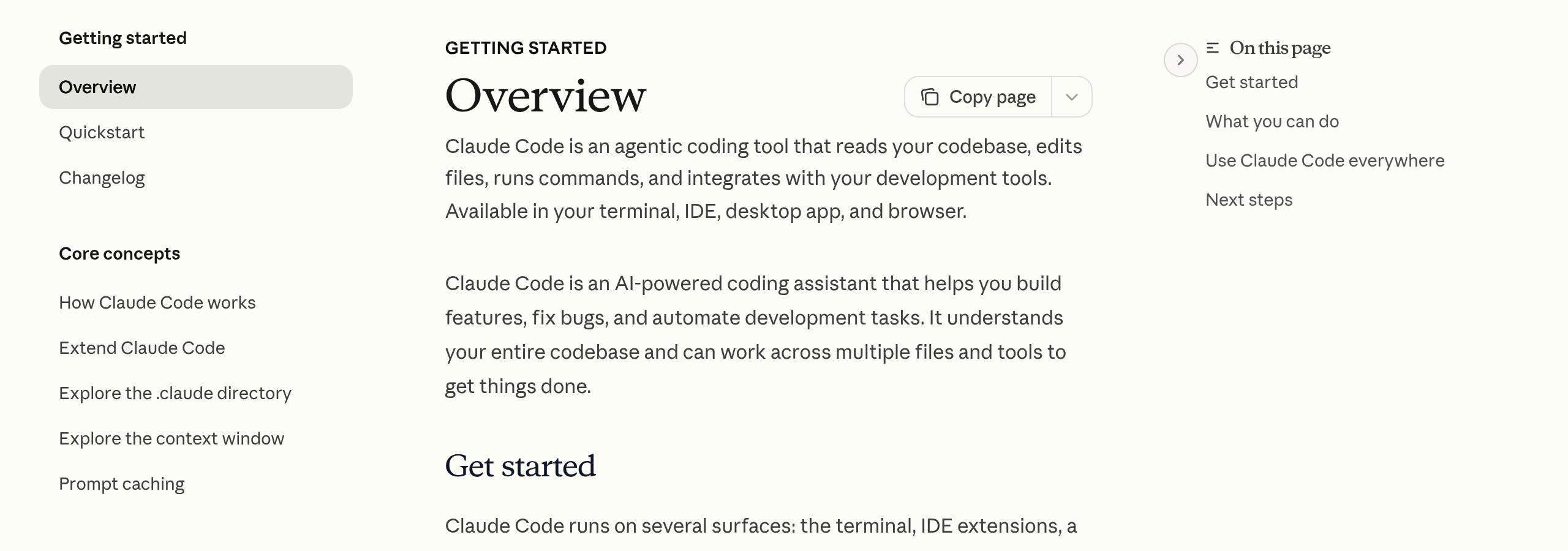
Claude Code is an agentic loop built on Anthropic's Claude models. On subscriptions the default model on Pro, Team Standard, Max, Team Premium and Enterprise plans is now an Opus model (Claude Opus 5.5 since September 22, 2026, with Sonnet still selectable); API and cloud users can select other models including Haiku 4.5 and Fable 5. The tool plans a task, reads only the files it needs, edits them, runs commands, checks the results, and iterates. Supported plans and models can work with up to a 1M token context window; the changelog notes Sonnet 5 sessions on the 1M window auto-compact at about 967K tokens. A permission system gates file writes and command execution, and a default mode can classify command risk for you.
Extension points carry most of the depth: MCP (Model Context Protocol) servers connect it to external tools and data sources; hooks run shell commands before or after its actions; skills package repeatable workflows as slash commands; subagents and dynamic workflows run tens to hundreds of parallel agents that check each other's work before anything reaches you (Anthropic, May 2026).
Integrations
VS Code and JetBrains extensions, a desktop app with visual diff review, a web surface at claude.ai/code for long-running and parallel sessions, iOS and Android apps for monitoring, GitHub Actions and GitLab CI/CD for automated review and issue triage, Slack for routing bug reports to pull requests, Chrome for debugging live web applications, and third-party cloud providers: Amazon Bedrock, Google Vertex AI, and Microsoft Foundry.
Getting Started with Claude Code
Required accounts
A Claude Pro, Max, Team, or Enterprise subscription, or an Anthropic Console account for API billing. The free Claude plan does not include Claude Code.
Installation
Native installer: run the curl command from the docs page on macOS, Linux, or WSL, or the PowerShell command on Windows. Alternatives: Homebrew, WinGet, or npm. The desktop app bundles Claude Code, and VS Code and JetBrains extensions install from their marketplaces.
First-time configuration
1. Install the CLI, then run 'claude' inside your project directory.
2. Log in with your Claude account on first use, or set an ANTHROPIC_API_KEY environment variable.
3. Answer the permission prompts: the tool asks before editing files or running commands. Choose the cautious defaults at first.
4. Create a CLAUDE.md file in the project root with your coding standards, architecture notes, and review checklist. The tool reads it at the start of every session.
First 15 minutes checklist
☐ Install the CLI and start it in a small project
☐ Ask it to explain the project structure in plain language
☐ Give it one small, concrete task: write one test or fix one lint error
☐ Review the diff before accepting any file change
☐ Commit the verified result with a generated commit message
Result: after 15 minutes you should have one verified, committed change and a feel for how the permission flow works. If you accepted a change you could not explain, stop and read it until you can.
Real Workflows
Workflow 1: Ship a tested refactor in one session
Learner type: Professional | CI-First benefit tags: Time, Quality | Connects to: software engineering and AI coursework at UIT (Technology, AI, Data Science) | Time estimate: 45 to 60 minutes including verification
Step | You do | Claude Code does |
1 | Name the module and the goal in plain language | Reads the module and its dependents, proposes a plan |
2 | Approve or correct the plan | Edits files across the module, keeping the public API stable |
3 | Watch the permission prompts | Runs the test suite, fixes failures it introduced |
4 | Read the final diff end to end | Summarizes what changed and what needs manual review |
5 | Commit or request changes | Stages, writes the commit message, opens the PR |
Sample prompt: Context: I am refactoring one module in a repository I own, keeping the public interface stable. The module, the goal and the existing test suite are identified; the run is supervised and the plan comes before any edit. Role: AI as a supervised implementation assistant working inside a bounded change. I own the approval of the plan and the final diff; you propose, edit and report. Profile: Act as a Co-Worker and Assistant for the implementation, executing one bounded increment at a time. Task: read the module and its dependents, propose a plan first, then refactor so token refresh is handled in one place, keeping the public API unchanged and the existing code style. Run the test suite after every change and stop if you cannot make a test pass. Constraints: never weaken a test or invent command output; where a change would alter behaviour outside the module, propose it rather than applying it. Stop and ask before touching dependencies, public interfaces or configuration. Output format: the plan first, then each increment with its real test result, then the final diff summary. Memory: the accepted change and the reasoning belong in my commit history and my project record, because the session keeps no standing instruction. UP-Context-Engineering verification: I approve the plan before any edit, I run the full test suite myself outside the session, and I read the final diff end to end so I can defend every line. Data safety: this pack carries no personal data. I do not paste credentials, customer data or another team's private repository into it, and I keep the change record in version control.
Verification checklist:
☐ Multi-Model Check: paste the final diff into a second model (for example GPT or Gemini) and ask it to find bugs the change introduces
☐ External Source: run the full test suite and linter yourself, outside the Claude Code session
☐ Human Review: a teammate reviews the PR before merge; you must be able to defend every line
☐ CI-First Test: can you explain and defend the refactor without the tool? If not, do not merge
Workflow 2: Automated pull request review in CI
Learner type: Professional | CI-First benefit tags: Quantity, Quality | Connects to: team-based software engineering practice at UIT (Technology, AI, Data Science) | Time estimate: about 30 minutes of setup, then it runs on every PR
Step | You do | Claude Code does |
1 | Add the GitHub Actions workflow from the docs to the repository | Installs itself in the CI runner with your credentials |
2 | Define what it should flag: logic bugs, missing tests, security issues | Reviews every new PR and posts inline comments ranked by severity |
3 | Calibrate noise: dismiss or adjust rules after a week of results | Learns from your team's code review conventions in CLAUDE.md |
4 | Treat its comments as input, not verdicts | Flags findings; a human always makes the merge decision |
Sample prompt: Context: my team reviews pull requests in CI and the review comments must be ranked and actionable. The PR is provided and the review conventions are stated. Role: AI as a pull-request reviewer operating as one input to a human merge decision. I own the merge; you flag findings. Profile: Act as an Analyst and Tester, reproducing each finding rather than pattern-matching. Task: review the pull request for logic bugs, unhandled error paths and missing tests; do not comment on style. For each finding, quote the exact line, explain the failure mode and suggest a fix, ranked by severity. Then name the one finding the team should not merge without addressing. Constraints: never comment on style, and never present a preference as a defect. Where a finding depends on code outside the diff, say so and name the file. Output format: the ranked findings with quoted lines and failure modes, then the merge-blocking finding. Memory: the accepted findings and the dismissals belong in my team's review record, because the CI run keeps comments and not decisions. UP-Context-Engineering verification: I confirm each reported bug by reproducing it or tracing the code path myself before acting on it, I check that dismissed rules are recorded as dismissals, and my team can explain each accepted finding without the tool. Data safety: this pack carries no personal data. I do not paste an unreleased feature branch, a customer's data or a colleague's private notes into it, and I keep the review decisions in the repository record.
Verification checklist:
☐ Multi-Model Check: run the same review prompt through a second code review tool or model on the same PR and compare findings
☐ External Source: confirm each reported bug by reproducing it or tracing the code path yourself
☐ Human Review: a human makes every merge decision; the tool's comments are advisory
☐ CI-First Test: can your team explain each accepted finding without the tool? If nobody can, disable that rule
Workflow 3: Codebase onboarding as a study session
Learner type: Student | CI-First benefit tags: Skill, Time | Connects to: AI and software engineering study at UIT (Technology, AI, Data Science), practiced as active recall in the UNOP spirit | Time estimate: 30 minutes
Step | You do | Claude Code does |
1 | Open an unfamiliar open-source repository | Maps the structure: packages, entry points, main components |
2 | Ask for a guided tour of one subsystem, not the whole repo | Explains the data flow with references to actual files and lines |
3 | Close the session and write the architecture summary from memory | (out of the loop: this step is yours) |
4 | Compare your summary with the tool's map and fill the gaps | Answers follow-up questions on the parts you got wrong |
5 | Make one small documented change to prove understanding | Guides the edit and checks it against project conventions |
Sample prompt: Context: I am new to this codebase and I am using the onboarding as a study session. The repository is identified and the subsystem under study is stated. Role: AI as a guide for one subsystem of the codebase. I own the learning; you map and then quiz. Profile: Act as a Professor, Coach and Tutor, building my recall rather than doing the tour for me. Task: explain the request handling path from entry point to response, naming the exact files involved. Then quiz me with five questions about this architecture that I should be able to answer, and do not show me the answers until I try. Constraints: name only files that exist; where a step is conventional rather than visible in the code, say so. One subsystem, not the whole repository. Output format: the path with named files, the five questions, then the answer reviews once I reply. Memory: my architecture summary and the corrected answers belong in my own learning record, because the session keeps no plan. UP-Context-Engineering verification: I close the session and write the architecture summary from memory before checking it, I open the named files myself to confirm each claim, and I can draw the data flow a day later without the tool. Data safety: this pack carries no personal data. I do not paste private repository code, credentials or production configuration into it, and I keep my notes in my own store.
Verification checklist:
☐ Multi-Model Check: ask a second model to verify the architecture summary you wrote from memory
☐ External Source: open the named files yourself and confirm each claim about the data flow
☐ Human Review: a mentor or peer with repo experience checks your summary
☐ CI-First Test: can you draw the architecture diagram from memory a day later? That is the real output of this workflow
Strengths, Limits, and AI Imposture Risk
Strengths
CI-First Benefit | Strength and evidence |
Time: 7 | Multi-file refactors, test writing, and PR preparation collapse into a single session. Anthropic's docs put average spend at about $13 per developer per active day, implying hours of agentic work per day at scale. |
Quantity: 7 | Parallel subagents, dynamic workflows, and scheduled routines multiply what one person can produce and monitor in a day. |
Quality: 8 | It plans before editing, runs tests, reviews its own diffs, and on G2 holds the category's best structured accuracy rating (4.6/5 for Claude, June 2026 data). |
Skill: 5 | Used as a tutor (explain, quiz, review), it builds genuine capability; used as an oracle, it builds dependency. The benefit depends on the user. |
Limits
Output must be verified. On large or vague tasks it produces plausible code with subtle bugs, and the polished diffs make it easy to accept too quickly.
Cost scales with usage. Long sessions and big codebases burn through subscription limits; community reports describe heavy Opus days costing $100 or more at API rates. The 5-hour rolling window and weekly caps can interrupt a focused session.
Quality moves with model versions and defaults. Community threads in 2026 document perceived quality drops after default reasoning effort changes, and occasional refusal or over-caution episodes interrupt otherwise smooth runs.
Terminal-first design adds friction if you want everything visual, though the desktop app and IDE extensions narrow the gap.
AI Imposture Risk
Time Illusion
Rating and evidence. Medium. Verification, re-prompting, and long agentic runs eat into savings. Thirty tagged releases in the thirty-five days from v2.1.270 to v2.1.302, including three releases that exist only to repair the release before them and five releases that revert an earlier change, plus a growing gateway and proxy configuration surface add maintenance time. Fast on well-scoped tasks, slow on vague ones.
Quantity Illusion
Rating and evidence. Medium. It can generate a large volume of convincing code and comments. Tests and diff review keep this honest, but the volume tempts shortcuts.
Skill Illusion
Rating and evidence. High. Under framework clause 5.2.3-a the tool writes procedural memory on your behalf: auto memory is enabled by default, written in the background during use with no per-write approval, and loaded into every session. A junior developer can ship working code they cannot explain. The permission system forces engagement, but nothing forces understanding. Highest-risk trap for this tool.
Overall Imposture Risk: Medium. Time and Quantity sit at Medium and Skill Illusion is High; under the framework a single High trap with clear mitigations is Medium overall: manageable with the verification discipline in this review's workflows, dangerous without it.
U365 Co-Intelligence Rating
CI-First Profile
Primary profile: Co-Worker and Assistant (level 2). Secondary profiles: Professor, Coach and Tutor (level 3) when used for onboarding and explanation, and Analyst and Tester (level 4) when used for review and CI verification.
CI-First Benefit Score
Time: 7
Rationale. Net savings are strong on well-scoped coding tasks once you include the verification overhead. Hours of mechanical work per week move to design and review.
Quantity: 7
Rationale. Subagents, routines, and CI integration let one person produce and monitor far more verified output in the same time.
Quality: 8
Rationale. Instruction-boundary fixes, cleaned prompt review, and error-path integrity make the evidence you review more trustworthy. Regressions and permission bypasses were repaired, not erased from the record.
Skill: 5
Rationale. Genuine skill-building is available (explanations, quizzes, guided edits) but optional. The tool does not force learning, so the honest score for a typical user is moderate. Scored with framework clause 5.2.3-a applied to the Skill Illusion trap (High), which does not by itself lower this benefit dimension.
CI-First Benefit Score: 6.8 / 10 (CI-First Strong). The tool significantly amplifies a disciplined developer. The ceiling is set by the Skill dimension: the tool amplifies what you understand, and cannot replace understanding it for you.
Humics Protection Badge
Dimension | Rating | Rationale |
Creativity | Neutral (0) | It can spark architectural ideas when you argue with it, and it can silently replace your design thinking when you accept its first plan. Net effect depends on the user. |
Critical Thinking | Neutral (0) | Diff review and permission prompts push you to evaluate; the temptation to accept a polished diff pulls the other way. |
Social Authenticity | Neutral (0) | Commit messages and PR text are functional but generic unless you edit them. The tool neither protects nor erodes your voice by default. |
Humics Protection Score: 0 / +3. Badge: Humics-Neutral
Superhuman Usage Guidance
When to invite this tool:
Well-scoped mechanical work: refactors, test suites, lint sweeps, dependency updates, commit and PR writing, bug tracing with a concrete error message.
Learning mode: ask it to explain, quiz you, and review your own edits, keeping you in the author seat.
CI mode: scheduled reviews and issue triage where every finding is advisory and a human merges.
When to keep this tool out:
Architecture and product decisions: the first plan should be yours. Security-sensitive changes without an expert reviewer. Anything you could not defend in a code review without the tool. Late-night unattended sessions with broad permissions.
U365 method integration:
What Users Say
Aggregate Rating Table
Platform | Rating | Reviews | Source |
G2 (Claude Code) | 4.9/5 | 15 | G2-sourced aggregation, May 2026 |
G2 (Claude, all products) | 4.4/5 | 100+ | G2, 2026 |
Capterra (Claude) | 4.8/5 | 29+ | Capterra, 2026 |
Product Hunt (Claude) | 4.8/5 | 600+ | Product Hunt, 2026 |
Trustpilot (claude.ai) | 1.5/5 | ~2,000 | Trustpilot, 2026 |
GitHub (anthropics/claude-code) | 151,333 stars | 26,854 forks | GitHub API, 2026-10-17 |
Reddit (r/ClaudeCode) | Mixed | multiple threads | 2026 community threads |
Futurepedia / FutureTools | No reviews found on these platforms during this review's searches. |
What Users Praise
Developers praise the same things across platforms: it understands the whole repository rather than the open file, catching conflicts between components before they break; it plans before editing and runs tests after; terminal-native speed beats chat-and-paste workflows; MCP connections and subagents extend it into their existing tools; and generated commits and PR descriptions save the last tedious step. G2 reviewers (4.9/5, 100% would recommend) consistently name codebase awareness as the differentiator.
What Users Complain About
Cost at scale is the loudest complaint: heavy users report subscription limits interrupting focused sessions, and API bills that surprise. Community threads document quality variance between model versions and default reasoning settings. Some users hit refusal or over-caution episodes mid-task. On consumer platforms (Trustpilot 1.5/5), anger concentrates on billing, refund handling, and usage-limit communication rather than the coding tool itself, though those reviews affect the brand users subscribe to.
Sentiment Summary
Overall sentiment: Mixed. Developer platforms are strongly positive (G2 4.9, Product Hunt 4.8, Capterra 4.8); consumer complaint platforms are strongly negative (Trustpilot 1.5).
Key themes:
Codebase-wide understanding and multi-file competence are the most praised capabilities
Cost and usage limits are the most common frustrations at every tier
Quality moves with model versions and defaults; users notice when it shifts
Consumer complaints target billing and support, not the coding workflow
U365 Editorial Note
The sentiment split maps almost perfectly onto the CI-First evaluation. Developer praise aligns with the high Time and Quantity scores: people who verify output get real benefit from the tool. The cost complaints align with our Medium Time Illusion rating: long sessions on big codebases burn limits, and users who delegate vague tasks spend more than they save. The under-reported risk in every enthusiastic thread is the Skill Illusion. Reviewers celebrate shipping speed; almost none mention reading the diff. That is exactly the gap the CI-First framework is built to surface, and it is why this review scores Skill at 5 while the crowd scores the tool 4.9.
Comparison and Alternatives
Alternative | Choose it if... | Choose Claude Code if... |
Cursor | You want an IDE-first experience with inline tab completion and visual editing | You want terminal-first, autonomous multi-step work with stronger planning |
GitHub Copilot | Your organization is standardized on GitHub and needs the safest procurement path | You need deeper codebase-wide reasoning and agent workflows |
OpenAI Codex CLI | You are on an OpenAI stack and want a comparable terminal agent | You prefer Claude models, MCP, and the multi-surface availability |
Gemini CLI | You want a generous free tier for experimentation | You need the strongest coding quality and can pay for it |
Windsurf | You want a fully managed IDE with an integrated agent experience | You want to keep your existing editor, terminal, and CI tools |
Where Claude Code is clearly better
Repository-wide autonomous work is its strongest suit: multi-file refactors with test verification, scheduled routines, and CI integration. The MCP extension standard gives it the broadest tool connectivity in the category, and the same engine runs in terminal, IDE extensions, desktop, web, mobile, Slack, and CI, which no listed alternative matches at this breadth.
Where Claude Code is clearly worse
It has no free tier: the cheapest entry is a Pro subscription or API spend, while Gemini CLI offers a free tier and Copilot starts cheaper. For IDE-native inline editing with tab completion, Cursor's experience is smoother. And its cost at scale is the category's most common complaint: a heavy user on Opus can outgrow Max 20x and end up on metered API rates.
Verdict and Next Steps
Who should adopt it: developers, data scientists, and technical students who write or review code weekly and can verify what it ships. Also professionals automating code-adjacent work who are willing to learn a small amount of command line discipline.
When: at the start of a coding-heavy semester or project, when you can invest a week in setup habits (CLAUDE.md, permission defaults, verification checklist) that pay back for months.
For what: delegating multi-step mechanical coding work: refactors, tests, reviews, and git choreography, while you keep the design decisions and the final judgment.
UP-Context-Engineering prompt packs
Each pack follows Context, Role, Task, Constraints, Output format, and a human verification step.
1. Bounded implementation with independent proof
Context: a bounded implementation task in a repository I own: an observable outcome, allowed files, forbidden boundaries and real test commands, all stated below. Role: AI as Co-Worker and Assistant (Profile 2). You inspect and propose a plan, wait for my approval, then implement one bounded increment and show each diff. I own the plan approval, the verification and the decision to ship. Profile: Act as a Co-Worker and Assistant (2), executing to a boundary I set rather than expanding the task. Task: inspect the repository against the stated outcome, propose a plan, and after my approval implement one bounded increment at a time. Show each diff. Verify by running the real test and lint commands. Constraints: never invent command output; stop on an unexplained failure; do not weaken tests; ask before dependencies, public interfaces, permissions, configuration or schemas change. Output format: the paths touched, the plan, assumptions, risks, then per-increment real test results. Memory: the accepted increments and their evidence belong in my repository history, because the session keeps no standing instruction. UP-Context-Engineering verification: I approve the plan before any edit, I run the tests and linters myself outside the session, I read the final diff end to end, and I obtain a qualified review before merge. Data safety: this pack carries no personal data. I do not paste credentials, customer data or an unreleased partner's code into it, and I keep the change record in version control.
2. Instruction-boundary and provenance audit
Context: an instruction-boundary audit over a session with subagents, scripts, hooks and standing instructions, all listed below. Role: AI as Analyst and Tester (Profile 4). You map every instruction that can cause a write, command, external call or final claim back to its source, and I own the conclusions. Profile: Act as an Analyst and Tester (4), auditing provenance rather than executing. Task: map each instruction that can cause a write, command, external call or final claim to its human, parent, subagent, script, hook, standing-file or external source. Constraints: use visible evidence only; mark unknown provenance rather than guessing; audit hidden formatting, Unicode tags, normalization and cleaned prompts, because an instruction can hide in any of them. Output format: a table of action, instruction or hash, source, authority, transformation, evidence, risk and control, followed by the three consequential actions to verify by hand. Memory: the provenance map belongs in my own audit record, because the session transcript is not an audit trail. UP-Context-Engineering verification: I verify three consequential actions by hand or fail the workflow, I check the map against the actual session artefacts, and I can state the author of every instruction that can cause a write. Data safety: this pack carries no personal data. I do not paste secrets, customer records or another team's transcripts into it, and I keep the audit record in my own store.
3. Multi-agent coding with accountability
Context: a multi-agent room with named agents, a shared channel or repository, and one objective, all stated below. Role: AI as an attributed agent working under mandatory Centaur rules, where every artefact has a named producer and an independent reviewer. I own the coordination record; you define and hold the roles. Profile: Act as a Co-Worker and Assistant (2), keeping producer identity visible rather than merging work into one anonymous output. Task: before work starts, define each agent's outcome, permitted files, prohibited areas, evidence, dependencies and reviewer; then hold the room to those definitions. Constraints: retain producer identity; prohibit self-approval and overlapping edits; stop on collisions; and treat an acknowledgement as not a completion. Cyborg is unavailable: no real-time co-editing loop is assumed. Output format: the scope table per agent, labelled updates, and an integration report carrying producer, reviewer, tests, conflicts and decisions. Memory: the scope table and the integration record belong in my own coordination record, because the room keeps messages and not accountability. UP-Context-Engineering verification: I check that every changed artefact has an independent reviewer, I confirm no agent self-approved, and I can name each producer for each deliverable without the room open. Data safety: this pack carries no personal data. I do not paste customer material, credentials or unpublished partner content into it, and I keep the coordination record in my own store.
4. Code review that produces learning
Context: a Fellow's diff and their stated understanding of it, provided below, in a review session. Role: AI as Professor, Coach and Tutor, then Analyst and Tester (Profiles 3 and 4). You ask before you answer, and I own whether the understanding holds. Profile: Act as a Professor, Coach and Tutor (3) for the questions, then Analyst and Tester (4) for the review. Teaching first, testing second. Task: ask five questions on data flow, errors, tests and trade-offs before reviewing anything; then, once I answer, review the diff and separate confirmed defects from hypotheses, citing exact lines. Constraints: do not rewrite the code before my answers; separate confirmed defects from hypotheses; explain the retained principle behind each correction; state your confidence per finding. Output format: the five questions, then an answer, correction, principle, confidence and line-test table. Memory: my answers and the corrected understanding belong in my own learning record, because the session keeps no plan. UP-Context-Engineering verification: I redraw the data flow and explain the main trade-off 24 hours later without the tool, and I record which corrections I could defend on my own. Data safety: this pack carries no personal data. I do not paste private repository code, credentials or customer data into it, and I keep the learning record in my own store.
Related U365 content:
Claude Opus 5 model review: https://www.university-365.com/post/claude-opus-5-anthropic-s-strongest-model-for-coding-agents-and-knowledge-work
Claude Sonnet 5 model review: https://www.university-365.com/post/claude-sonnet-5-anthropic-s-precision-reasoning-model
Claude Haiku 4.5 model review: https://www.university-365.com/post/claude-haiku-4-5-anthropic-s-fast-small-model-with-sonnet-class-performance
U365's Recommendations to Learn More
These links are curated, not collected. Each one teaches something this review does not: the official training path, deeper practice material, or a community where real work gets discussed. Links are verified as of October 5, 2026.
Official learning resources
Claude Code documentation: https://code.claude.com/docs/en/overview
Claude Code best practices (Anthropic): https://code.claude.com/docs/en/best-practices
Claude Code quickstart tutorial: https://code.claude.com/docs/en/quickstart
Anthropic engineering blog: https://www.anthropic.com/engineering
Video tutorials and channels
Claude Code Full Course 2026: How Senior Engineers Actually Build with AI (JavaScript Mastery, Sep 25, 2026): https://www.youtube.com/watch?v=u2QqWkMv3Lg
How Complete Beginners Master 95% of Claude Code in 28 minutes (Mikey No Code, Sep 18, 2026): https://www.youtube.com/watch?v=Q1wJe_hSPic
Introducing Claude Code (official launch demo, Anthropic, Feb 24, 2025): https://www.youtube.com/watch?v=AJpK3YTTKZ4
Anthropic official YouTube channel: https://www.youtube.com/@anthropic-ai
Claude Code Full Course 2026 | How Senior Engineers Actually Build with AI by JavaScript Mastery (Published Sep 25, 2026, 2:13:39)
How Complete Beginners Master 95% of Claude Code in 28 minutes by Mikey No Code (Published Sep 18, 2026, 27:59)
Introducing Claude Code by Anthropic (Published Feb 24, 2025, 3:54)
Prefer the official channel for feature walk-throughs: it stays current with each release. Third-party video tutorials age quickly because the tool ships new versions weekly.
Written tutorials and deep-dive articles
Awesome Claude Code, community-curated resource directory (53,000+ stars): https://github.com/hesreallyhim/awesome-claude-code
Using CLAUDE.md files (Anthropic blog): https://claude.com/blog/using-claude-md-files
Introduction to agentic coding (Anthropic blog): https://claude.com/blog/introduction-to-agentic-coding
Community and social
r/ClaudeAI, the main Claude and Claude Code community on Reddit (about 1.1M members): https://www.reddit.com/r/ClaudeAI/
Anthropic Discord server, official community and support channel: https://discord.gg/anthropic
Anthropic on X, official announcements and releases: https://x.com/AnthropicAI
Resources on X
Dedicated X channels:
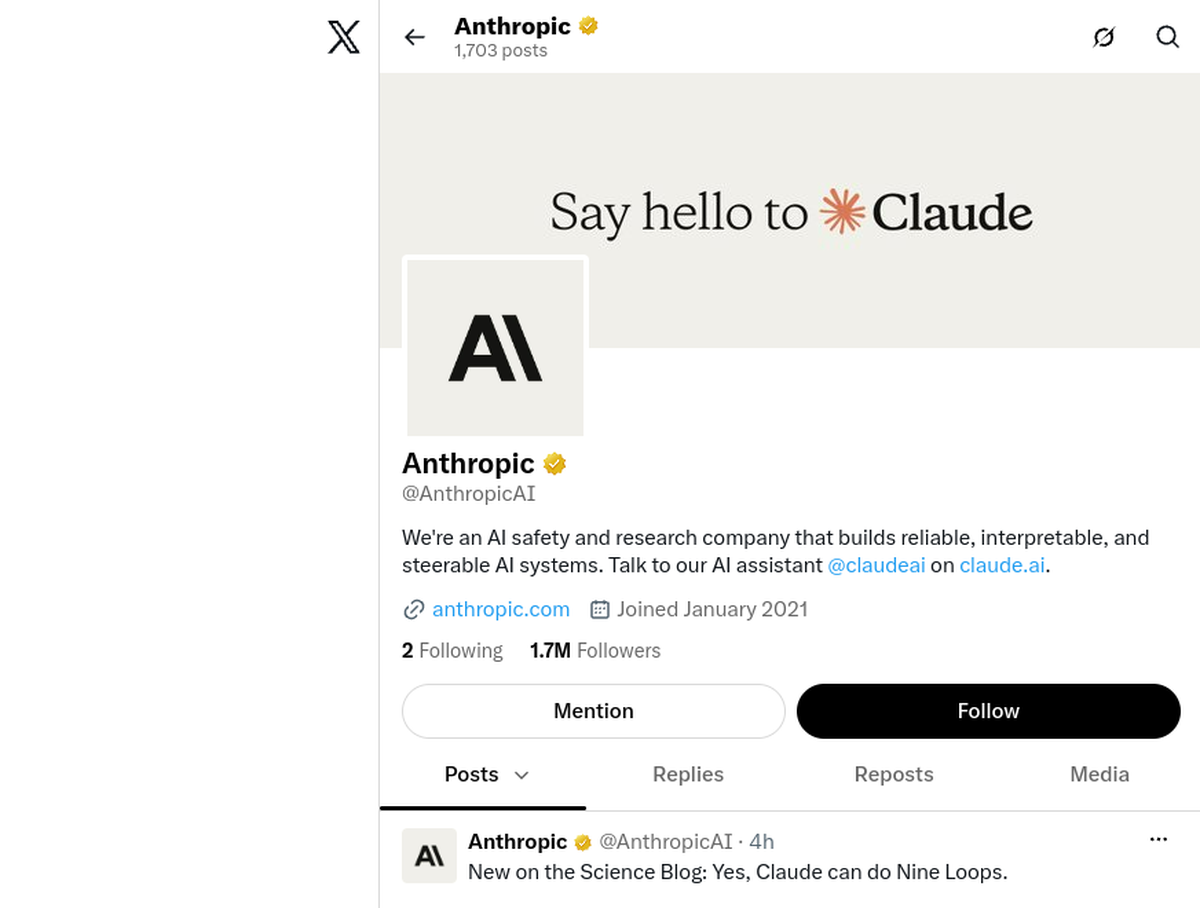
Anthropic (@AnthropicAI), the official account: https://x.com/AnthropicAI
ClaudeDevs (@ClaudeDevs), the developer-facing account carrying Claude Code release and limit notices: https://x.com/ClaudeDevs
Boris Cherny (@bcherny), the Claude Code creator: https://x.com/bcherny
Claude Code Changelog (@ClaudeCodeLog), an unofficial but tolerated bot posting CLI and feature-flag changes: https://x.com/ClaudeCodeLog
Posts with video content:
ClaudeDevs explains how auto mode decides an action is safe to run (Aug 10, 2026): https://x.com/ClaudeDevs/status/2086844755770757531
ClaudeDevs demonstrates the ant CLI for the Claude Platform API (Jun 2, 2026): https://x.com/ClaudeDevs/status/2061877343078244459

We curate resources by content quality, not source type. Individual creators and community experts are welcome and often produce the best tutorials. We label community sources so readers know the provenance, and we exclude promotional and affiliate content. The quality bar is substantial material that teaches something this review does not, from a creator visibly using the current release.
Glossary
CI-First Benefit Score
The U365 measure of how much real benefit a tool delivers across the four Key AI Benefits: Time (do it faster), Quantity (do more of it), Quality (do it better), and Skill (learn to do what you could not). Each dimension is scored 0 to 10 for the honest, typical user, net of prompting and verification overhead, and the overall score is their arithmetic mean. Claude Code scores 6.8/10 (Time 7, Quantity 7, Quality 8, Skill 5), which falls in the CI-First Strong band (6.1 to 8.0): a core tool for a disciplined Superhuman workflow, not a gift for anyone who installs it.
CI-First Profile
The collaborative role you assign to an AI before giving it a task, drawn from U365's five profiles: (level 1) Co-Creator and Thought Partner, (level 2) Co-Worker and Assistant, (level 3) Professor, Coach and Tutor, (level 4) Analyst and Tester, (level 5) Challenger and Devil's Advocate. Lower level numbers indicate higher AI autonomy in the collaboration. Claude Code is primarily a (level 2) Co-Worker and Assistant: you direct and review, it executes. It serves as (level 3) Professor, Coach and Tutor when you ask it to teach, and (level 4) Analyst and Tester when it reviews your pull requests.
Humics Protection Badge
A U365 rating of whether sustained use of a tool strengthens or weakens the three uniquely human capabilities: creativity, critical thinking, and social authenticity. Each dimension is rated Protects (+1), Neutral (0), or Erodes (-1), and the sum maps to a badge: Humics-Friendly (+2 to +3), Humics-Neutral (-1 to +1), or Humics-Risky (-2 to -3). Claude Code rates 0/3, Humics-Neutral: it neither protects nor erodes your human capabilities by default. Whether it grows you or atrophies you depends on whether you read the diffs it shows you.
AI Imposture Risk
The threat that a tool traps you in one of the three usage illusions defined by U365: the Time Illusion (it feels fast but prompting and verification cost more than it saves), the Quantity Illusion (volume of output that does not survive inspection), and the Skill Illusion (you appear competent because the tool is, while your own capability quietly shrinks). Claude Code is Medium overall: Time Medium, Quantity Medium, and Skill Illusion High because the tool writes procedural memory on your behalf. The mitigations are structural and behavioral: read every diff, run tests outside the session, and never ship what you cannot explain.
User Sentiment
The aggregated voice of real users across review and community platforms, which U365 reports honestly, including where it contradicts the evaluation. For Claude Code the split is sharp: developer platforms rate it 4.8 to 4.9 out of 5, while the consumer brand on Trustpilot sits at 1.5 out of 5 on billing and support complaints. U365 treats the crowd as evidence, not as verdict: the CI-First evaluation, not the star average, tells you whether the tool makes you Superhuman.
Review Status
Review Status records the current standing of the tool at the time of the last test. Active: the tool is current and recommended. Active (updated): recently re-checked and the content was refreshed. Changed: a re-check trigger fired and an update is pending, so read the review with that in mind. Risky: the tool has significant unresolved issues, or it has been clearly surpassed by newer alternatives. Use it with caution and read the Limits section. Retired: the tool still works but is no longer recommended. Deprecated: the tool has been shut down or fundamentally changed. Retired and Deprecated posts include a Migration Path section.
Sources
Claude Code changelog (reviewed through v2.1.302, October 2026)
anthropics/claude-code GitHub repository (stars, forks, issues)
Claude Code G2 review aggregation (4.9/5, 15 reviews, May 2026)
G2 AI code generation category analysis (structured accuracy 4.6/5)
MarkTechPost: AI coding agents ranked, SWE-bench Verified (May 2026)




Comments